Sandata Auto Verification Details
This report displays all visits for the selected date range and shows how they were confirmed (manually or automatically) as well as details about any manual edits made to the visit. This shows visit verification activity details to enhance program compliance. To minimize manual editing, auto-verified visits are preferred. This improves visit capture and reduces provider agency workload.
Use the following fields to limit the report output:
| Field | Description |
|---|---|
| Payer | The selected payer(s) |
| Program | The selected program(s) |
| Service | The selected service(s) |
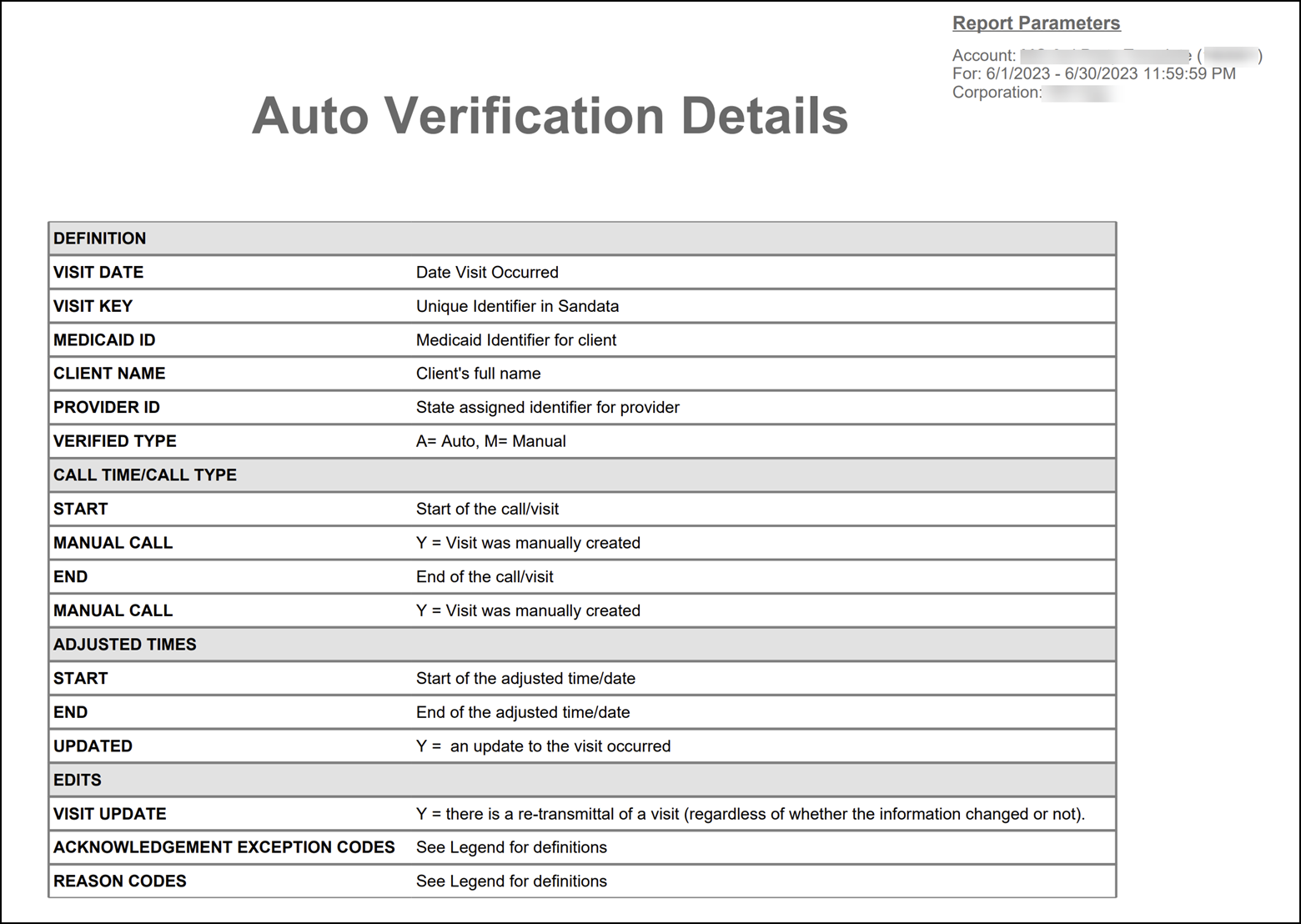
Each column of the report displays the following information:
| Columns | Description |
|---|---|
| Visit Date | The date of the visit |
| Visit Key | The visit ID related to the visit |
| Medicaid ID | The client's Medicaid ID. Blank if non-applicable or unknown. |
| Client Name | The client’s name |
| Provider ID | The state assigned identifier for the provider (Example: Provider Medicaid ID) |
| Verified Type | How the visit was verified (Key: A = Automatic, M = Manual) |
| Call Time/Call Type | ------------ |
| Start | The call in time for the visit |
| End | The call out time for the visit |
| Manual Call | A 'Y' if the call out was manually created |
| Adjusted Times | ------------ |
| Start | The manually entered start time for the visit |
| End | The manually entered end time for the visit |
| Updated | A 'Y' if an adjusted call in or call out was added |
| Edits | ------------ |
| Visit Update | A 'Y' if the visit was manually updated |
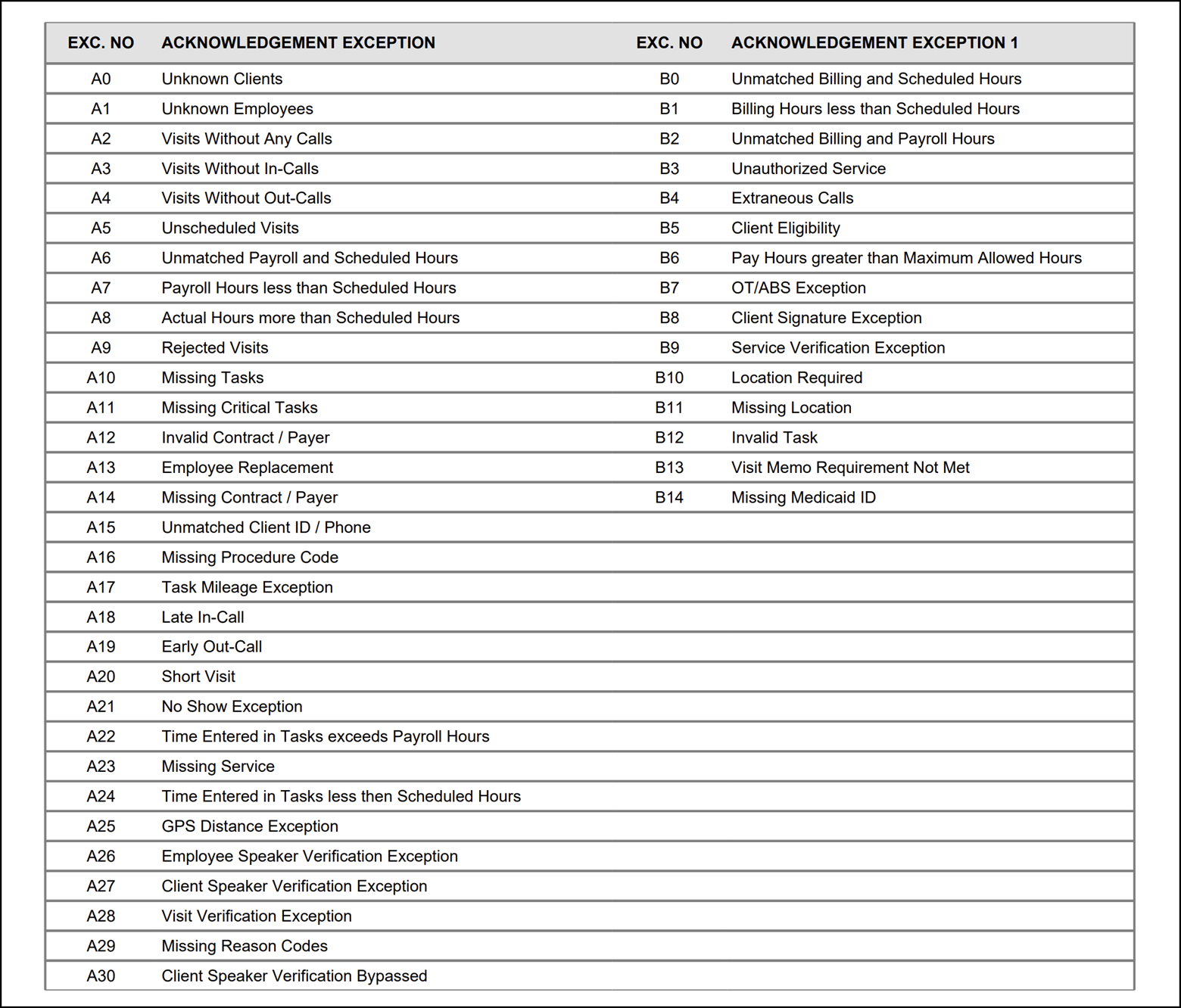
| Acknowledgment Exception Codes |
The related codes if an exception was acknowledged See the legend at the end of the report for a full list of codes |
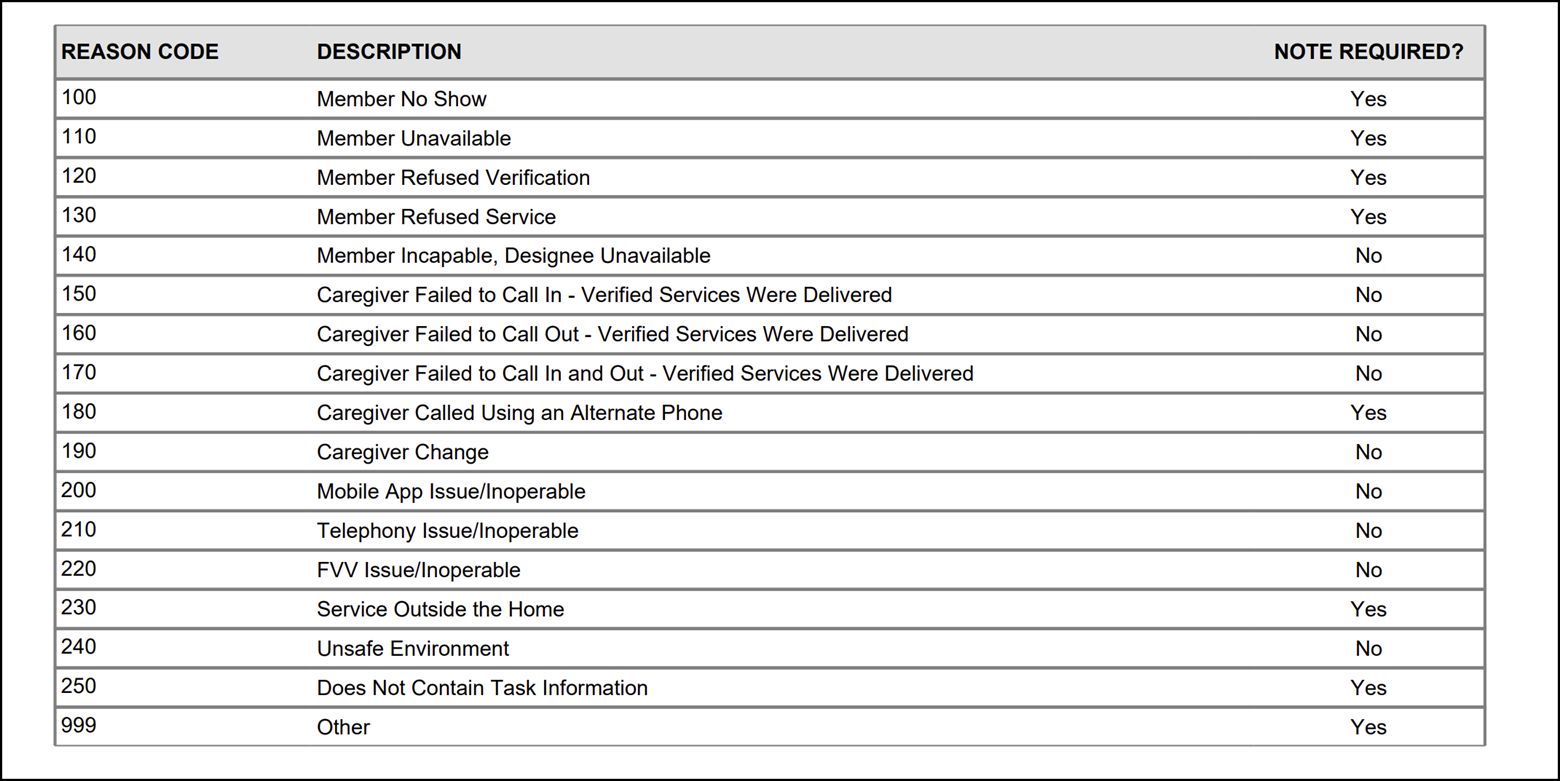
| Reason Codes |
Any reason codes applied when editing the related visit See the legend at the end of the report for a full list of codes |
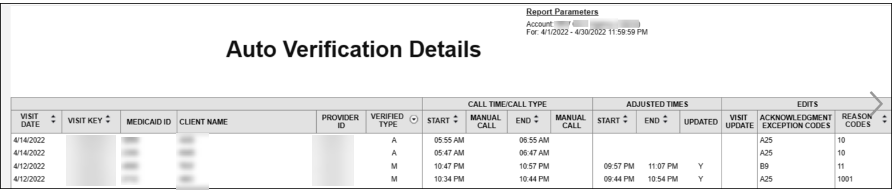
Sample Report
Auto Verification Details Legend