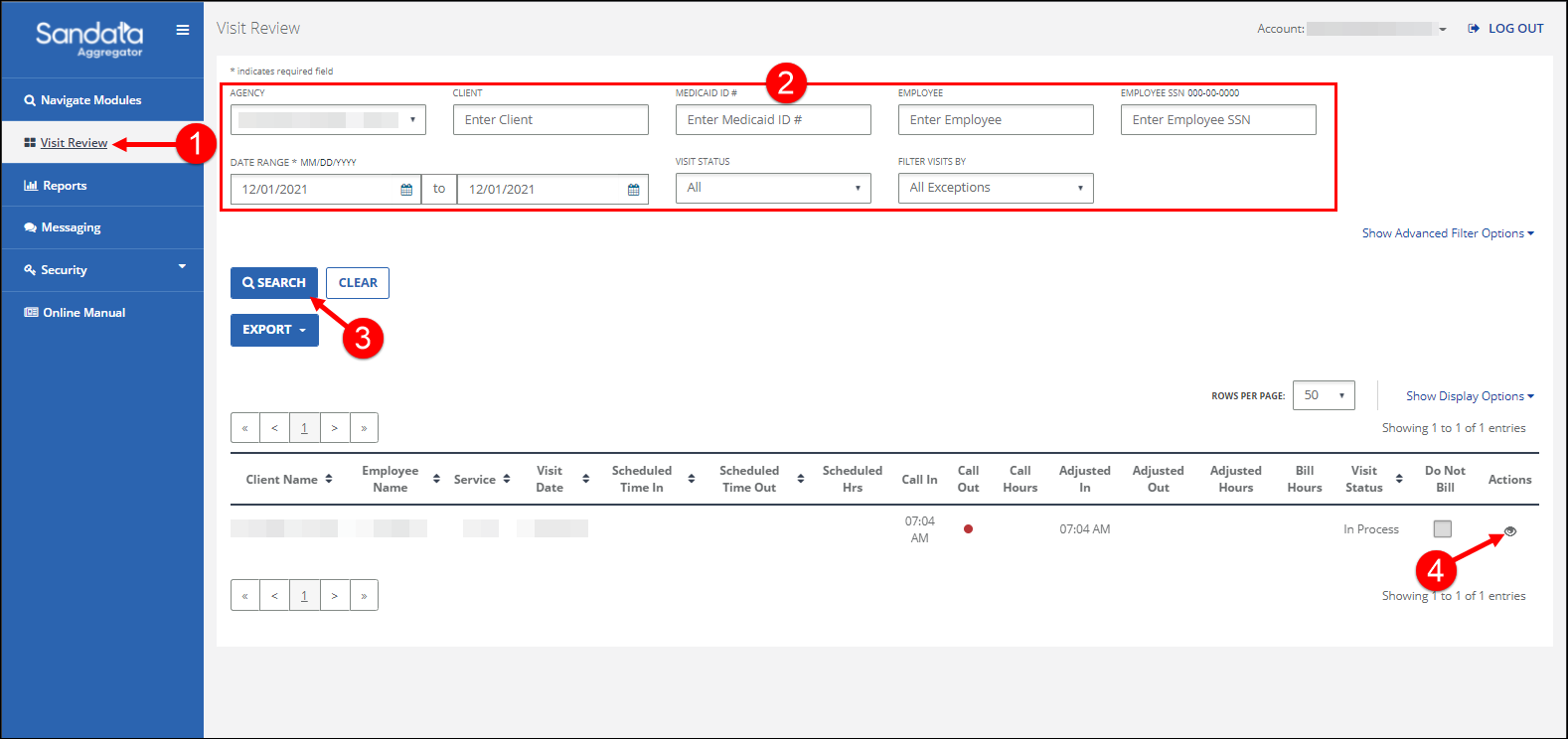
Search for a Visit
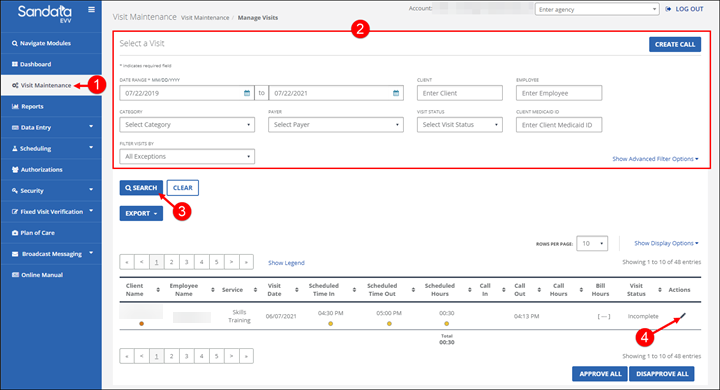
To search for a Visit:
-
Go to the Manage Visits screen.
-
Enter the search criteria.
-
Click SEARCH.
-
4. Click the Edit icon
 icon to view the Visit Detail screen.