Schedule a Visit
To schedule a visit:
-
Navigate to the Create Schedule screen.
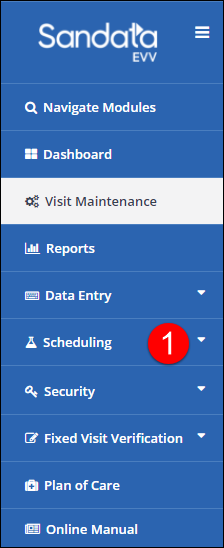
-
Enter the appropriate fields on the Select Client tab.
-
Click Search.
-
Select the client.
-
Click Next.
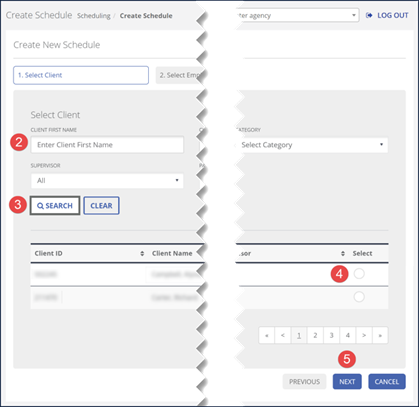
-
Enter the appropriate fields on the Select Employee tab.
-
Click Search.
-
Select the employee.
-
Click Next.
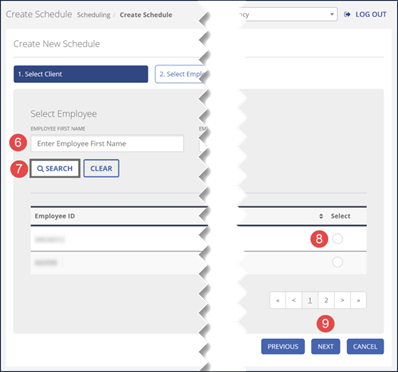
-
Select the appropriate fields on the Create Schedule tab.
-
Click Finish.
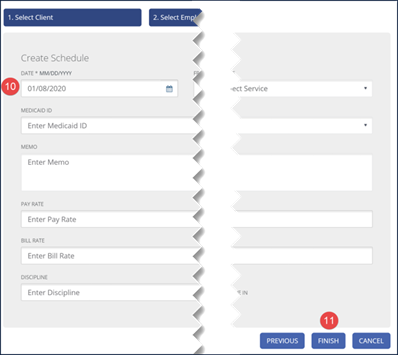
-
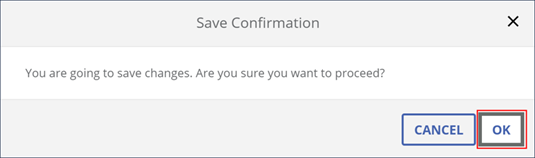
Click OK in the Save Confirmation pop-up window.
-
A notification of confirmation or error displays at the top of the screen.
