Merge Calls
To merge calls:
-
Go to Visit Maintenance and search for and open a Visit.
Click the Edit
 icon, and then click the MERGE CALLS button.
 -
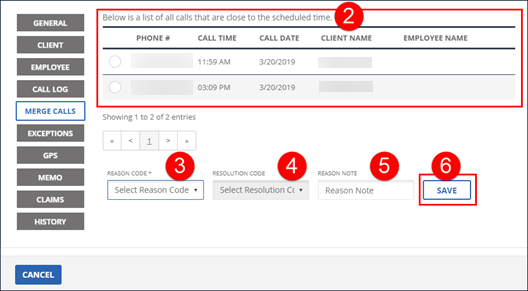
Select the missing in or out call.
-
Select the REASON CODE.
-
Select the RESOLUTION CODE.
-
Enter a REASON NOTE, if applicable.
-
Click SAVE.
-
A notification of confirmation or error displays at the top of the screen.