Create a Group Visit Code
Group Visit functionality allows multiple employees to provide services for two or more individual clients. A group visit is defined as visits for two or more individual clients, linked by a shared group visit code. A group visit code is a unique value assigned to each visit that occurred as part of the group visit and links the visits together.
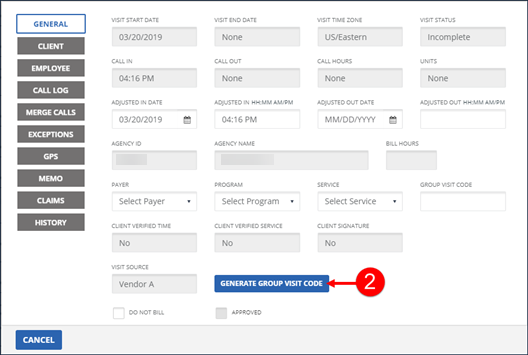
Create a group visit code on the General tab of the Visit Details screen. When the last individual client in the group’s visit is completed, the group visit ends.
To create a group visit code:
-
Go to Visit Maintenance and search for and open a Visit.
Click the Edit
 icon, and then click the GENERAL button.
 -
Click GENERATE GROUP VISIT CODE to populate the GROUP VISIT CODE field with a new group visit code.
-
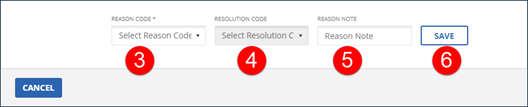
Select the REASON CODE.
-
Select the RESOLUTION CODE.
-
Enter a REASON NOTE, if applicable. The REASON NOTE field is used to enter additional information about the visit and may be required based on the REASON CODE selected.
-
Click SAVE.