ADA Support
Sandata EVV is designed to be compliant with the Americans with Disabilities Act ("ADA"). Sandata EVV is Job Access with Speech ("JAWS") Reader compliant, meaning sections of the screen are read aloud for users who cannot see the screen. The color scheme and contrast ratio is designed to be accessible for users with color blindness or low vision. Each screen of the application is designed to be dynamic, so that if a user increases the size of the screen, fields shift automatically to accommodate the change. For users who cannot operate a mouse the system can be navigated using only a keyboard.

Use these instructions to navigate Sandata EVV with only a keyboard.
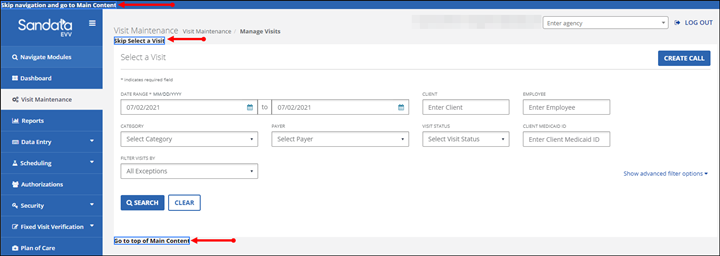
Press Tab to move through the system. When using Tab to navigate through the options, the links indicated below display individually. Press Enter when one of these links is selected to jump to the indicated section of the screen.
For accessibility, the Navigate Modules field allows users to move to the various screens of the application without using the Navigation Menu.
-
Type the name of a screen into the Navigate Modules field to jump to that screen.
-
A link to the screen displays below the field.
-
Select the link to navigate directly to the page.
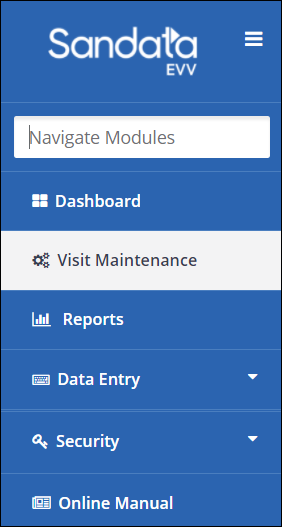
The Navigate Modules field requires users enter the name of the section they’d like to jump to exactly as it appears in the menu. For example, to jump directly to the Dashboard, users must enter Dashboard into the Navigate Modules field.
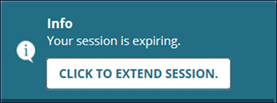
For system security, users are automatically logged out of the system after a period of inactivity. When users remain idle for 15 minutes (default value), a warning message displays. For accessibility reasons, users have 2 additional minutes to respond to the prompt and extend the session. If users do not click the CLICK TO EXTEND SESSION. button, they are automatically logged out of the application.