Search for Users
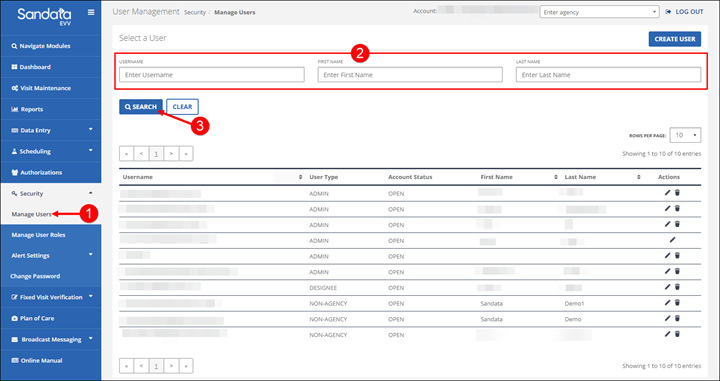
Use the Select a User section of the Manage Users screen to search for existing users.
To search for a user:
-
Go to Security > Manage Users.
-
Enter search criteria.
-
Click SEARCH.