Reset a User's Password
Users with the proper permissions can send a reset password email for another user’s password.
-
Go to Security > Manage Users and search for a user.
-
Click the Edit icon
 to the right of the user.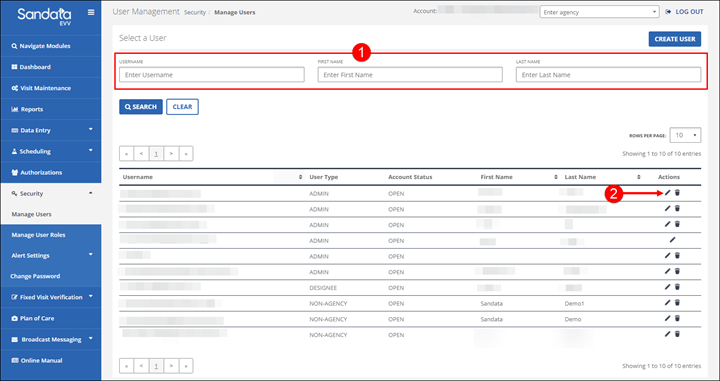
-
Click the RESET PASSWORD button.
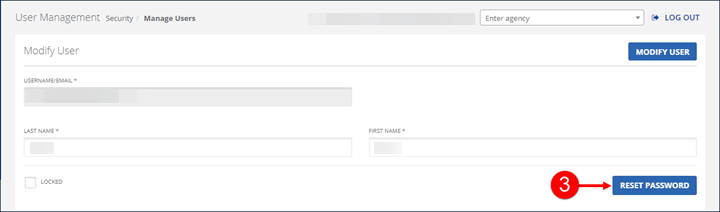
A temporary password is emailed to the user. The temporary password expires if it is not used to log into the system within a set period of time. When logging into the system using a temporary password, users are prompted to create a new permanent password.