Edit a User Role
To edit a user role:
-
Go to Security > Manage User Roles.
-
Click the Edit icon
 for the role.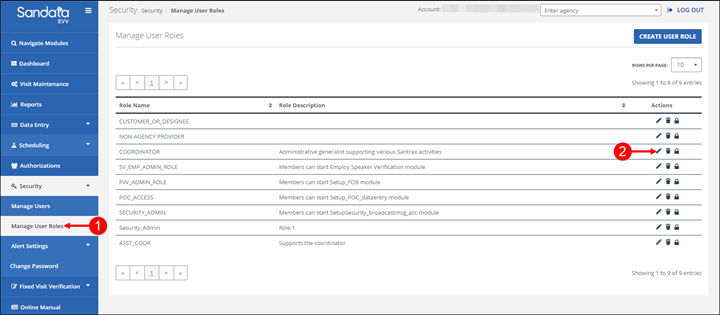
-
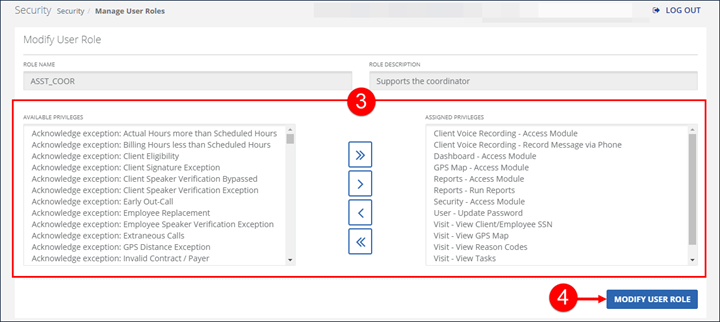
Change the system privileges for the role by moving them between the AVAILABLE PRIVILEGES field and the ASSIGNED PRIVILEGES field.
-
Click MODIFY USER ROLE.
-
A notification of confirmation or error displays at the top of the screen.