Create a Work Schedule
This process is used to define when an alert is sent. As a default, alerts are sent between the hours or 9AM and 5PM. Work schedules are used to define alternate times and are assigned at the Manage User screen.
To create a work schedule:
-
Go to Security > Alert Settings > Setup Work Schedules and click the CREATE button.
-
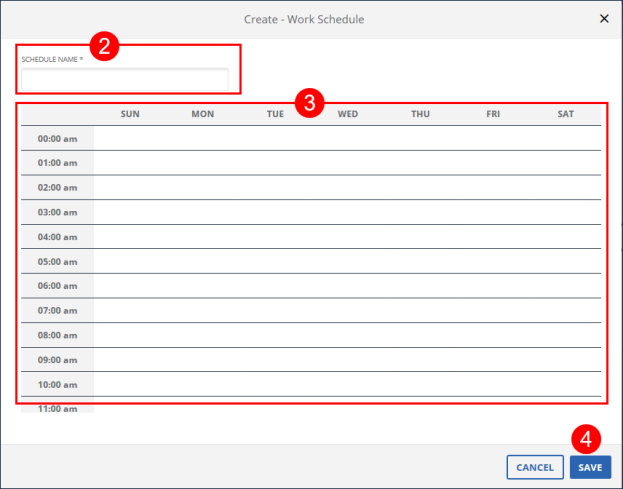
Enter the SCHEDULE NAME (description).
-
Click all applicable date/time cells.
-
Click SAVE.
-
A notification of confirmation or error displays at the top of the screen.