Create a New User Role
To create a new user role:
-
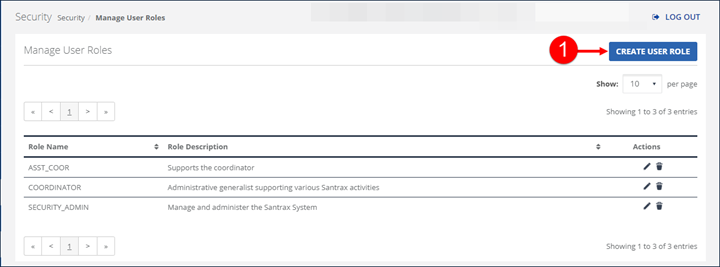
Go to Security > Manage User Roles and click the CREATE USER ROLE button.
-
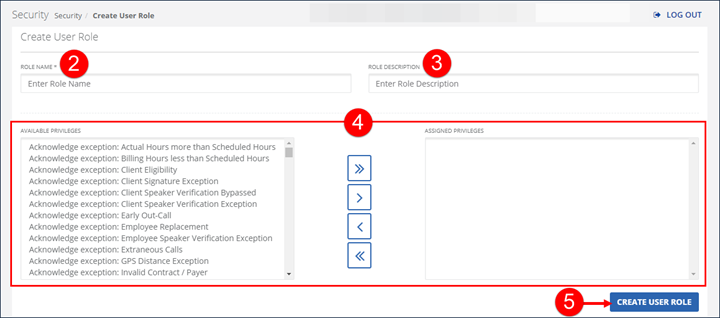
Enter the ROLE NAME.
-
Enter the ROLE DESCRIPTION.
-
Click on a privilege and use the assignment buttons to move privileges between the AVAILABLE PRIVILEGES and ASSIGNED PRIVILEGES fields.
The AVAILABLE PRIVILEGES field represents all privileges available to be assigned to this User Role. The ASSIGNED PRIVILEGES fields represent all privileges currently assigned to this user.
-
Click CREATE USER ROLE.