Change Your Password
Users with the correct permissions can use the Change Password link to reset the password used to log into Sandata EVV.
To change your password:
-
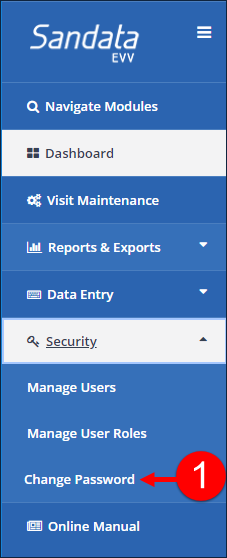
Go to Security > Change Password.
-
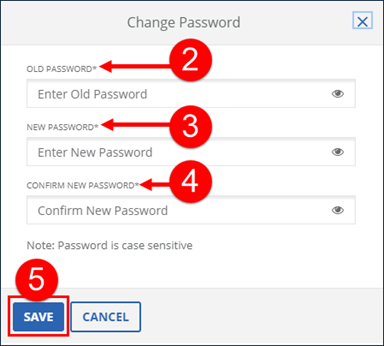
Enter the current password in the OLD PASSWORD field.
-
Enter the new password in the NEW PASSWORD field.
-
Re-Enter the new password in the CONFIRM PASSWORD field.
-
Click SAVE.
-
A notification of confirmation or error displays at the top of the screen.