Sandata Aggregator Get Started
Welcome to Sandata Aggregator, your essential tool for accessing and analyzing visit data in the world of Electronic Visit Verification (EVV). Whether you're a State Auditor, a Managed Care Organization (MCO), or a Provider Agency tasked with managing home and community-based services, this guide helps you get started with Sandata Aggregator and understand its importance for viewing visit data.
Here are some tips for getting started with Sandata Aggregator.
Access Sandata Aggregator
-
Your organization or agency provides you with your username and password.
-
Open the portal: In your browser, go to evv.sandata.com.
-
Log In: On the login page, enter your username and password. Click Login to access Sandata Aggregator. If you have multiple accounts, you only need to log into the system one time and you are then able to switch between accounts using the drop-down menu in the application.
View Visit Data
-
Access Visit Data: Click on the Visit Review module to find a comprehensive list of visit records.
-
Filter and Search: Use filters and search options to narrow down your data view. This makes it easier to find specific visit records.
-
Exporting Visit Data: Use the EXPORT TO EXCEL button to export the visit data you have filtered for.
Generate Reports
-
Access Reports: Depending on your role and permissions, you can find various report options in the portal's menu.
-
Customize Reports: Apply filters like date range, client, or employee.
-
Generate and Analyze: Generate the report and analyze the data to gather insights for decision-making.
Administration
If you are an administrative-level user, you can create users and assign user roles and privileges in the system.
-
Users: Use this function to add or edit users in the system for your account.
-
User Roles: Each user can be assigned a set of privileges in the system. You can assign them pre-defined roles or create a new role with privileges you choose for them.
You are taking your first steps in using Sandata Aggregator to view visit data effectively. Use the Product Help menu to view Aggregator how-to guides and videos.

Users must log in using the following URL (https://evv.sandata.com). Users with multiple accounts only need to log into the system one time and can switch between associated accounts (as well as Aggregator accounts) using a drop-down menu in the application. On the login screen (displayed below) enter the credentials provided by the administrator and click LOGIN to access to the system:
• USERNAME - The username is the email address used when creating a system user (username is not case sensitive). Users must have access to emails sent to this email address, as the emails containing temporary passwords are sent there.
• PASSWORD - Must be at least twelve characters long, have at least one upper case, one lower case letter, one numeric character and one special character (@#$%^) (Password are case sensitive). By default, the characters entered in this field are masked. Click the eye icon ( ) to unmask the characters in this field.
• REMEMBER ME - Select this checkbox to save the last AGENCY and USERNAME entered. This information is only saved to the computer and web browser the user clicked the REMEMBER ME checkbox on.
Sandata EVV log in screen.
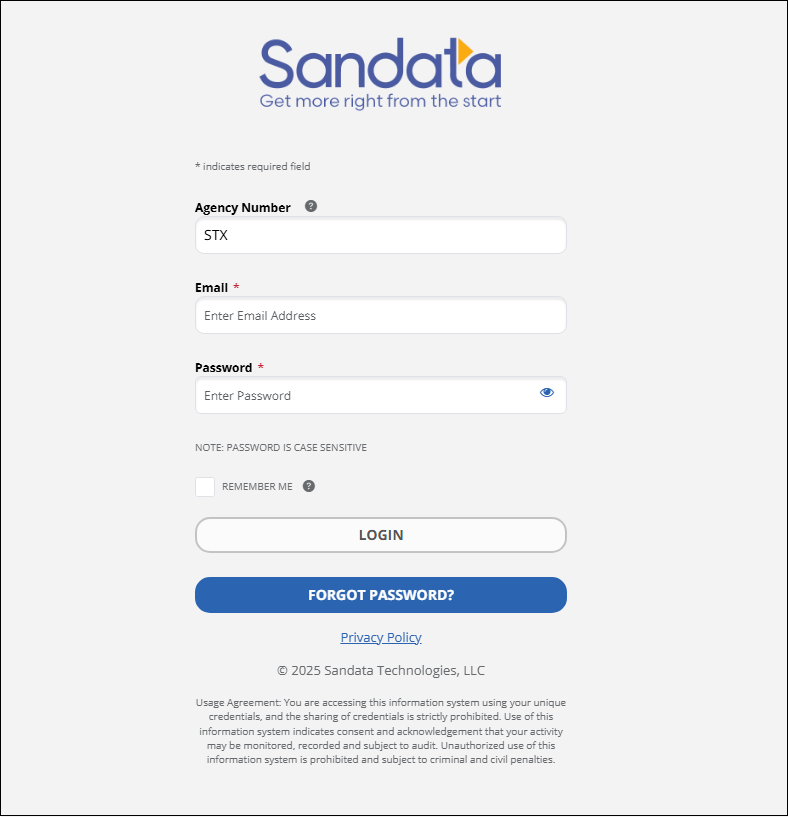
Login Screen
When using a browser that is no longer supported, a message reading Sandata Aggregator no longer supports this browser displays at the top of the login screen. If cookies are not enabled for the web browser, a message reading Cookies Required Cookies are not enabled on your browser. Please enable cookies in your browser to continue.
Sandata Aggregator is designed to be compliant with the Americans with Disabilities Act ("ADA"). Sandata Aggregator is Job Access with Speech ("JAWS") Reader compliant, meaning sections of the screen are read aloud for users who cannot see the screen. The color scheme and contrast ratio is designed to be accessible for users with color blindness or low vision. Each screen of the application is designed to be dynamic, so that if a user increases the size of the screen, fields shift automatically to accommodate the change. For users who cannot operate a mouse the system can be navigated using only a keyboard.
Use these instructions to navigate Sandata Aggregator with only a keyboard.
• Press <Tab> to move through the system. When using <Tab> to navigate through the options, the links indicated below display individually. Press <Enter> when one of these links is selected to jump to the indicated section of the screen.
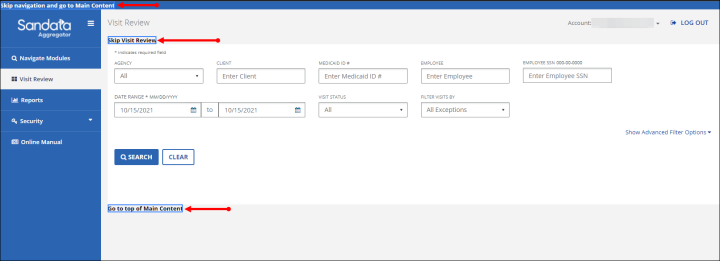
[video goes here]
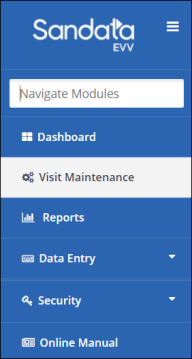
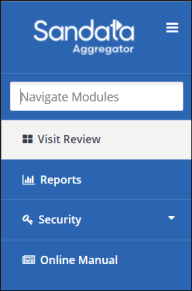
For accessibility, the Navigate Modules field allows users to move to the various screens of the application without using the Navigation Menu.
Type the name of a screen into the Navigate Modules field to jump to that screen. A link to the screen displays below the field. Click the link to navigate directly to the page.
For example, to jump directly to the Dashboard, users must enter “Dashboard” into the Navigate Modules field.
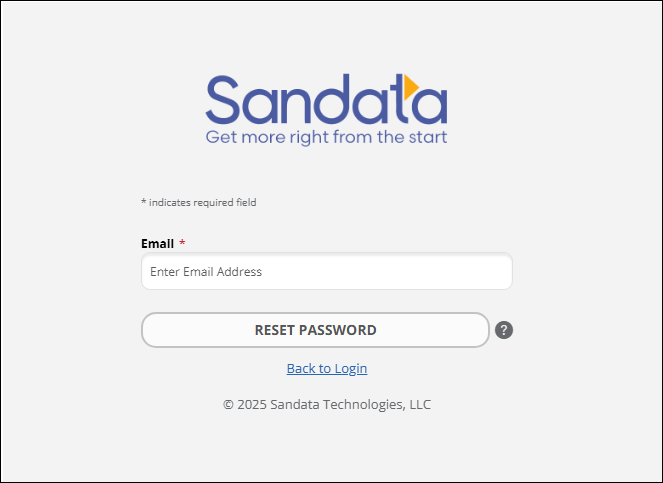
Sandata Aggregator allows users to request a temporary password if necessary. After logging in using the temporary password, users are prompted to create a new permanent password. Passwords can only be reset once every 24 hours.
Forgot Password? - Click this link and follow the prompts to send a reset password email to the email address used to log in.
-
Sandata Aggregator has many system security features, including:
-
Automatic Logout - Users are automatically logged out of the system after a period of inactivity. When users remain idle for 15 minutes (default value) a warning message displays. For accessibility reasons, users have 2 additional minutes to respond to the prompt and extend the session.
-
Password Rules - Sandata Aggregator has several rules to ensure passwords are secure. Passwords must:
-
Include an upper and lowercase character.
-
Include at least one special characters (For example: !@#$&).
-
Not include any part of the username.
-
Not include more than two consecutive characters from the user’s full name.
-
Not include more than two consecutive characters from the account’s name.
-
Be at least twelve characters in length.
-
-
Automatic Password Expiration - Passwords expire after a configurable number of days. Beginning 10 days before password expiration, after logging in, users are redirected to the Change Password screen, where they can change their password or skip the password change process and continue into the application. This occurs each day until the password is updated. If a user logs in with an expired password, the Change Password screen displays and the password must be updated before the user can log into the system.
-
Multi-Factor Authentication - When enabled, users must provide an additional passcode from their mobile device or email as part of the login process.