View a Staff Member's Schedules
Staff member schedules can be viewed through their profile screen.
To view a schedule:
-
Go to Main Menu > Staff.
-
Locate and double click on the staff member using the search filters.
-
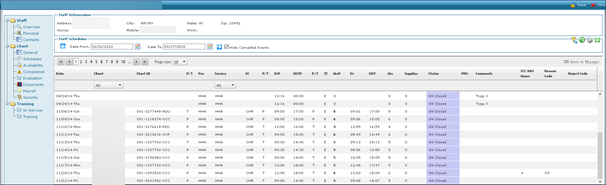
Click Schedules.
-
Use the filters to select a date range of schedules.

-
Click Refresh.
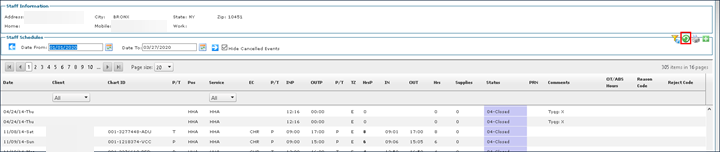
When viewing schedules on a staff member’s profile, there are several options that can be accessed by right-clicking including: opening and editing the status of a schedule and refreshing rates.