View a Staff Member's Compliance History
To view all staff member compliance documentation regardless of expiration:
-
Go to Main Menu > Staff.
-
Use the filters to locate the staff member. Double-click to open the staff profile.
-
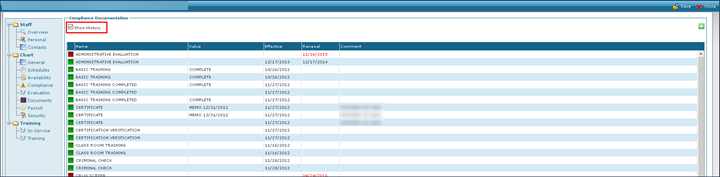
Click Compliance.
-
Click Show History. This displays all compliance documents on the staff member’s profile.