Manage Compliance Documents on a Staff Member's Profile

To add a new compliance document to a staff member’s profile:
-
Go to Main Menu > Staff.
-
Use the filters to locate the staff member. Double-click to open the staff profile.
-
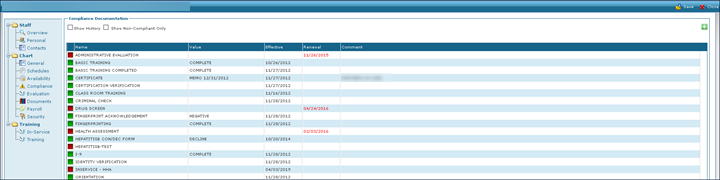
Click Compliance.
-
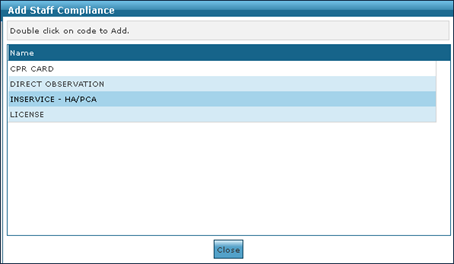
Click Add a New Compliance Document. This opens the Add Staff Compliance window.

-
Click the document to be added.
-
The document is added. Double-click on the document to open it and begin the editing a compliance document process.
To edit an existing compliance document on a staff member’s profile:
-
Go to Main Menu > Staff.
-
Use the filters to locate the staff member. Double-click to open the staff profile.
-
Click Compliance.
-
Double-click on the document to be edited.

-
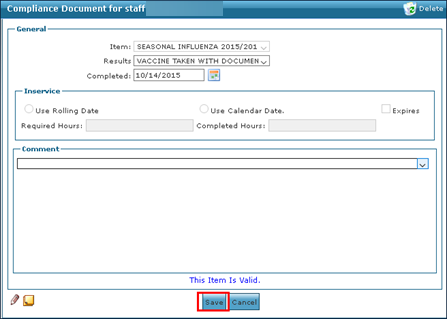
Edit the information as needed and click Save.
To remove a compliance document:
-
Go to Main Menu > Staff.
-
Use the filters to locate the staff member. Double-click to open the staff profile.
-
Click Compliance.
-
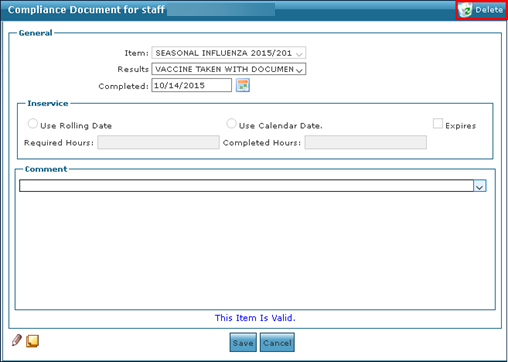
Double-click on the document to be removed.
-
Click Delete.