Register a Staff Member for a Class
Once a class has been created, staff members must be added to the class through the Class Roster screen.
Classes can only be created and edited through the Class Master Screen via Main Menu > Staff > Training > Class Master.
-
Go to Main Menu > Staff > Training > Class Roster.
-
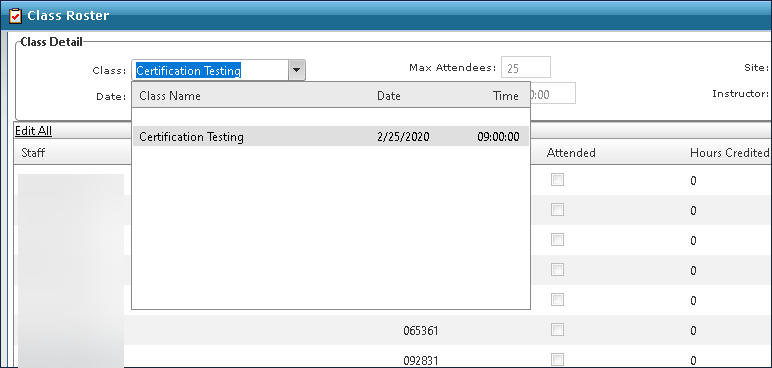
Select the class from the Class dropdown.
-
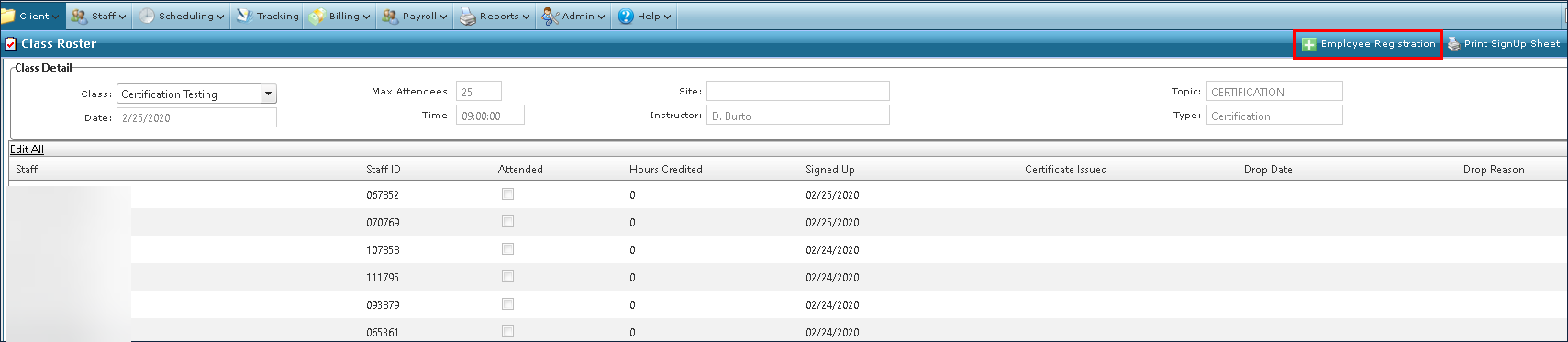
Click the Employee Registration button.
-
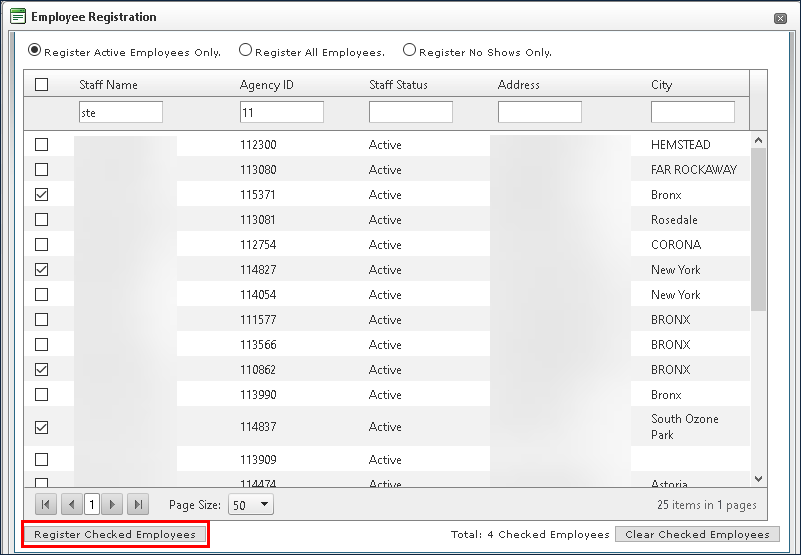
Sort the fields or use the search filters to locate the desired staff member(s).
-
Select the checkbox next to the staff member’s name.
-
Click Register Checked Employees. Clicking Clear Checked Employees clears all selections.