Print Certificates
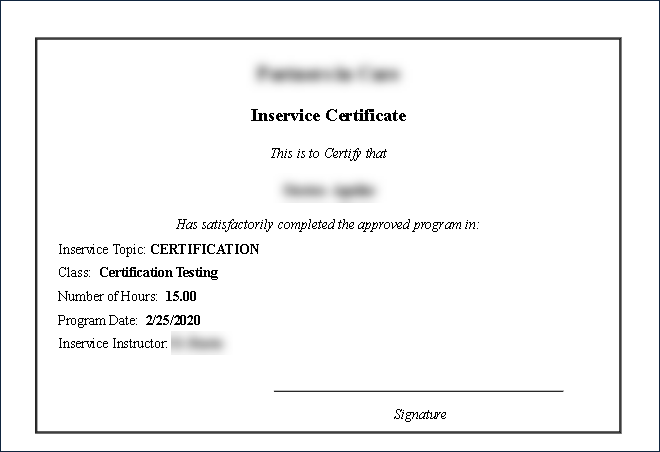
The Print Certificates window allows users to print physical certificates, proving that the staff member successfully completed the class or session.
Certificates are only generated for students marked as attended and having received hours credited.
|
Field |
Description |
|---|---|
|
Inservice Topic |
Displays the class topic. |
|
Class |
Displays the name of the class. |
|
Number of Hours |
Displays the total hours required for the class. |
|
Program Date |
Displays the date of the class. |
|
Inservice Instructor |
Displays the name of the class instructor. |
|
Signature |
Use this line to have the instructor certify the staff member has completed the class. |
To print a certificate:
-
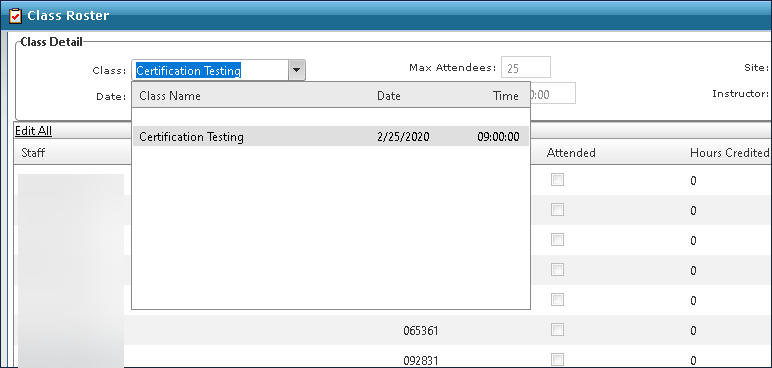
Go to Main Menu > Staff > Training > Class Roster.
-
Select the class from the Class drop down.
-
Confirm all attended staff members.
-
Click Print Certificates.

-
Click Print.
The Certificates are generated as PDFs. From there, they can be saved, downloaded or printed.