Class Master Screen
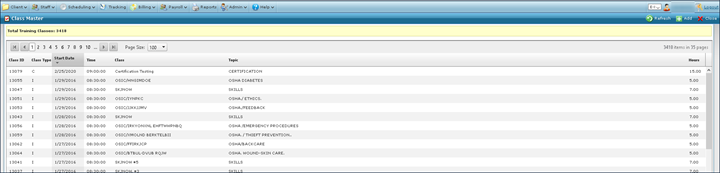
From the Class Master screen, users can view previous trainings and add new classes.
To open the Class Master screen, go to Main Menu > Staff > Training > ClassMaster.
|
Fields |
Description |
|---|---|
| Class ID | Displays the Class ID number. This number is assigned by the system when the class is created. |
| Class Type | Displays the initial of the class type. This is either I (In Service), T (Training) or C (Certification). |
| Start Date | Displays the starting date of the class. |
| Time | Displays the starting time of the class. |
| Class | Displays the name of the class. |
| Topic | Displays the topic covered by the class. |
| Hours | Displays the length of the class in hours. |
| Add | Click this button to open the Class Detail screen. |