New Events Screen
The New Events screen is one of the several ways an event can be created or scheduled.
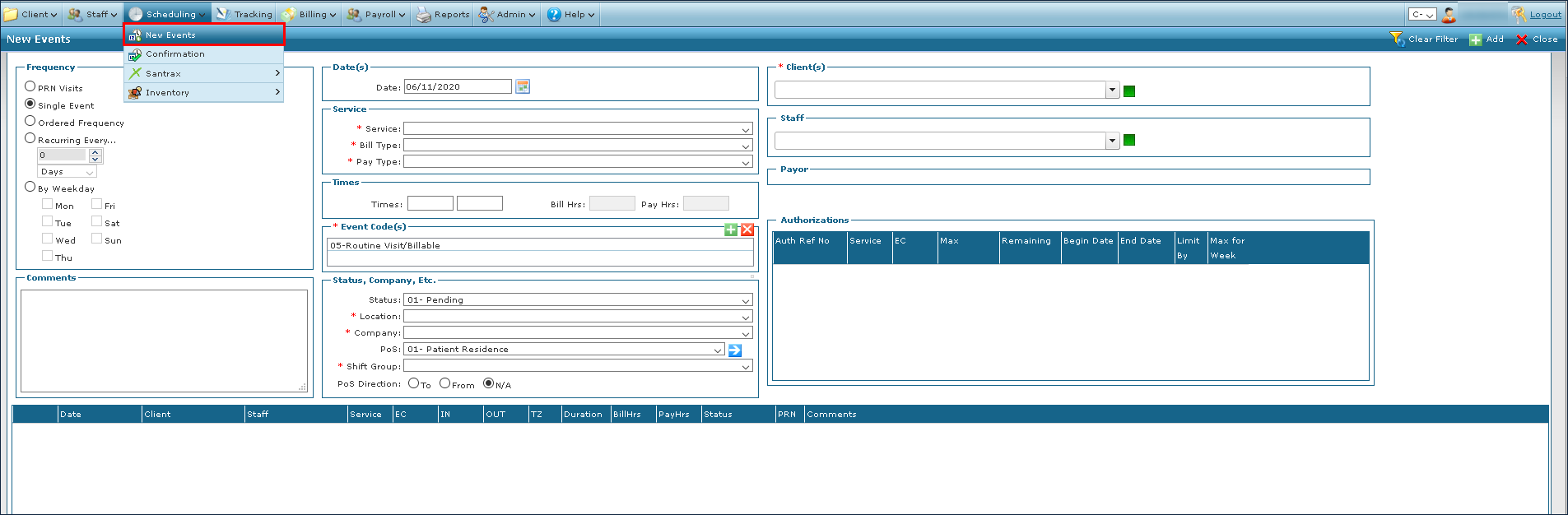
To access the New Events screen, go to Main Menu > Scheduling > New Events.
The Client filter should be used first as it automatically populates several fields on the screen.
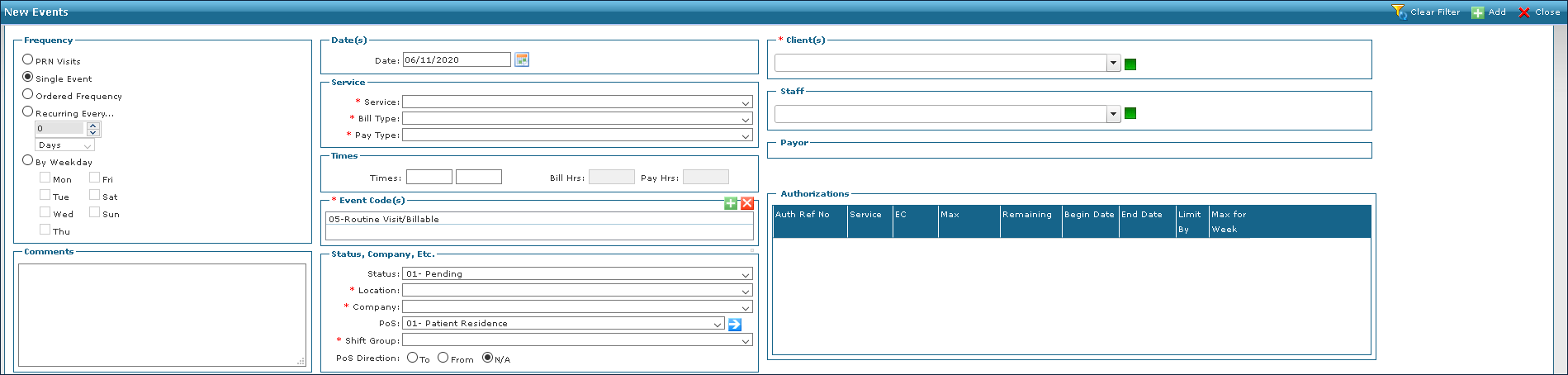
The filters section of the New Events screen is used to add information to the event being created.

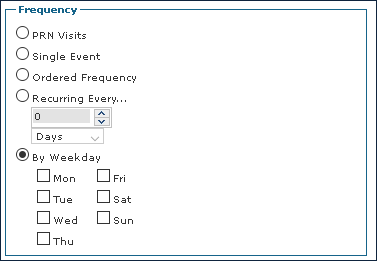
Frequency is a required field that determines how often the event occurs. Events can be scheduled by day or to reoccur.
|
Field |
Description |
|---|---|
|
PRN Visits |
Select this radial button to indicate that the event is an as needed visit. |
|
Single Event |
Select this radial button to indicate that the event is a single visit. |
|
Ordered Frequency |
Select this radial button to indicate that the event is x |
|
Reoccurring Every |
Select this radial button to indicate that the event is reoccurring based on the selected period, starting from the ‘date’ field. |
|
By Weekday |
Select this radial button to indicate that the event is scheduled by day of the week and opens the date field up to a date range. |
|
Mon |
Select this check box to indicate the event takes place on a Mondays during the date range |
|
Tues |
Select this check box to indicate the event takes place on a Tuesday s during the date range |
|
Wed |
Select this check box to indicate the event takes place on a Wednesdays during the date range. |
|
Thu |
Select this check box to indicate the event takes place on a Thursdays during the date range. |
|
Fri |
Select this check box to indicate the event takes place on a Fridays during the date range. |
|
Sat |
Select this check box to indicate the event takes place on a Saturdays during the date range. |
|
Sun |
Select this check box to indicate the event takes place on a Sundays during the date range. |
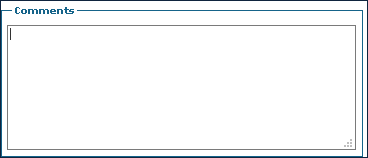
The Comments field contains additional information to be added that is not covered by the other fields when creating an event. Entering comments also includes them on the Schedule Detail.
Dates contains the calendar date that an event occurs on or the range over which events take place. Depending on frequency, Dates displays either the Date field or the Begin and End fields.


|
Field |
Description |
|---|---|
|
Date |
Use this field to select the date of the event. |
|
Begin |
Use this field to select the beginning date of the events |
|
End |
Use this field to select the ending date of the events. |
Service contains the fields used to set up the service and billing information for the event.

|
Field |
Description |
|---|---|
|
Service |
Use this drop down to select the service being performed. |
|
Bill Type |
Use this drop down to select the bill type for the service being performed. |
|
Pay Type |
Use this drop down to select the pay type for service being performed. |
Times contains the call in and call out information.

|
Field |
Description |
|---|---|
|
Times |
Use this field to enter the proposed call in and call out times of an event. |
|
Bill Hrs |
Use this field to enter the total billable hours for an event. |
|
Pay Hrs |
Use this field to enter the total payable hours for an event. |
Event Codes contains the event codes for services being performed during the event.

Status, Company, Etc contains the status, location information and additional details related to the service provider.
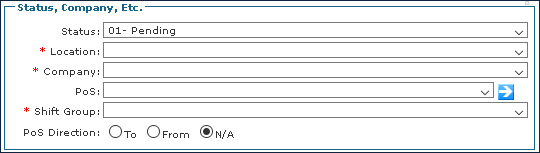
|
Field |
Description |
|---|---|
|
Status |
Use this drop down to select the status of the event. |
|
Location |
This field is automatically populated based on the client. |
|
Company |
This field is automatically populated based on the client. |
|
PoS |
This field is automatically populated based on the payer’s rate plan. |
|
Shift Group |
Use this drop down to select which shift the event occurs during. |
|
PoS Direction |
Use this radial button to determine the direction to the place of service for the event. |
The Clients filter is used to select the name and status of the client selected for the event.

The Staff filter is used to select the name and status of the staff member selected for the event.

Payor contains the name and information associated with the client’s payer.

Authorizations contains the information associated with the coverage assigned to the client by the primary payer.

|
Field |
Description |
|---|---|
|
Auth Ref No |
Displays the authorization reference number. |
|
Service |
Displays the code of the service being authorized. |
|
EC |
Displays the event code.Any applies to all event codes. |
|
Max |
Displays the maximum number of authorized units for the service. |
|
Remaining |
Displays the remaining number of authorized units for the service. |
|
Begin Date |
Displays the date the authorization begins. |
|
End Date |
Displays the date the authorization ends. |
|
Limit By |
Displays any limits on the authorization. |
|
Max for Week |
Displays the maximum number of authorized hours per week. |