Inventory Items Screen
The Inventory Items screen can be used to store items with associated quantities, costs, sources, and billing codes.
To access the Inventory Items screen, go to Main Menu > Scheduling > Inventory > Inventory Items.
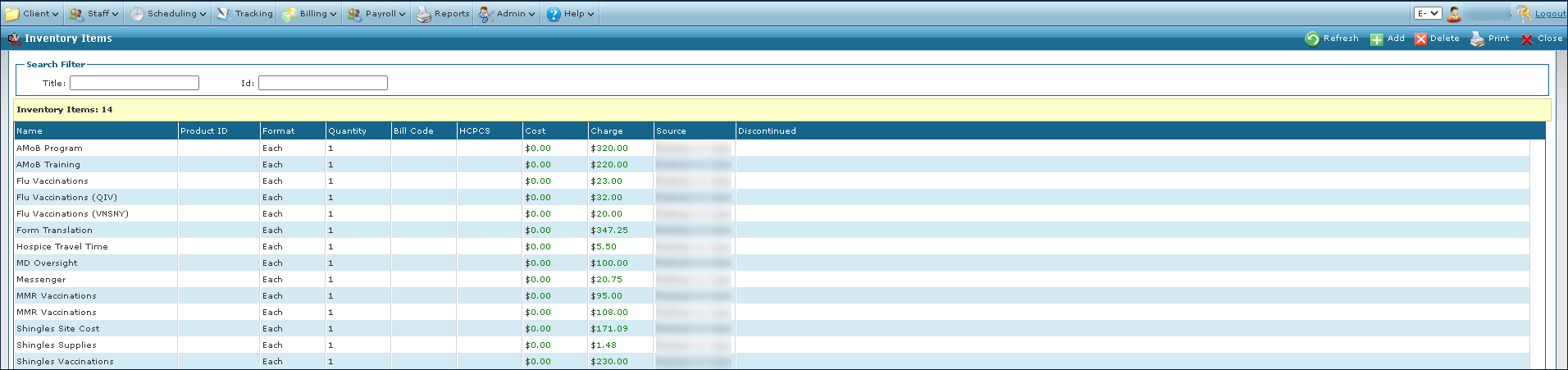
The Search Filters can be used to locate items in the inventory by name or identification number.

|
Field |
Description |
|---|---|
|
Title |
Use this field to search by item name. |
|
Id |
Use this field to search by item identification number. |
The Results List displays all items matching the terms used in the search filters. If no search filters have been selected, all available items are displayed.

|
Field |
Description |
|---|---|
|
Name |
Displays the name of the item. |
|
Product ID |
Displays the product identification number of the item. |
|
Format |
Displays the format of the item. |
|
Quantity |
Displays the quantity of the item. |
|
Bill Code |
Displays the item’s bill code. |
|
HCPCS |
Displays the item’s HCPCS code. |
|
Cost |
Display’s the item’s cost. |
|
Charge |
Displays the billable amount for each item. |
|
Source |
Displays the provider of the item. |
|
Discontinued |
Displays the date the item was discontinued. |