Staff Inservices Report
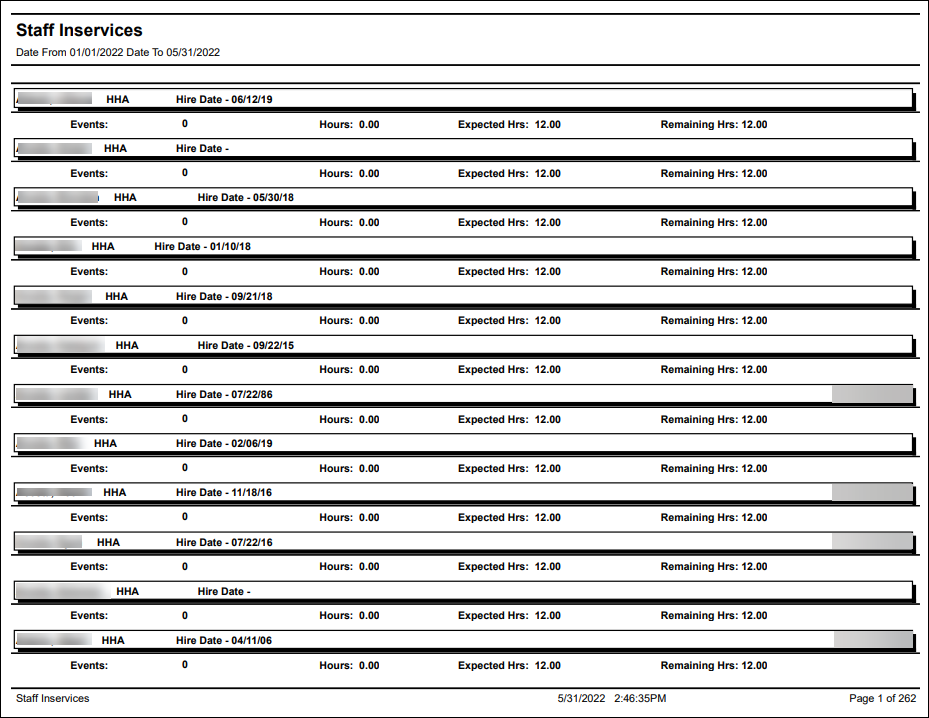
Description: This report displays a list of staff members and their completed/remaining in-service hours as selected by the filters. The report includes the staff member’s name, position, hire date and assigned in-service hour amount.
Use: This report can be used to quickly reference a staff member’s currently in-service status as well as if they have or have not completed their requirements.
Limitations: N/A
This report can be filtered by:
|
Field |
Description |
|---|---|
|
Company |
Use this dropdown to select the company. |
|
Team |
Use this dropdown to select the team. |
|
Manager |
Use this dropdown to select the manager. |
|
Position |
Use this dropdown to select the position. |
|
Staff |
Use this field to search by staff member.Using a partial term displays all results matching the term. |
|
Staff Status |
Use this dropdown to select the staff member’s status. |
|
Staff Manager |
Use this dropdown to select the staff manager. |
|
Coordinator |
Use this dropdown to select the coordinator. |
|
County |
Use this dropdown to select the county. |
|
Date From |
Use this field to search for in-service statuses beginning on this date. |
|
Date To |
Use this field to search for in-service statuses ending on this date. |
Each column of the report displays:
|
Field |
Description |
|---|---|
|
Events |
Displays the number of in-service events assigned to the staff member. |
|
Hours |
Displays the number of in-service hours assigned to the staff member. |
|
Expected Hrs |
Displays the number of expected in-service hours assigned to the staff member. |
|
Remaining Hrs |
Displays the number of remaining in-service hours assigned to the staff member. |