Live In Clients by Supervisor Unit Report
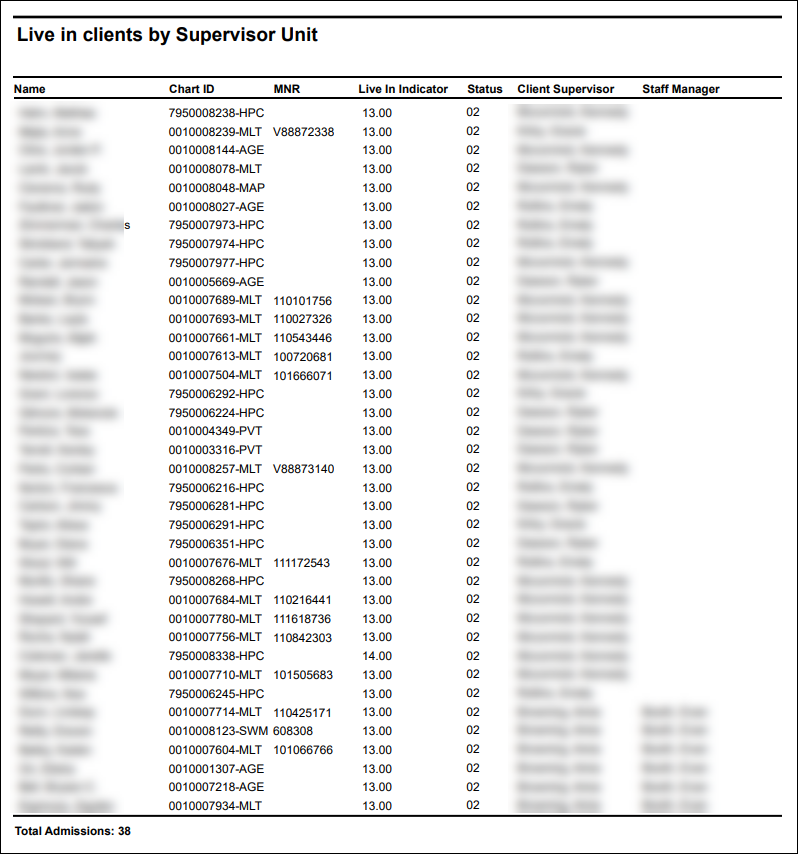
Description: This report displays all live in clients and their assigned supervisors. The report includes the client’s name, chart ID number, status, and associated staff members.
Use: This report can be used to quickly reference live in clients and their assigned supervisors as well as if they are currently active in the system.
Limitations: N/A
This report can be filtered by:
|
Field |
Description |
|---|---|
|
Company |
Use this dropdown to select the company. |
|
Location |
Use this dropdown to select the location. |
|
Admit Type |
Use this dropdown to select the admission type. |
|
Team |
Use this dropdown to select the team. |
|
Staff Manager |
Use this dropdown to select the staff manager. |
Each column of the report displays:
|
Field |
Description |
|---|---|
|
Name |
Displays the client’s name. |
|
Chart ID |
Displays the client’s chart ID number. |
|
MNR |
|
|
Live In Indicator |
Displays the client’s live in indicator. |
|
Status |
Displays the client’s status in the system. |
|
Client Supervisor |
Displays the client’s supervisor’s name. |
|
Staff Manager |
Displays the client’s assigned staff manager’s name. |
|
Total Admissions |
Displays the total number of live in clients included in the report. |