Client Census by Reason Report
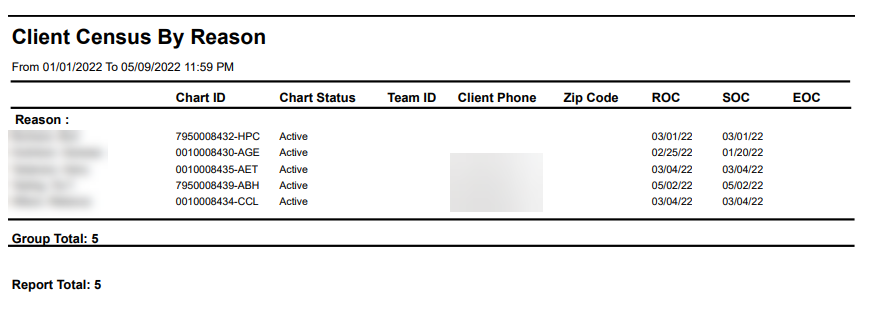
Description: This report displays a list of clients associated with the selected reason filter. The report includes the reason, and the clients’ information including chart ID, phone number and start of care date.
Use: This report can be used to review a list of clients associated with a specific reason such as being a new admission or Medicaid eligible.
Limitations: N/A
This report can be filtered by:
|
Field |
Description |
|---|---|
|
Company |
Use this dropdown to select the company. |
|
Location |
Use this dropdown to select the location. |
|
Admit Type |
Use this dropdown to select the admission type. |
|
Team |
Use this dropdown to select the team. |
|
Reason |
Use this dropdown to select the reason. |
|
Work Area |
Use this dropdown to select the work area. |
|
Date From |
Use this field to search for clients beginning on this date. |
|
Date To |
Use this field to search for clients ending on this date. |
Each column of the report displays:
|
Field |
Description |
|---|---|
|
Reason |
Displays the selected reason. |
|
Chart ID |
Displays the client’s chart ID number. |
|
Chart Status |
Displays the client’s chart status. |
|
Team ID |
Displays the client’s associated team ID. |
|
Client Phone |
Displays the client’s phone number. |
|
Zip Code |
Displays the client’s zip code. |
|
ROC |
Displays the client’s resumption of care date. |
|
SOC |
Displays the client’s start of care date. |
|
EOC |
Displays the client’s end of care date. |