Active Client TAL Emergency Report
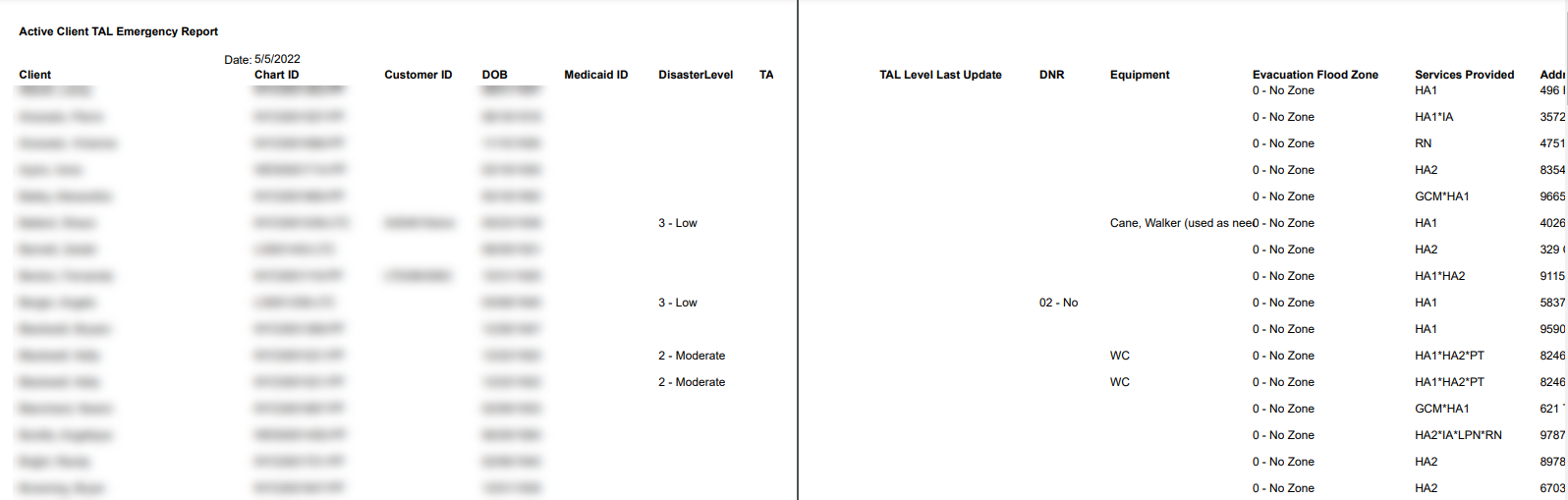
Description: This report displays client transportation assistance levels (TAL) in case of an emergency, as well as their date of birth, chartID, contact information and services being received.
Use: This report can be used to reference a client’s TAL during an emergency or to confirm which services they may need to receive during an event.
Limitations: N/A
This report can be filtered by:
|
Field |
Description |
|---|---|
|
Company |
Use this dropdown to select the company. |
|
Location |
Use this dropdown to select the location. |
|
Payors |
Use this field to select the payors. |
|
Admit Types |
Use this field to select the admit types. |
|
Team |
Use this dropdown to select the team. |
|
Client Status |
Use this dropdown to select the client’s status. |
|
Staff Manager |
Use this dropdown to select the staff manager. |
|
Coordinator |
Use this dropdown to select the coordinator. |
|
Manager |
Use this dropdown to select the manager. |
|
Disaster Level |
Use this dropdown to select the disaster level. |
|
County |
Use this dropdown to select the county. |
|
TAL Level |
Use this dropdown to select the TAL level. |
Each column of the report displays:
|
Field |
Description |
|---|---|
|
Client |
Use this dropdown to select the company. |
|
ChartID |
Use this dropdown to select the location. |
|
Customer ID |
Use this field to select the payors. |
|
DOB |
Use this field to select the admit types. |
|
Medicaid ID |
Use this dropdown to select the team. |
|
Disaster Level |
Use this dropdown to select the client’s status. |
|
TAL Level Last Update |
Use this dropdown to select the staff manager. |
|
DNR |
Use this dropdown to select the coordinator. |
|
Equipment |
Use this dropdown to select the manager. |
|
Evacuation Flood Zone |
Use this dropdown to select the disaster level. |
|
Services Provided |
Use this dropdown to select the county. |
|
Address |
Use this dropdown to select the TAL level. |