Cash and Adjustment Receipts Detail Report (CSV)
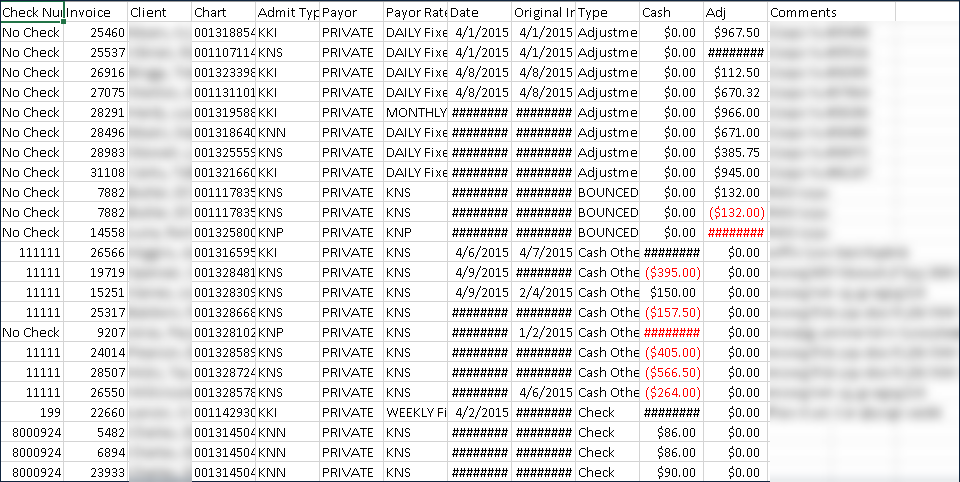
Description: This report displays all payment transactions occurring over a date range including payments, adjustments, debts, denials and more.
Use: This report can be used to track all financial activity occurring over a selected date range.
Limitations: N/A
This report can be filtered by:
|
Field |
Description |
|---|---|
|
Company |
Use this dropdown to select the company. |
|
Location |
Use this dropdown to select the location. |
|
Team |
Use this dropdown to select the team. |
|
Admit Types |
Use this field to select the code for the client's admission. |
|
Payment Code |
Use this field to select the payment code. |
|
Payor |
Use this dropdown to select the payer. |
|
Payor Plan |
Use this dropdown to select the payor plan. |
|
Apply As |
Use this dropdown to select cash or adjustment. |
|
Check Number(s) |
Use this field to enter the check number(s). |
|
Pmt/Adj. Date From |
Use this dropdown to select the first date of a selected range of dates. |
|
Pmt/Adjt. Date To |
Use this dropdown to select the last date of a selected range of dates. |
|
Users |
Use this dropdown to select the users. |
Each column of the report displays:
|
Field |
Description |
|---|---|
|
Check Number |
The check number. |
|
Invoice |
The invoice number. |
|
Client |
The client’s name. |
|
Chart |
The client’s chart identification number. |
|
Admit Type |
The admission type. |
|
Payor |
The payer name. |
|
Payor Rate |
The payer rate. |
|
Date |
The date of the transaction. |
|
Original Invoice Date |
The date of the original invoice. |
|
Type |
The type of transaction. |
|
Cash |
The any cash amount. |
|
Adj |
Any adjustments made to the payment. |
|
Comments |
Displays any comments associated with the payment. |