Aged Invoices Summary to 365 Report
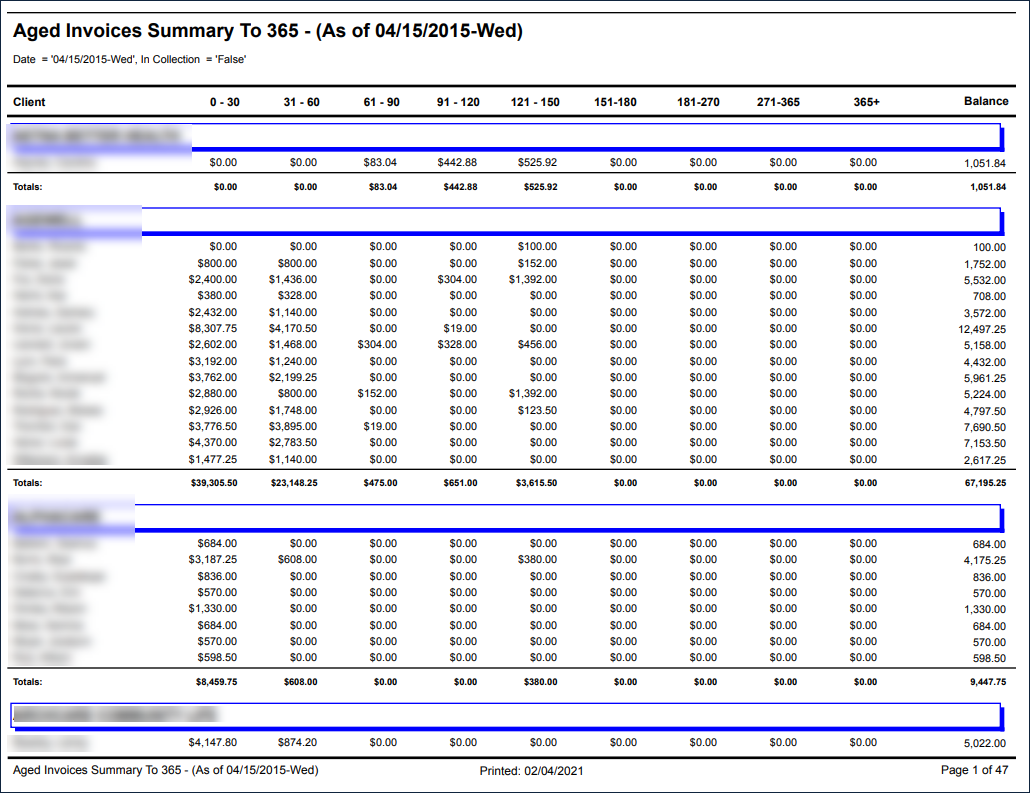
Description: This report displays a list of clients and aged balances sorted by payor, displaying up to 365 days after the invoice date.
Use: This report can be used by the agency to view aged balances for each payor and client.
Limitations: N/A
This report can be filtered by:
|
Field |
Description |
|---|---|
|
Company |
The selected company. |
|
Location |
The selected location. |
|
Admit Type |
The code for the client's admission. |
|
Team |
The selected team. |
|
Client |
Client by name (last name, first name) or Sandata Client ID. When a partial name is entered the report displays results that begin with the entered characters. |
|
Payors |
The selected payor. |
|
Date |
The selected date. |
Each column of the report displays:
|
Field |
Description |
|---|---|
|
Payor |
The client's payor. |
|
Client |
The client's name (last, first). |
|
0-30 |
The balance 0-30 days after billing. |
|
31-60 |
The balance 31-60 days after billing. |
|
61-90 |
The balance 61-90 days after billing. |
|
91-120 |
The balance 91-120 days after billing. |
|
121-150 |
The balance 121-150 days after billing. |
|
151-180 |
The balance 151-180 days after billing. |
|
181-270 |
The balance 181-270 days after billing. |
|
271-365 |
The balance 271-365 days after billing. |
|
90+ |
The balance over 365 days after billing. |
|
Balance |
The account balance. |
|
Totals |
The total values for the payor. |
|
Overall Totals |
The total values for the entire report. |