AR Transactions Report (CSV)
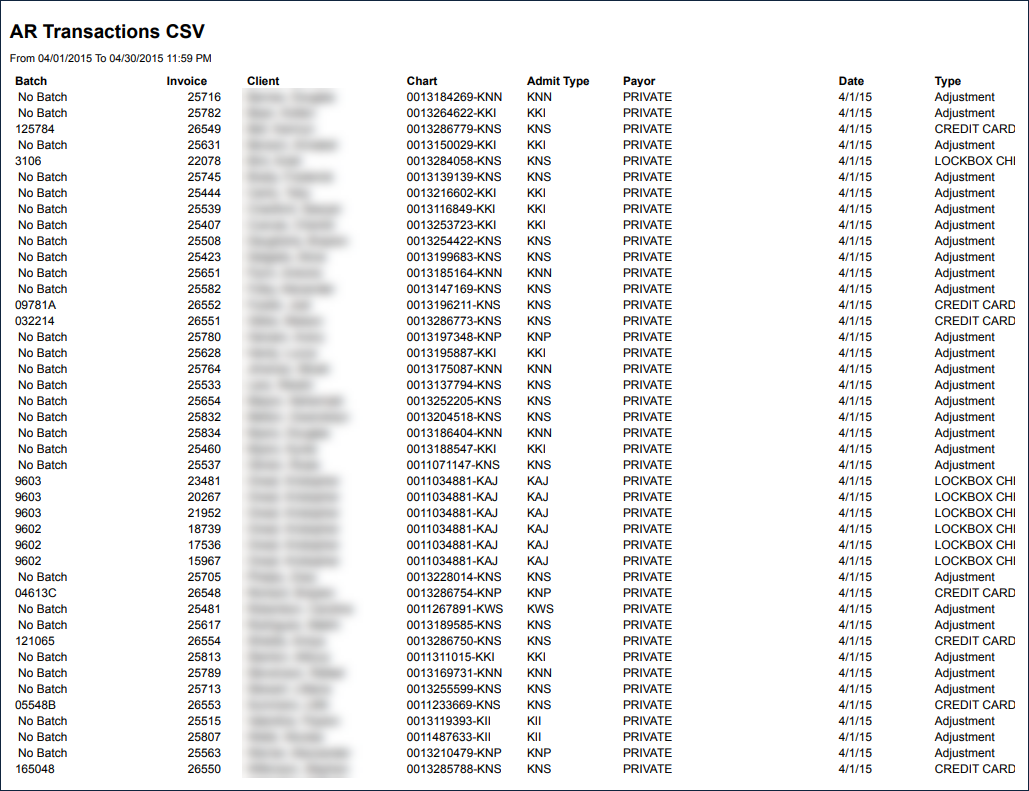
Description: This report displays a list of actions taken on invoices sent out by the agency
Use: This report can be exported to Microsoft Excel and used by accounting to view payments made within a specified period.
Limitations: N/A
This report can be filtered by:
|
Field |
Description |
|---|---|
|
Company |
The selected company. |
|
Location |
The selected location. |
|
Team |
The selected team. |
|
Admit Type |
The selected admission type. |
|
Payor |
The selected payer. |
|
Batch Number |
The selected batch number. |
|
Date From |
The beginning date in the selected range. |
|
Date To |
The ending date in the selected range. |
This report can be sorted by:
|
Field |
Description |
|---|---|
|
Transaction Date |
Sort the report by invoice transaction date. |
|
Client Name |
Sorts the report by client name. |
Each column of the report displays:
|
Field |
Description |
|---|---|
|
Batch |
The batch number associated with the invoice. |
|
Invoice |
The invoice number. |
|
Client |
The name of the client associated with the invoice. |
|
Chart |
The client’s Chart ID number. |
|
Admit Type |
The client’s admission type. |
|
Payor |
The client’s payer. |
|
Date |
The date of the invoice. |
|
Type |
The type of transaction associated with the invoice. |
|
Cash |
The amount paid by the client. |
|
Adj (Adjustment) |
The amount adjusted on the invoice. |
|
Comments |
Any comments associated with the invoice. |
|
Grand Totals |
The total of all invoices. |