Change the Status of a Payroll Item
To change the status of a payroll item from the Payroll Review screen:
-
Go to Main Menu > Payroll > Payroll Review.
-
Use the search filters to locate the item needing a status change.
-
Right click on the item and select Set Status.
-
Select the new status of the item.
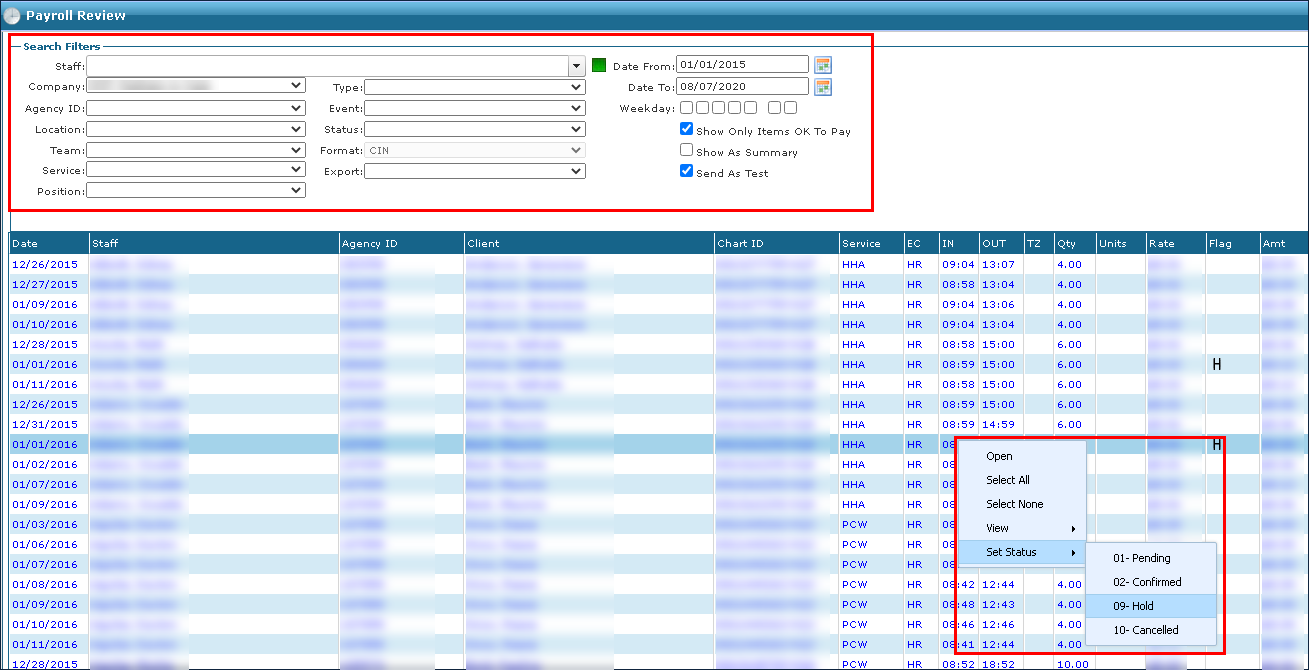
The item is updated to the new status. If the status is being changed to 10 – Cancelled, the item is removed from the results list.