Sandata Agency Management 05-System Physicians Screen
The System Physicians screen contains a directory of all doctors who have been added to the system previously and can be quickly added to client profile.
To access the System Physicians screen, go to Main Menu > Client > Physicians.
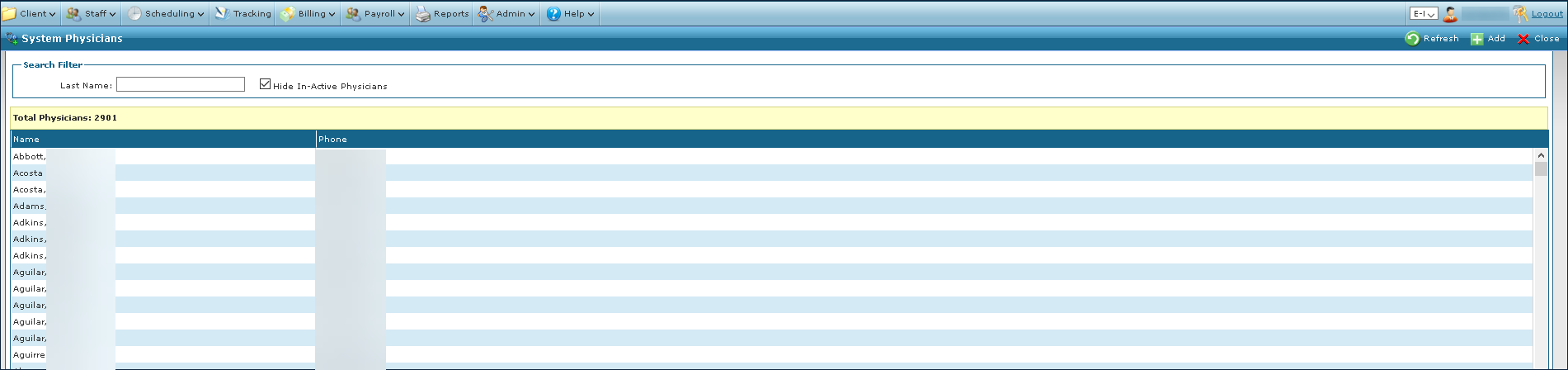
The Search Filters allow users to search for a physician.

|
Field |
Description |
|---|---|
|
Last Name |
Use this field to filter physicians by last name. (partial language) |
|
Hide In-Active Physicians |
Select this checkbox to hide all inactive physicians. |
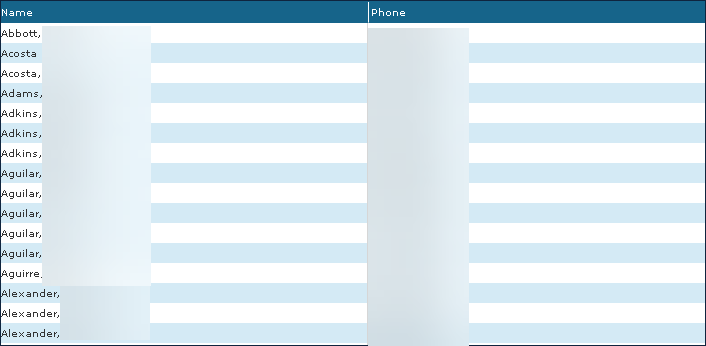
The Results List displays all results matching the selected search criteria.
|
Field |
Description |
|---|---|
|
Name |
Displays the physician’s name. |
|
Phone |
Displays the physician’s phone number. |
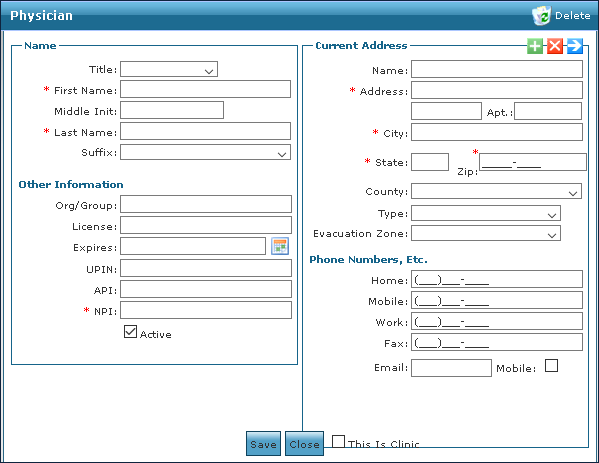
The Physician window contains the contact and employment information for a selected physician.
|
Field |
Description |
|---|---|
|
Title |
Use this drop down to select the physician’s title. |
|
First Name |
Use this field to enter the physician’s first name. |
|
Middle Init |
Use this field to enter the physician’s middle initial. |
|
Last Name |
Use this field to enter the physician’s last name. |
|
Suffix |
Use this drop down to select the physician’s suffix. |
|
Org / Group |
Use this field to enter the physician’s associated group or organization. |
|
License |
Use this field to enter the physician’s license number. |
|
Expires |
Use this field to enter the date the physician’s license expires. |
|
UPIN |
Use this field to enter the physician’s unique physician identification number (UPIN). |
|
API |
Use this field to enter the physician’s associated application programming interface (API) number. |
|
NPI |
Use this field to enter the physician’s national provider identification (NPI) number. |
|
Active |
Select this checkbox to indicate if the physician is active in the system. |
|
Name |
Use this field to enter the physician’s name. |
|
Address |
Use this field to enter the physician’s address. |
|
Apt |
Use this field to enter the physician’s apartment number. |
|
City |
Use this field to enter the physician’s city. |
|
State |
Use this field to enter the physician’s state. |
|
Zip |
Use this field to enter the physician’s zip code. |
|
County |
Use this drop down to select the physician’s county. |
|
Type |
Use this drop down to select the type of address. |
|
Evacuation Zone |
Use this drop down to select the physician’s designated evacuation zone. |
|
Home |
Use this field to enter the physician’s home phone number. |
|
Mobile |
Use this field to enter the physician’s mobile phone number. |
|
Work |
Use this field to enter the physician’s work phone number. |
|
Fax |
Use this field to enter the physician’s fax number. |
|
|
Use this field to enter the physician’s e-mail address. |
|
Mobile |
Select this checkbox to indicate if the physician’s mobile phone number is their primary number. |
|
This is a Clinic |
Select this checkbox to indicate if the physician’s contact information is a clinic. |