Sandata Agency Management 11-Master Rates Window
The Master Rates window is used to establish the default rates used when no other billing rates have been assigned. The system first looks at the Event (Schedule) for any override billing or custom rates and then looks to the Client's Payer. If no Payer rate exists, the system uses the Master Rates for Billing.
To access the Master Rates window, select Master Rates under Main Menu > Billing > Master Rates.


The Navigation Bar lists the different categories of rates that have been created.
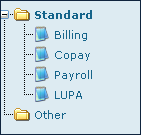
The billing rate lines display information for billing situations such as services or the difference between hourly and unit rates.

|
Field |
Description |
|---|---|
|
Service |
Use this field to choose the rate’s service. |
|
Event |
Use this field to choose the rate’s event code. |
|
Shift |
Use this field to choose the rate’s shift type. |
|
PSC |
Use this field to enter the rate’s place of service code. |
|
TSC |
Use this field to enter the rate’s time of service code. |
|
RevCode |
Use this field to enter the rate’s revenue code. |
|
HCPCS |
Use this field to enter the rate’s healthcare common procedure coding system code. |
|
Misc |
Use this field to enter any miscellaneous numbers or codes. |
|
Modifiers |
Use this field to enter the rate’s modifier code. |
|
Type |
Use this field to enter the rate’s type. |
|
Week Rate |
Use this field to enter the rate used when a visit takes place on a weekday. |
|
Weekend Modifiers |
Use this field to enter the rate’s weekend modifier amount. |
|
Weekend Rate |
Use this field to enter the rate used when a visit takes place on a weekend. |
|
Contract Type |
Use this field to enter the rate’s contract type. |
|
Contract Amount |
Use this field to enter the rate’s contract amount. |
|
Cap |
Use this field to enter the rate’s limit for hours / units / visits. |
|
Rank |
Use this field to enter the transition order to a new rate if the current rate is maximized. |
|
Effective Date |
Use this field to enter the date that the rate goes into effect. |
The copay rate lines display information about the rates associated with copays for visits or services.
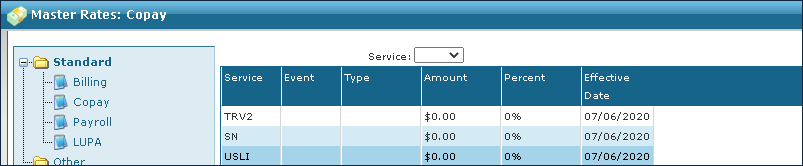
|
Field |
Description |
|---|---|
|
Service |
Use this field to choose the rate’s service. |
|
Event |
Use this field to choose the rate’s event code. |
|
Type |
Use this field to choose the rate’s type. |
|
Amount |
Use this field to enter the rate’s amount. |
|
Percent |
Use this field to enter the rate’s percentage of cost. |
|
Effective Date |
Use this field to enter the date that the rate goes into effect. |
The payroll rate lines display rate information for Employee pay rates.
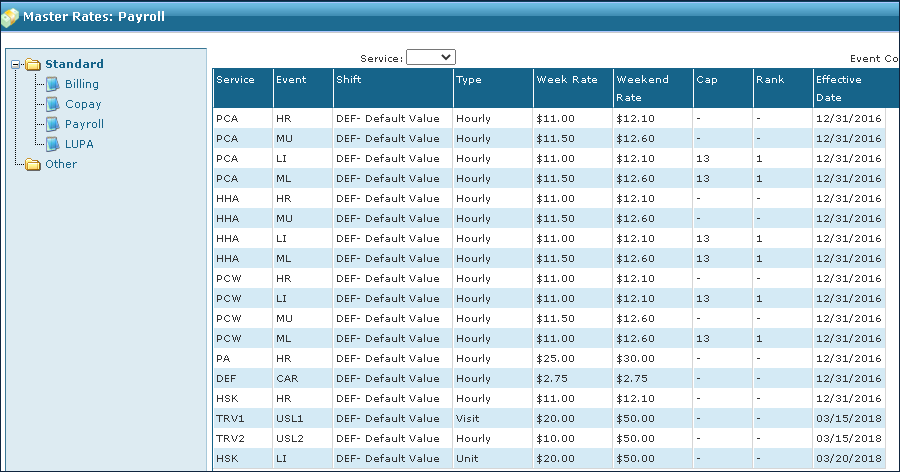
|
Field |
Description |
|---|---|
|
Service |
Use this field to choose the rate’s service. |
|
Event |
Use this field to choose the rate’s event code. |
|
Shift |
Use this field to choose the rate’s shift type. |
|
Type |
Use this field to choose the rate’s type. |
|
Week Rate |
Use this field to enter the weekly rate. |
|
Weekend Rate |
Use this field to enter the weekend rate. |
|
Cap |
Use this field to enter the rate’s cap. |
|
Rank |
Use this field to enter the transition order to a new rate if the current rate is maximized. |
|
Effective Date |
Use this field to enter the date that this rate goes into effect. |
Low Utilization Payment Adjustment (LUPA) contains information about the rates associated with episodes containing four or fewer visits in a sixty-day period. LUPA Thresholds are calculated when OASIS is completed and approved.

|
Field |
Description |
|---|---|
|
Service |
Use this field to choose the rate’s service. |
|
Event |
Use this field to choose the rate’s event code. |
|
Shift |
Use this field to choose the rate’s shift type. |
|
PSC |
Use this field to enter the rate’s place of service code. |
|
TSC |
Use this field to enter the rate’s time of service code. |
|
RevCode |
Use this field to enter the rate’s revenue code. |
|
HCPCS |
Use this field to enter the rate’s healthcare common procedure coding system code. |
|
Misc |
Use this field to enter any miscellaneous numbers or codes. |
|
Modifiers |
Use this field to enter the rate’s modifier code. |
|
Type |
Use this field to enter the rate’s type. |
|
Week Rate |
Use this field to enter the weekly rate. |
|
Weekend Modifiers |
Use this field to enter the rate’s weekend modifier amount. |
|
Weekend Rate |
Use this field to enter the weekend rate. |
|
Contract Type |
Use this field to enter the rate’s contract type. |
|
Contract Amount |
Use this field to enter the rate’s contract amount. |
|
Cap |
Use this field to enter the rate’s limit for hours / units / visits. |
|
Rank |
Use this field to enter the transition order to a new rate if the current rate is maximized. |
|
Effective Date |
Use this field to enter the date that the rate goes into effect. |
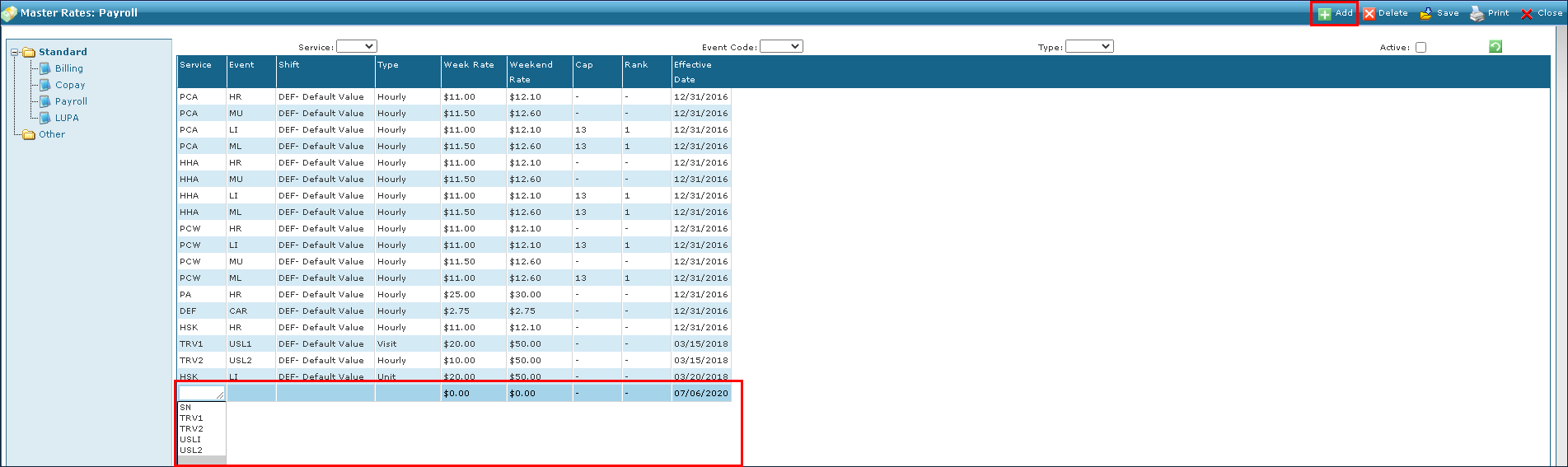
To add a new master rate:
-
Go to the Master Rates window under Main Menu > Billing > Master Rates.
-
Select Add.
A blank line is added to the bottom of the list.
-
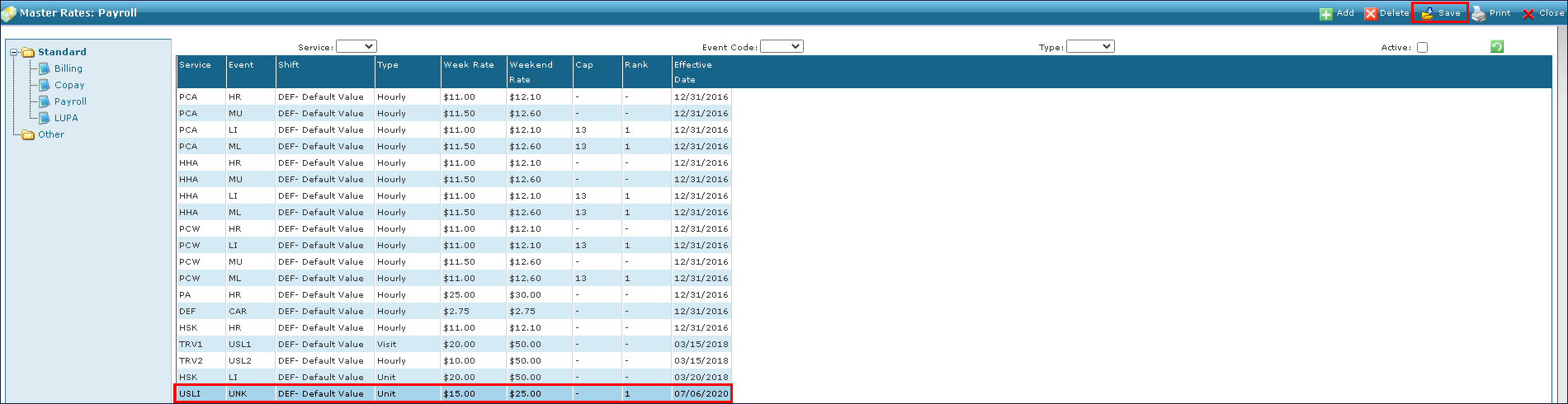
Enter the new rate information in the blank fields.
-
Select the Save.
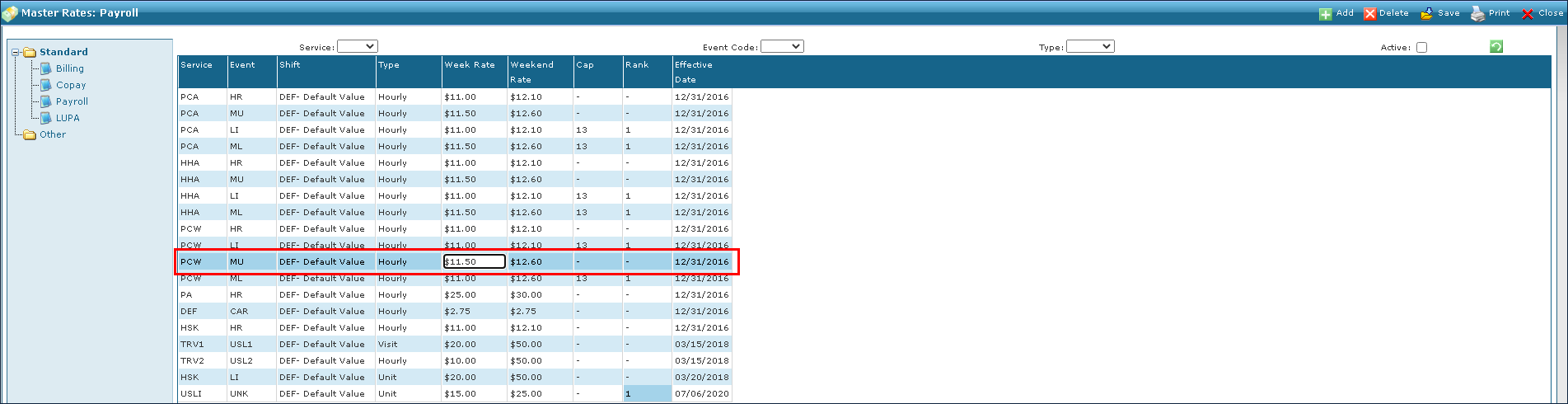
To edit an existing rate:
-
Go to the Master Rates window under Main Menu > Billing > Master Rates.
-
Select the rate fields that need to be edited.
-
Enter the new rate information.
-
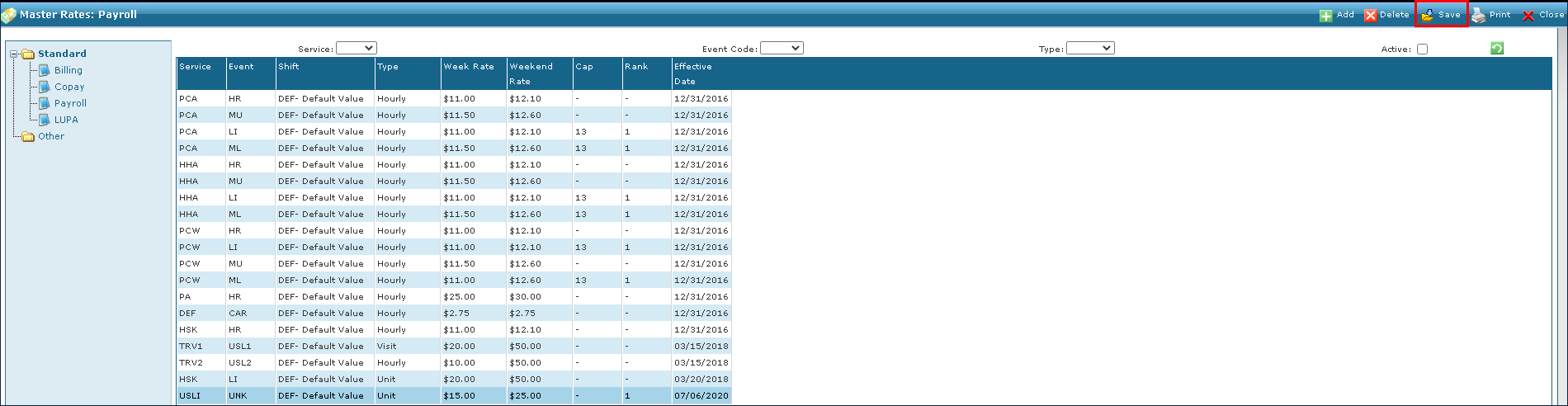
Select Save.
To delete an existing rate:
-
Go to the Master Rates window under Main Menu > Billing > Master Rates.
-
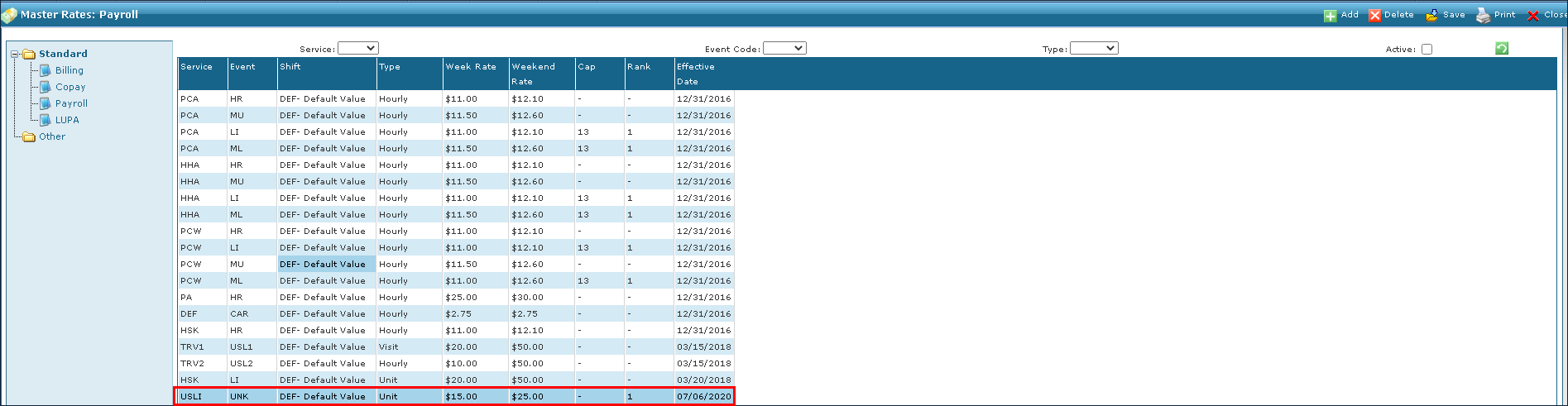
Select the rate to be deleted.
-
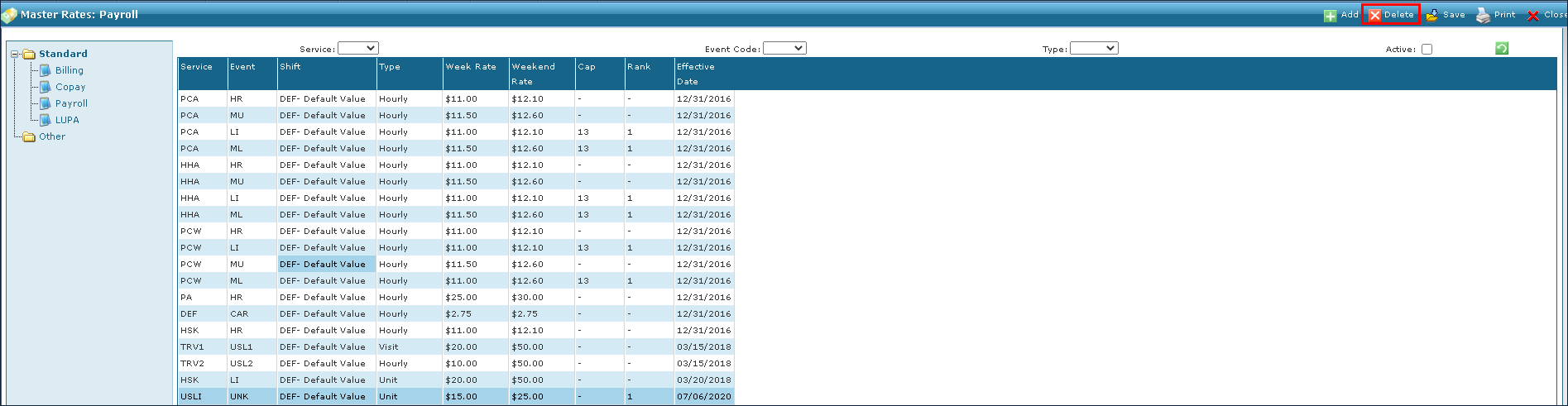
Select Delete.
-
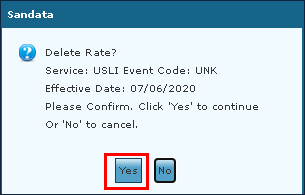
Select the Yesbutton.