Sandata Agency Management 06-Episode Pricer Window
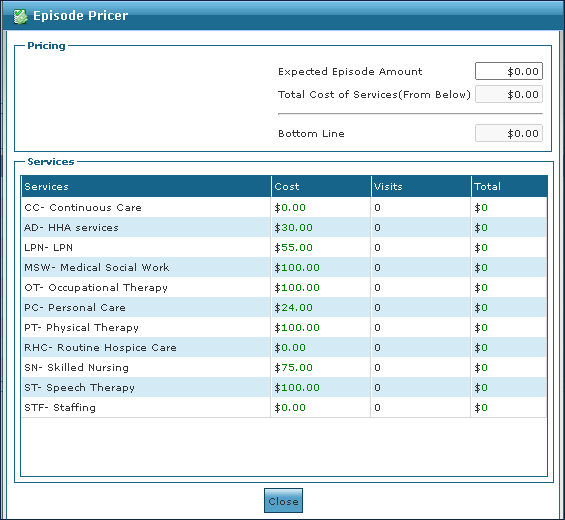
The Episode Pricer window calculates the cost of an episode based on the number and type of services provided. The cost of each service cannot be edited and is determined by the administrator.
To access the Episode Pricer, select Episode Pricer under Main Menu > Billing > Episode Pricer.

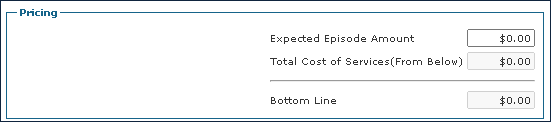
The Pricing section of the Episode Pricer window is used to calculate the total cost of an episode by using the expected episode amount combined with the total cost from the Services section.
|
Field |
Description |
|---|---|
|
Expected Episode Amount |
Use this field to enter the expected episode amount. |
|
Total Cost of Services (From Below) |
This field is generated by the total cost of services from the services section. |
|
Bottom Line |
This field is generated by calculating the Expected Episode Amount and the Total Cost of Services (From Below) field. |
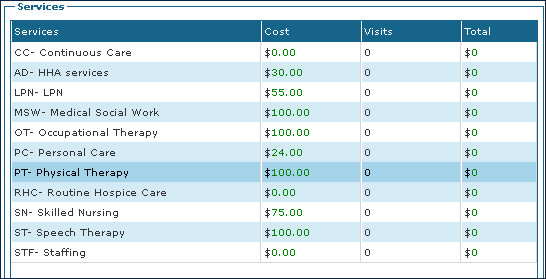
The Services section of the Episode Pricer displays the rate for each service that can be performed during a visit based on the agency’s configuration.
|
Field |
Description |
|---|---|
|
Services |
Displays the name of the service. |
|
Cost |
Displays the cost of the service. |
|
Visits |
Displays the number of visits included in the service. |
|
Total |
Displays the total of the service costs by number of visits. |