Sandata Agency Management 05-Episode Tracker
The Episode Tracker window is used to manage Episodic Billing items. This includes Medicare and all commercial insurers that follow the Medicare model for billing. When creating an episodic billing event, it is automatically added to the Episode Tracker.
To access the Episode Tracker window, select Episode Tracker under Main Menu > Billing > Episode Tracker.
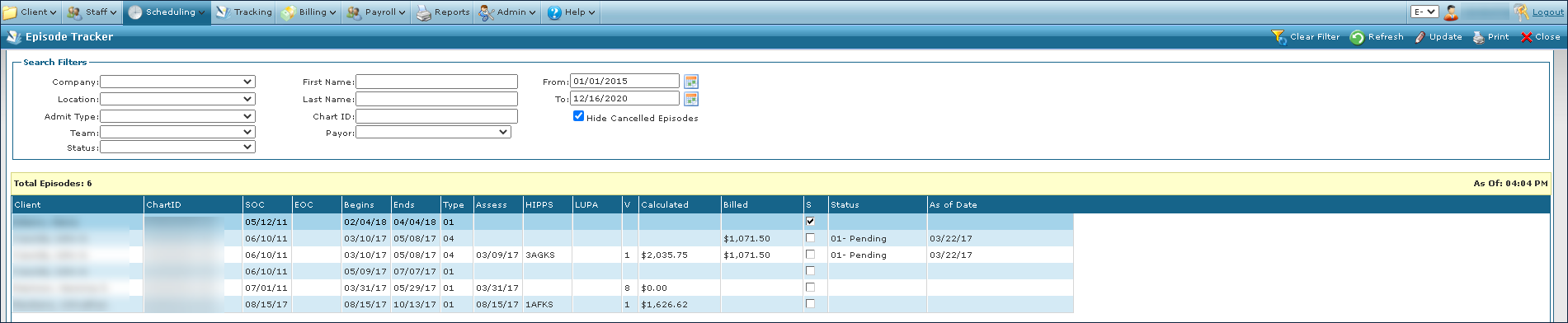

The Search Filters at the top of the screen allow users to narrow the Results List to meet specific criteria. It is possible to use a particular field as well as a combination of fields.

|
Field |
Description |
|---|---|
|
Company |
Use this field to filter results by the associated company. |
|
Location |
Use this field to filter results by the associated location. |
|
Admit Type |
Use this field to filter results by the associated admission type. |
|
Team |
Use this field to filter results by the associated team. |
|
Status |
Use this field to filter results by the associated status. |
|
First Name |
Use this field to filter results by the Client’s first name. |
|
Last Name |
Use this field to filter results by the Client’s last name. |
|
Chart ID |
Use this field to filter results by the associated chart identification number. |
|
Payor |
Use this field to filter results by the associated payer. |
|
From |
Use this field to filter results by date range beginning with this day. |
|
To |
Use this field to filter results by date range ending with this day. |
|
Hide Cancelled Episodes |
Select this checkbox to remove canceled episodes from the search results. |
The results list displays episodes that match the criteria selected in the search filters.
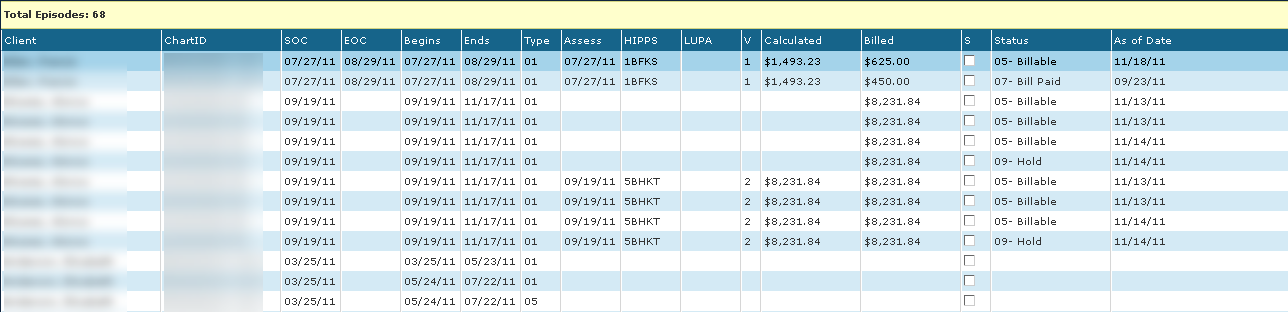
|
Field |
Description |
|---|---|
|
Client |
Displays the Client’s name. |
|
ChartID |
Displays the Client’s chart identification number. |
|
SOC |
Displays the Client’s start of care date. |
|
EOC |
Displays the Client’s end of care date. |
|
Begins |
Displays the day the episode begins. |
|
Ends |
Displays the day the episode ends. |
|
Type |
Displays the episode’s OASIS RFA type. |
|
Assess |
Displays the date the client was assessed on. |
|
HIPPS |
Displays the episode’s HIPPS code, when applicable. |
|
LUPA |
Displays the episode’s LUPA code, if applicable. |
|
V |
Displays the validation code affiliated with the OASIS. |
|
Calculated |
Displays the grouper and pricer calculated amount for the episode. |
|
Billed |
Displays the amount billed for the episode. |
|
S |
Select this checkbox to indicate the OASIS has been signed by the physician.This field remains blank until all physician orders (485s and 487s) for the Episode have been tracked as ‘Signed’ in the Tracker. |
|
Status |
Displays the status of the invoice associated with the episode. |
|
As of Date |
Displays the date of the most recent activity on the invoice. |
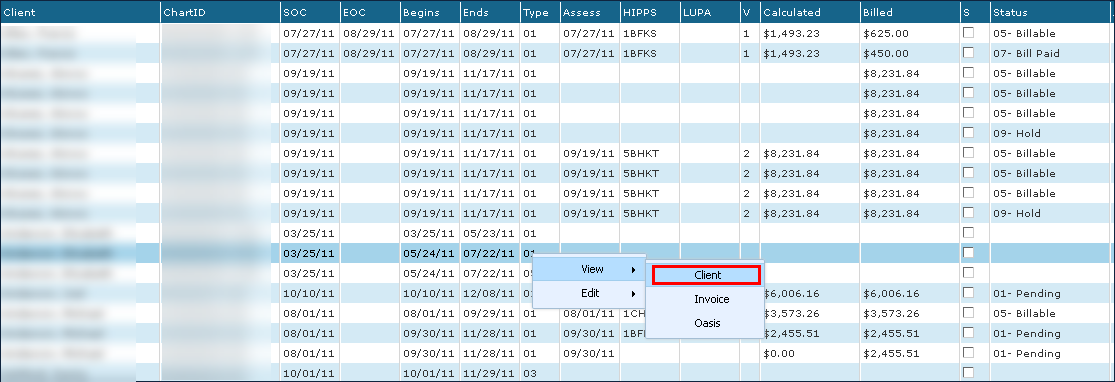
A Client’s Profile can be viewed by:
-
Navigate to the Episode Tracker screen under Main Menu > Billing > Episode Tracker.
-
Use the filters to locate the episode.
-
Next, right click on the episode.
-
Select View.
-
Select Client.
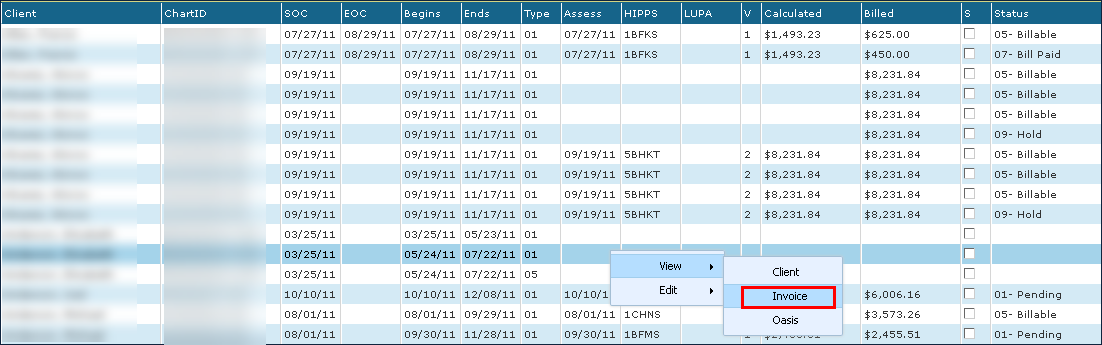
The invoice associated with an episode can be viewed by:
-
Go to the Episode Tracker window under Main Menu > Billing > Episode Tracker.
-
Use the filters to locate the appropriate episode.
-
Right click on the episode.
-
Select View.
-
Then select Invoice.
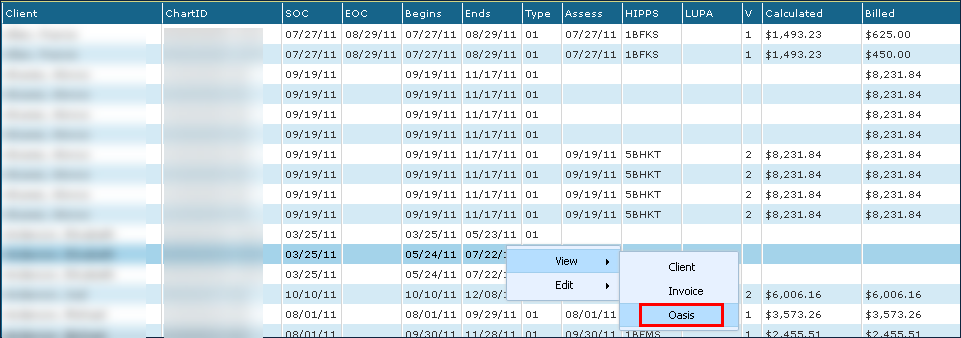
The OASIS Assessment associated with an episode can be viewed by:
-
Go to the Episode Tracker window under Main Menu> Billing > Episode Tracker.
-
Use the filters to locate the appropriate episode.
-
Right click on the episode.
-
Select View.
-
Select Oasis.
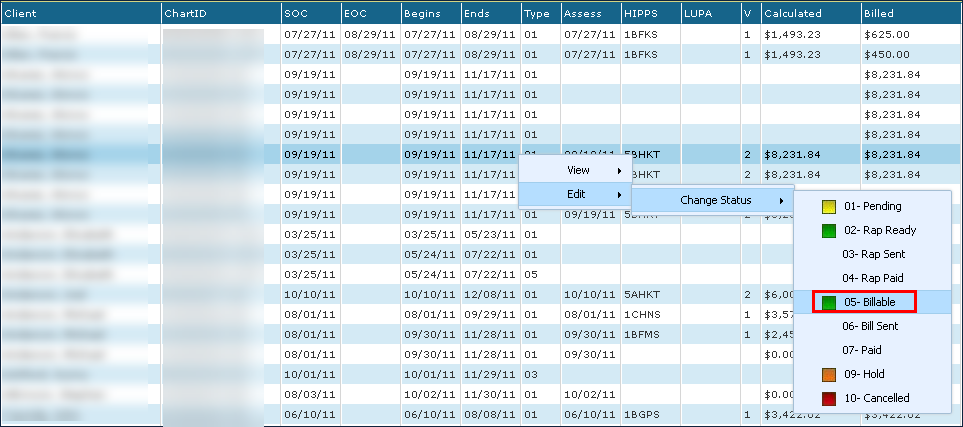
When an agency is using electronic billing and electronic remittance, an Episode’s status can be manually changed to 05-Billable, 09-Hold, or 10-Cancelled. The status of an episode can be changed by:
-
Go to the Episode Tracker window under Main Menu > Billing > Episode Tracker.
-
Use the filters to locate the appropriate episode.
-
Right click on the episode.
-
Select Edit.
-
Select Change Status.
-
Choose the new status.