Sandata Agency Management 32-COVID Vaccine Compliance

Once a COVID-19 Booster Compliance Item has been created, it can be added to a Staff Member. The item tracks or monitors if they have received a COVID-19 booster, plan to get one, or tracks how long it has been since the Staff Member's last booster.
To add a booster compliance item:
-
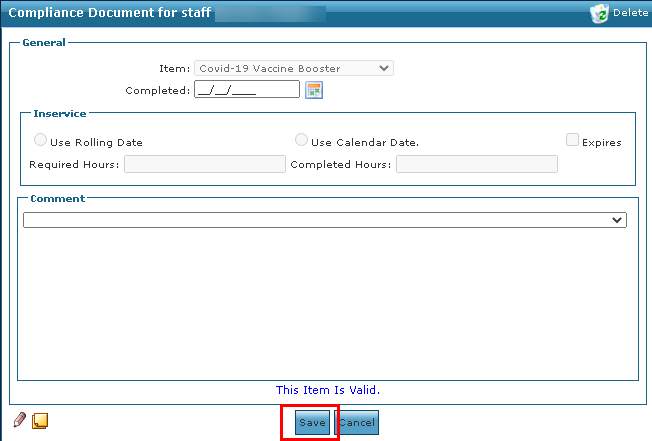
Go to and open the Staff Member’s profile and compliance documents under Main Menu > Staff > Search Staff > Compliance.
-
Select Add.
-
Select Covid-19 Booster in the Item field.
-
Enter any required information.
-
Select the Save button.
With the recent federal mandate of COVID-19 vaccinations and booster shots for frontline workers interacting with Medicaid and Medicare Clients, Sandata Agency Management can be used to track, report, and manage all requirements/compliance items for your Caregivers. This includes onboarding or annual certifications.
To add a COVID-19 Booster item:
-
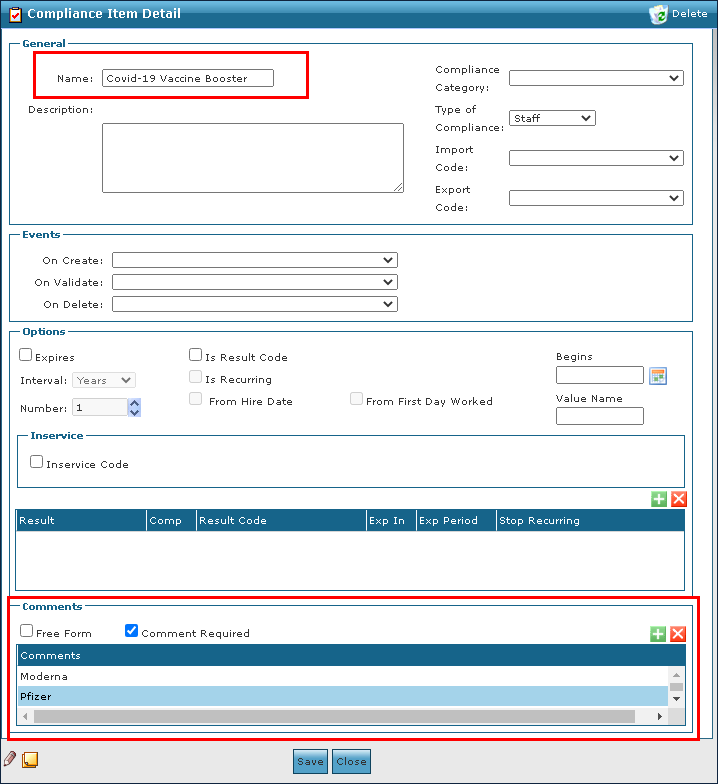
Go to the Compliance window under Main Menu > Admin > System Setup > Compliance.
-
Select the Add icon.
-
Enter the tracking information for the booster. Select the Comment Required checkbox so a manufacturer can be added.
-
Select the Save button.
-
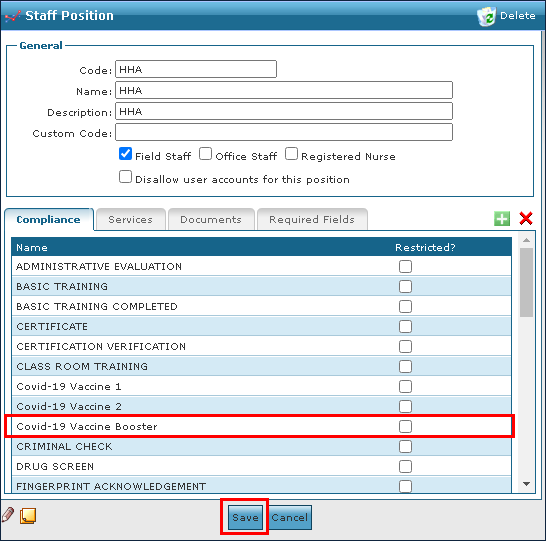
Next, go to and open the position under Main Menu > Admin > System Setup > Positions.
-
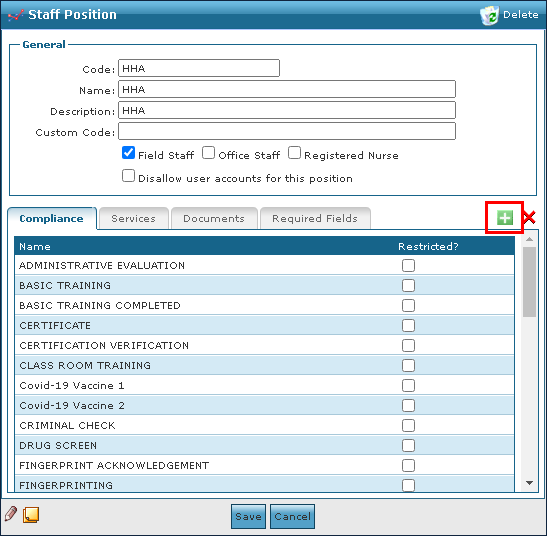
Select the position requiring the compliance item.
-
Select the Add icon.
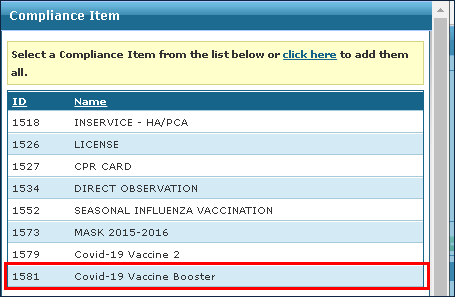
-
Select the vaccine booster.
-
Select the Save button.