Sandata Agency Management 31-No Show Feature
No-Show Alerts
Admission coordinators who are responsible for managing scheduled visits and need to act when a no-show occurs, can set an, ‘Email Alert’ to send a no-show alert message to the associated coordinator for the schedule.
When the feature is enabled, a caregiver that does not call-in for a scheduled visit within the call threshold time creates a ‘No-Show’ exception in Santrax Maintenance. An e-mail is also generated and sent to the coordinator associated with the schedule.
The alerts can be enabled/disabled by type of service. Individual coordinators cannot have alerts disabled.
No-show alerts are not sent when the user enters or edits a schedule where the no-show threshold has already passed at time of entry (i.e. a pending schedule is added or edited for the prior day). If Santrax ID is configured as SS Number, the first 5 digits will be hidden.

To enable No-Show e-mail alerts, the following checkboxes must be selected and fields must have the correct information.
-
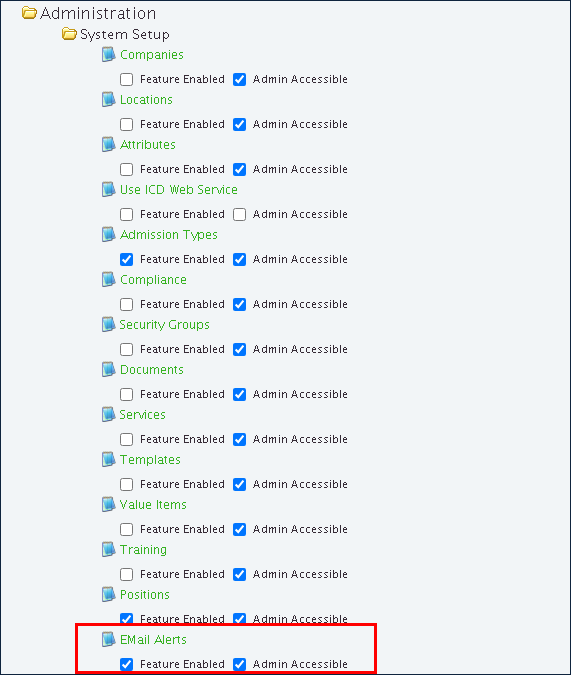
Select the Email Alerts checkbox under Features Management > Admin > System Setup > Email Alerts.
-
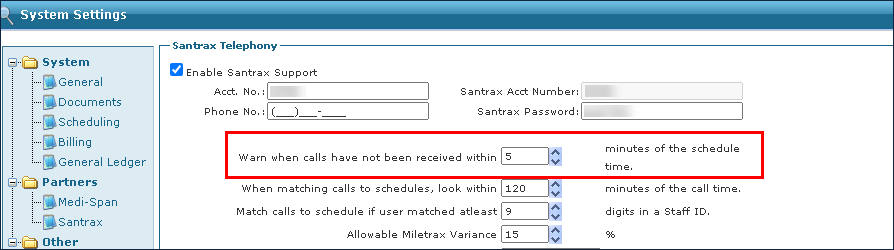
Set the Warning Threshold Time in the Warn when calls have not been received within minutes field under Main Menu > Admin > System Settings > Santrax.
-
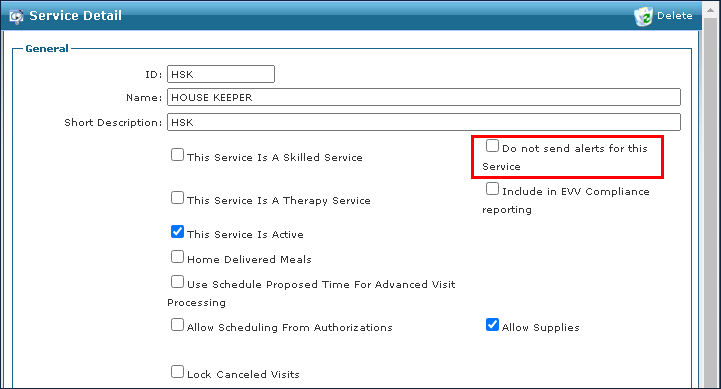
Select Services under Main Menu > Admin > System Setup > Services.

-
Select the Do not send alerts for this Service checkbox for all services not requiring email alerts.
-
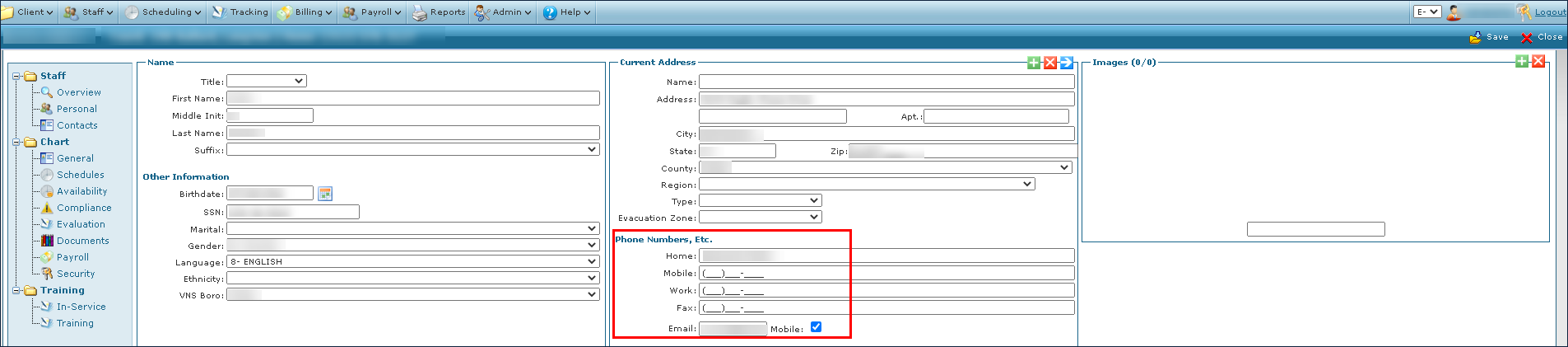
Confirm all Coordinators have phone numbers and emails listed under Staff > Personal > Phone Numbers, Etc. > E-mail.
-
Confirm Clients are assigned a coordinator under Main Menu > Client > Chart > General > Coordinator.

-
When a Caregiver does not call-in for a scheduled visit within the call threshold time, an email is generated and sent to the Coordinator associated with the schedule.
