Sandata Agency Management 17-Staff Position Window

The Staff Position window displays all information and settings associated with a staff position created in the system.
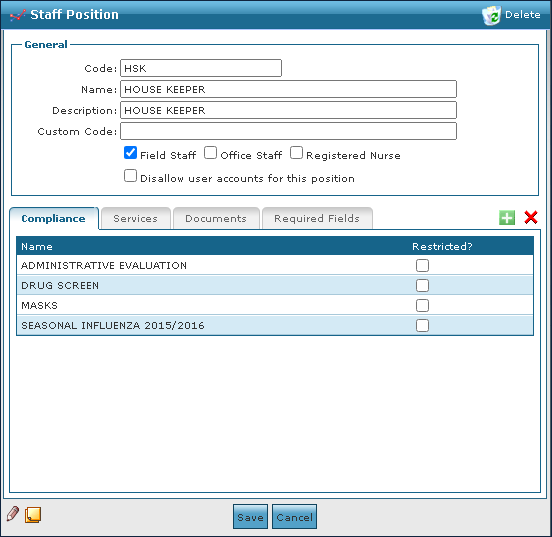
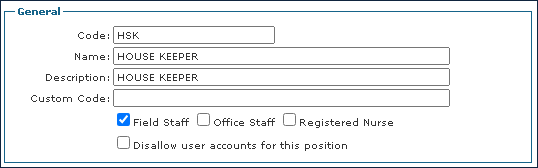
The General section on the Staff Position window displays the basic information about the position.
|
Field |
Description |
|---|---|
|
Code |
Use this field to enter the position code. |
|
Name |
Use this field to enter the position name. |
|
Description |
Use this field to enter the position description. |
|
Custom Code |
Use this field to enter a position specific code if available. |
|
Field Staff |
Select this checkbox to indicate that this position is field staff and allows them to be scheduled. |
|
Office Staff |
Select this checkbox to indicate that this position is office staff. |
|
Registered Nurse |
Select this checkbox to indicate that this position is a registered nurse. |
|
Disallow user accounts for this position |
Select this checkbox to disallow user accounts to be associated with the position. |
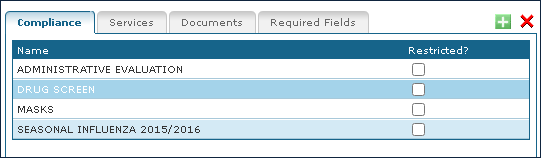
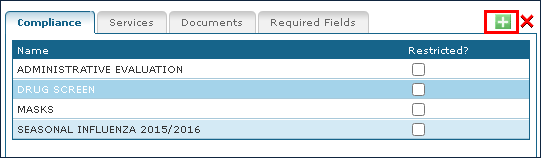
The Compliance tab on the Staff Position window displays the compliance items associated and the compliance items that can be added to a position.
|
Field |
Description |
|---|---|
|
Name |
Displays the name of the compliance item. |
|
Restricted |
Select this checkbox to indicate that this compliance item is restricted. If a staff member is out of compliance they receive a warning and need a manager override to be scheduled. |
To add a new compliance item to a staff position:
-
Go to the Staff Positions window under Main Menu > Admin > System Setup > Staff Positions.
-
Double click the position that needs a compliance item.

-
Select the Add icon.
-
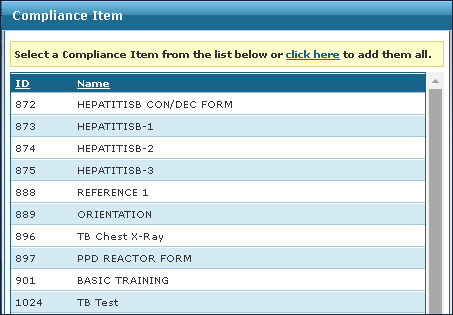
Select the item to be added from the list.
-
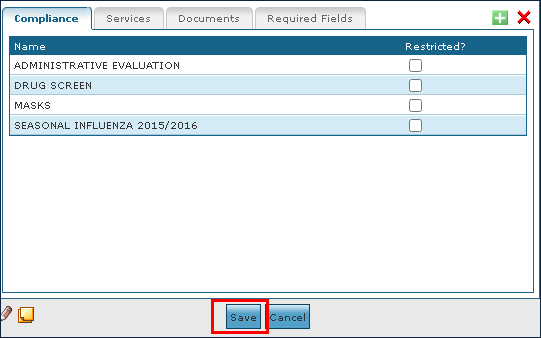
Select the Save button.
To remove an out of date or invalid compliance item:
-
Go to the Staff Positions window under Main Menu > Admin > System Setup > Staff Positions.
-
Double click the position that needs a compliance item to be removed.

-
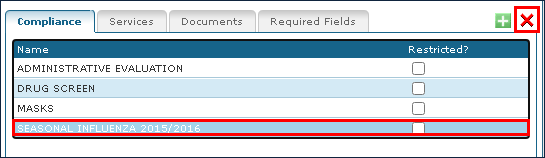
Select the compliance item to be deleted.
-
Select the Delete icon.
-
Select the OK button.
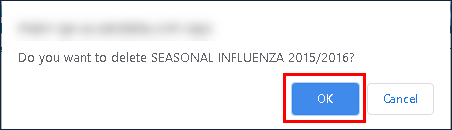
-
6. Select the Save button.
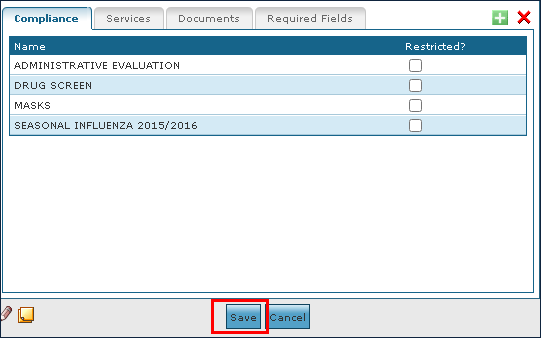
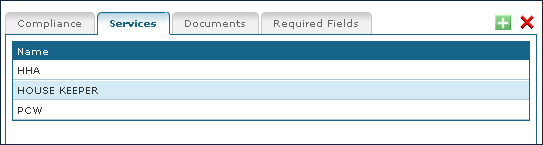
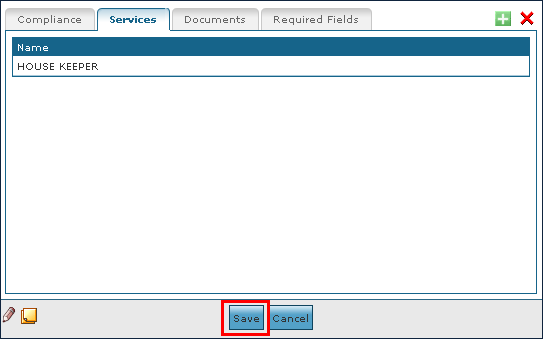
The Services tab on the Staff Position window displays the service tasks associated with the position. This restricts the services that Staff are allowed to perform.
|
Field |
Description |
|---|---|
|
Name |
Displays the name of the service. |
To add a new service item:
-
Go to the Staff Positions window under Main Menu > Admin > System Setup > Staff Positions.
-
Double click the position that needs a service item.

-
Select the Services tab.
-
Select the Add icon.
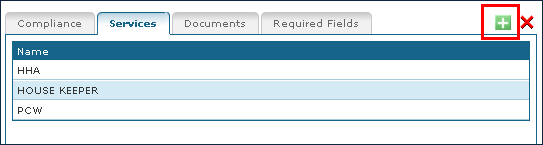
-
Double click the new service from the list.
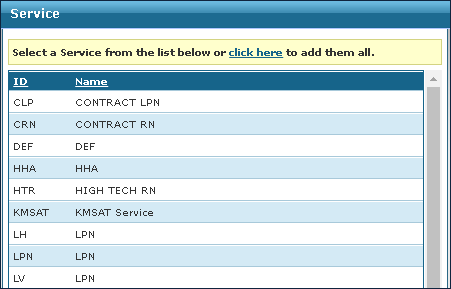
-
Select the Save icon.
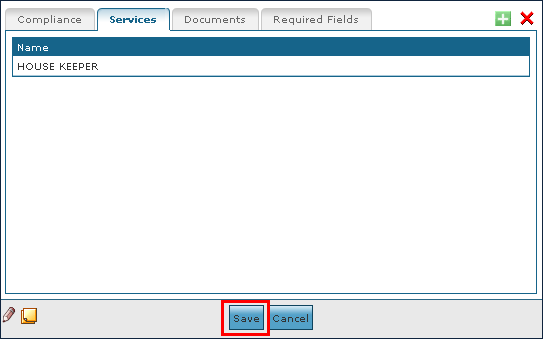
It is best practice to deactivate a service item but if needed a service item can be deleted from the system.
To remove an invalid or out of date service item:
-
Go to the Staff Positions window under Main Menu > Admin > System Setup > Staff Positions.
-
Double click the position that needs a service item removed.

-
Select the Services tab.
-
Select the service to be removed.
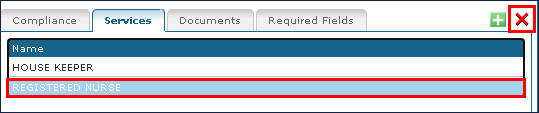
-
Select the Ok button.
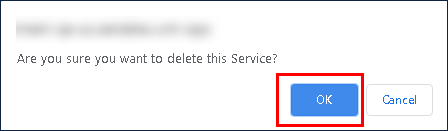
-
Select the Save button.
The Documents tab on the Staff Position window displays the documents that are available with the position.
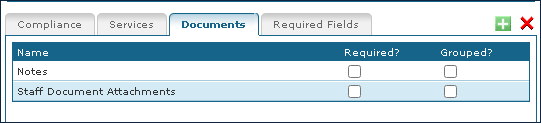
|
Field |
Description |
|
Name |
Displays the name of the document. |
|
Required? |
Select this checkbox to indicate that the document is required. |
|
Grouped? |
Select this checkbox to indicate that the documents are grouped. This moves this out of the Documents tab to its own tab, on the staff profile, names after the document. |
To add a new document:
-
Go to the Staff Positions window under Main Menu > Admin > System Setup > Staff Positions.
-
Double click the position that needs a document.

-
Select the Documents tab.
-
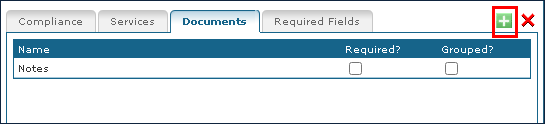
Select the Add icon.
-
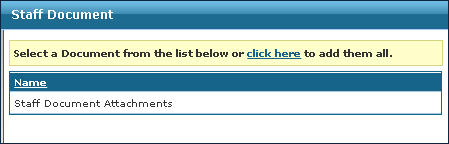
Double click the new document from the list.
-
Select the Save button.
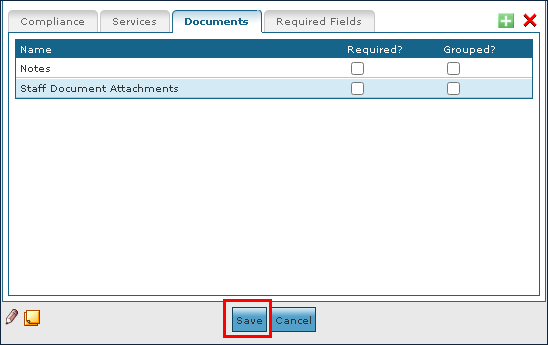
Removing a compliance document does not remove existing items, it only prevents them from being added in the future.
To remove an invalid or out of date document:
-
Go to the Staff Positions window under Main Menu > Admin > System Setup > Staff Positions.

-
Double click on the position that needs a document removed.
-
Select the Documents tab.
-
Select the document to be removed.
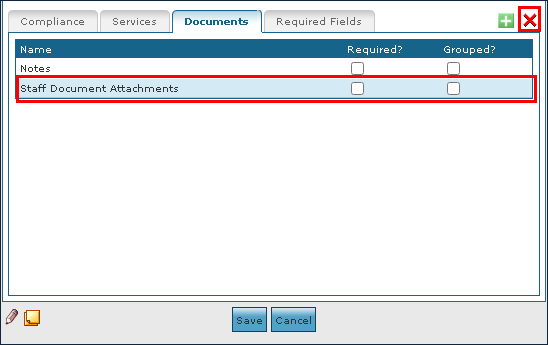
-
Select the Ok.
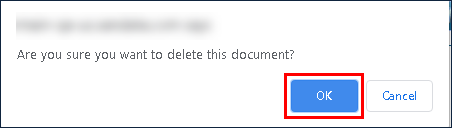
-
Select the Save button.
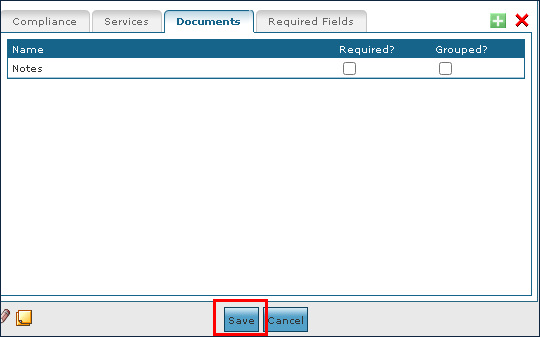
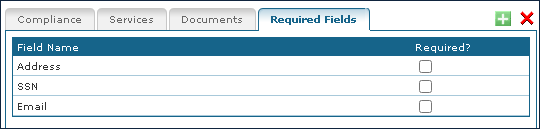
The Required Fields tab on the Staff Position window displays the fields, considered required on the staff profile, based on the position.