Sandata Agency Management 15-Service Detail Window
The Service Detail window displays all information, fields, and settings that can be used to create and customize a service to be performed by an agency.
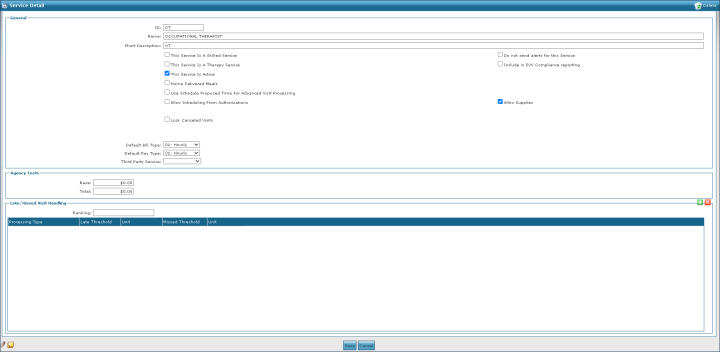

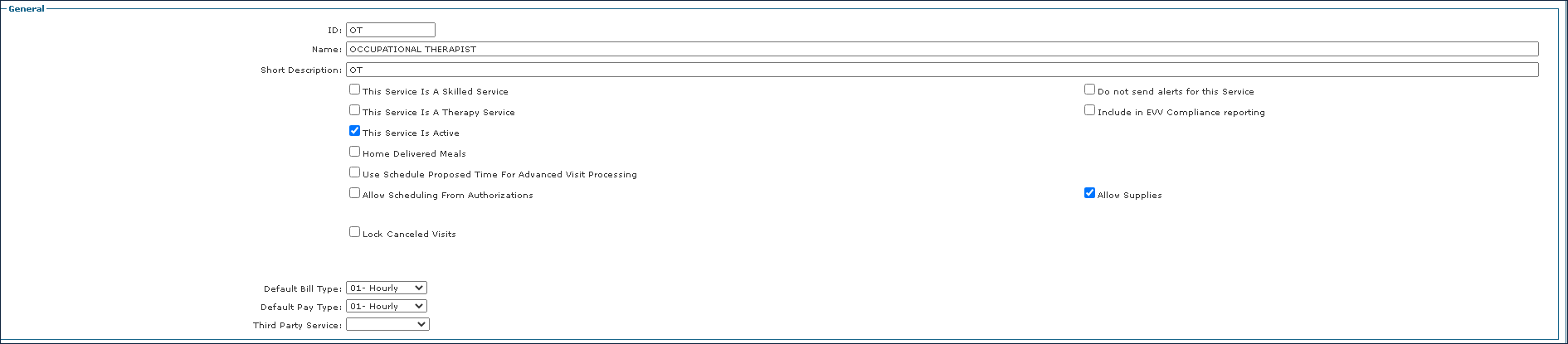
The General section of the Service Detail window displays the basic information and settings for a service.
|
Field |
Description |
|---|---|
|
ID |
Use this field to enter the service identification code. |
|
Name |
Use this field to enter the service name. |
|
External Description |
Use this field to enter a short description of the service. |
|
This Service is a Skilled Service |
Select this checkbox to indicate that this is a skilled service. |
|
This Service is a Therapy Service |
Select this checkbox to indicate that this a therapy service. |
|
This Service is Active |
Select this checkbox to indicate that this service is active. |
|
Home Delivered Meals |
Select this checkbox to indicate that this service includes home delivered meals. |
|
Use Schedule Proposed Times for Advanced Visit Processing |
Select this checkbox to indicate that this service uses proposed times when processing before the visit occurs. |
|
Allow Scheduling from Authorizations |
Select this checkbox to indicate that this service can be scheduled from a Client’s authorization. |
|
Lock Cancelled Visits |
Select this checkbox to lock cancelled visits scheduled for this service. |
|
Do not send alerts for this Service |
Select this checkbox to not send an email alert for this service when a Caregiver is late to perform a visit. |
|
Include in EVV Compliance Reporting |
Select this checkbox to include this service in EVV Compliance Reporting. |
|
Allow Supplies |
Select this checkbox to indicate the service has associated supplies that may need to be used. |
|
Default Bill Type |
Use this dropdown to select the default billing type. |
|
Default Pay Type |
Use this dropdown to select the default payment type. |
|
Third Party Service |
Use this dropdown to select any associated third-party services. |
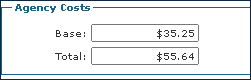
The Agency Costs section displays the cost amount associated with performing the service during a visit. This can include costs incurred through supplies, mileage, or other fees.
This helps assist with overhead for the cost of different services.
|
Field |
Description |
|---|---|
|
Base |
Use this field to enter the base cost of the service. |
|
Total |
Use this field to enter the total cost of the service. |
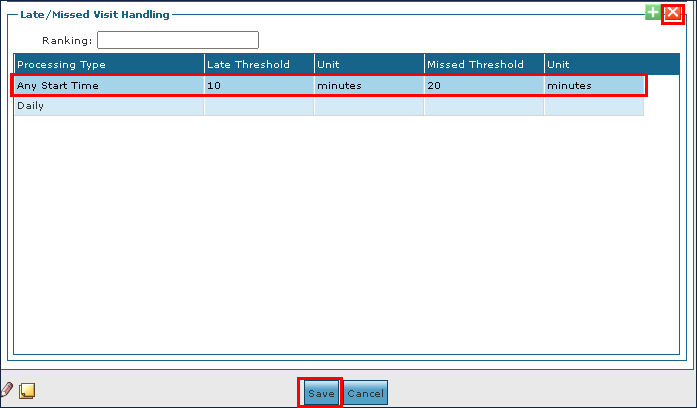
The Late/Missed Visiting Handling section of the Service Detail window displays the settings for determining if a visit is being performed late or missed entirely.

|
Field |
Description |
|---|---|
|
Processing Type |
Use this field to determine the processing type for a visit. |
|
Late Threshold |
Use this field to enter the time for a late visit. |
|
Unit |
Use this field to select the unit type for a late visit. |
|
Missed Threshold |
Use this field to enter the time for a missed visit. |
|
Unit |
Use this field to select the unit type for a missed visit. |
To add a line for Late/Missed Visit Handling processing:
-
Go to the Services window under Main Menu > Admin > System Setup > Services.
-
Double click on the service needing processing.

-
Select the Add icon.
-
Use the fields to enter the processing information.
-
Select the Save button.
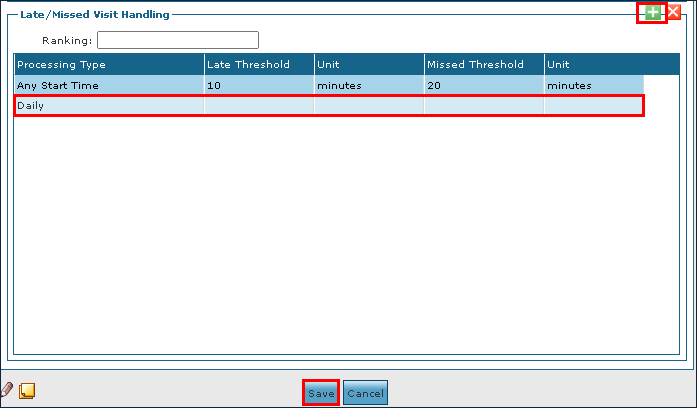
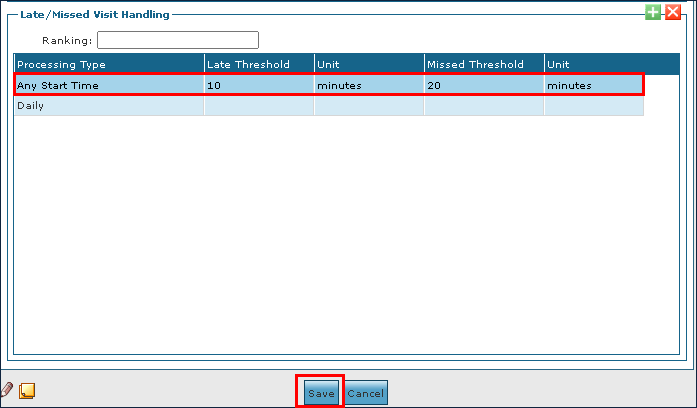
To edit a line for a Late/Missed Visit Handling processing:
-
Go to the Services window under Main Menu > Admin > System Setup > Services.
-
Double click the service that needs editing.

-
Make the corrections to the line as needed.
-
Select the Save button.
To remove an expired or invalid Late/Missed Visit Handling Line:
-
Go to the Services window under Main Menu > Admin > System Setup > Services.
-
2. Double click on the service that needs editing.

-
Select the line to be removed.
-
Select the Delete icon.
-
Select the Save button.