Sandata Agency Management 07-System Attributes Window

The System Attributes window displays characteristics of a Client or Staff Member that can be reviewed when making assignments during scheduling.
To access the System Attributes window, select Attributes under Main Menu > Admin > System Settings > Attributes.
Attribute record requirements, skill levels or requests made by client or staff members are entered into their profiles.
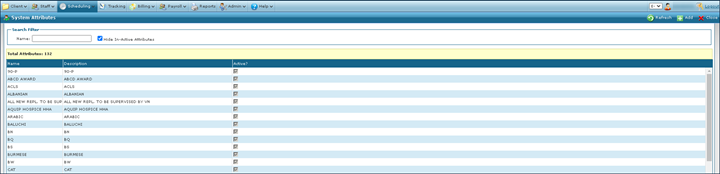
The search filters can be used to locate all attributes matching the terms entered. If no search terms are entered, all results are displayed.

|
Field |
Description |
|---|---|
|
Name |
Use this field to filter attributes by name. |
|
Hide In-Active Attributes |
Select this checkbox to remove all inactive attributes from the search results. This checkbox is selected by default. |
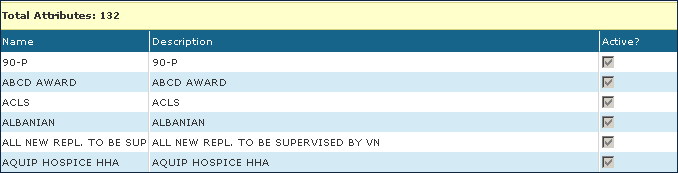
The results list displays all items matching the terms used in the search criteria.
|
Field |
Description |
|---|---|
|
Name |
Displays the attribute name. |
|
Description |
Displays the attribute description. |
|
Active |
Displays if the attribute is active. |
To add a new attribute:
-
Go to the System Attributes window under Main Menu > Admin > System Settings > Attributes.
-
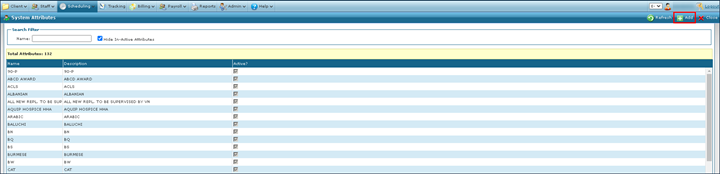
Select Add.
-
Complete the fields to enter the required attribute information.
-
Select the Save button.
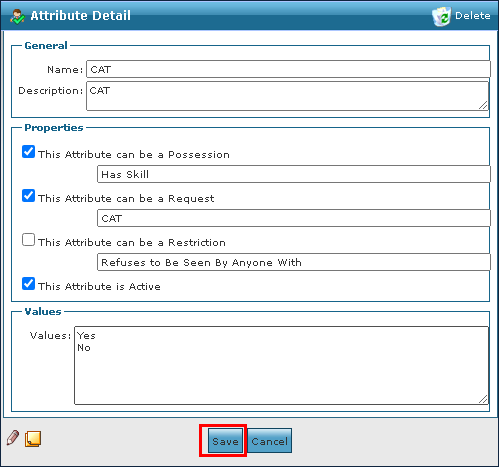
Attributes can be made inactive by opening the selected attribute window and unchecking the This Attribute is Active checkbox. Removing an attribute removes it from all Client profiles.
To remove an invalid or out of date attribute:
-
Go to the System Attributes window under Main Menu > Admin > System Settings > Attributes.
-
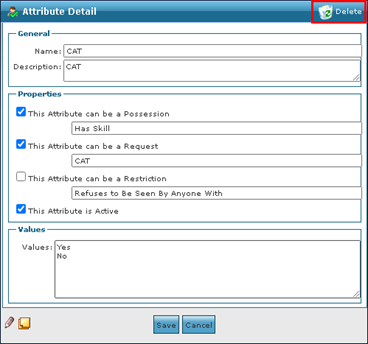
Double click the attribute to be removed.
-
Select Delete.
-
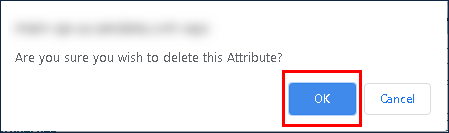
Select the Ok button.