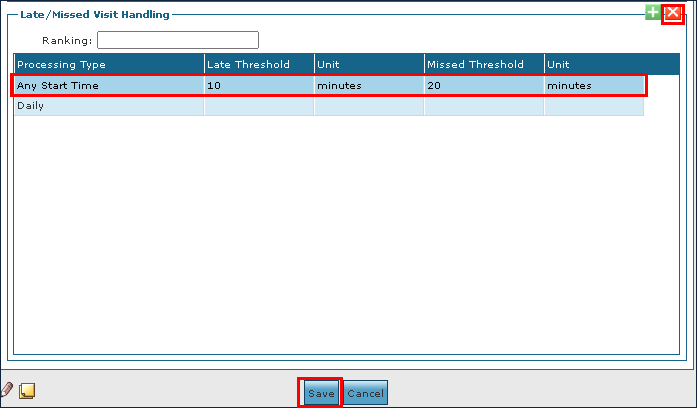
Manage System Setup for a Service

To add a line for Late/Missed Visit Handling processing to a service:
-
Go to the Services window under Main Menu > Admin > System Setup > Services.
-
Double click on the service needing processing.

-
Select the Add icon.
-
Use the fields to enter the processing information.
-
Select the Save button.
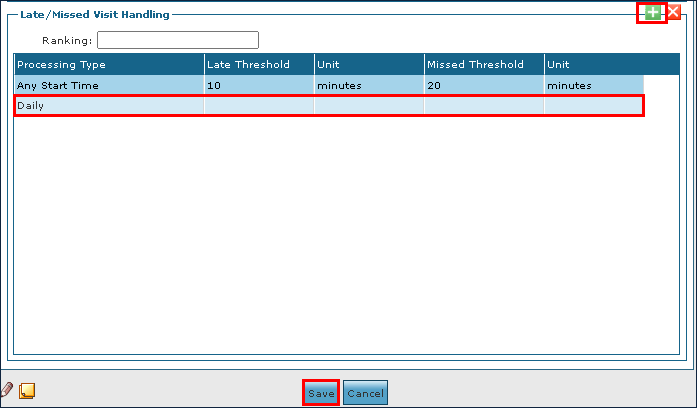
To edit a line for a Late/Missed Visit Handling processing on a Service:
-
Go to the Services screen under Main Menu > Admin > System Setup > Services.
-
Double click on the service needing editing.

-
Make the corrections to the line as needed.
-
Select the Save button.
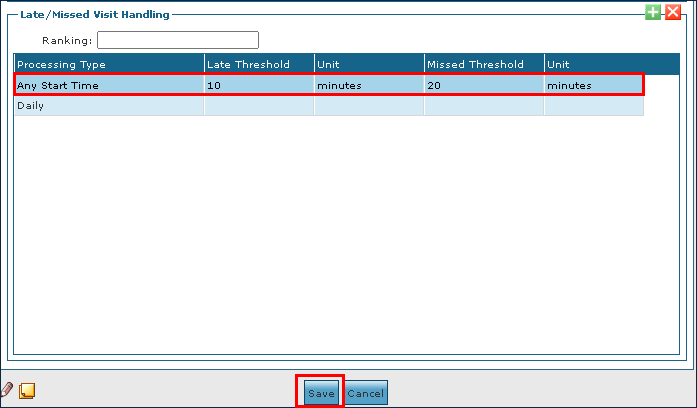
To remove an expired or invalid Late/Missed Visit Handling Line from a service:
-
Go to the Services window under Main Menu > Admin > System Setup > Services.
-
Double click on the service needing editing.

-
Select the line to be removed.
-
Select the Delete icon to delete the line.
-
Select the Save button.