Manage System Setup for a Location

To add a new shift group to a location:
-
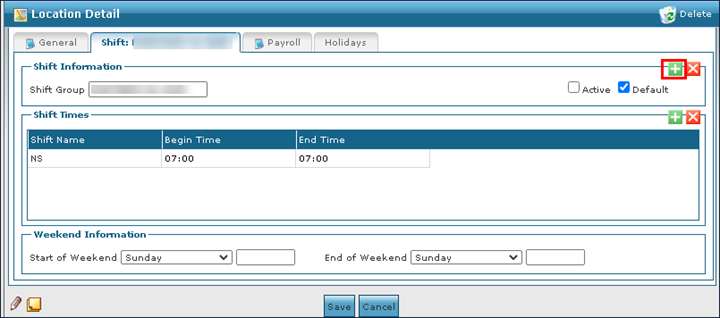
Go to the Shift tab on the Location Detail window under Main Menu > Admin > System Setup > Locations > Location.
-
Select Add New Shift Group.
-
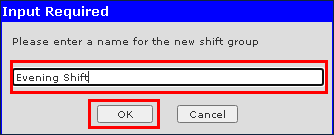
Enter the name of the new shift.
-
Select Ok.
To remove an out of date or invalid shift group from a location:
-
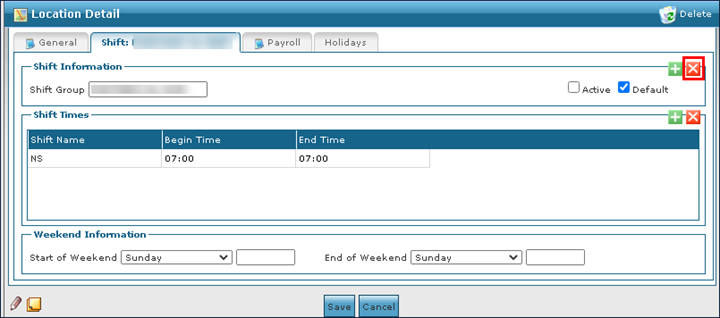
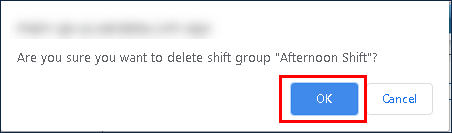
Go to the Shift tab of the shift group to be deleted on the Location Detail window under Main Menu > Admin > System Setup > Locations > Location > Shift Group.
-
Select Delete Shift Group.
-
Select Ok.
To add a new shift time:
-
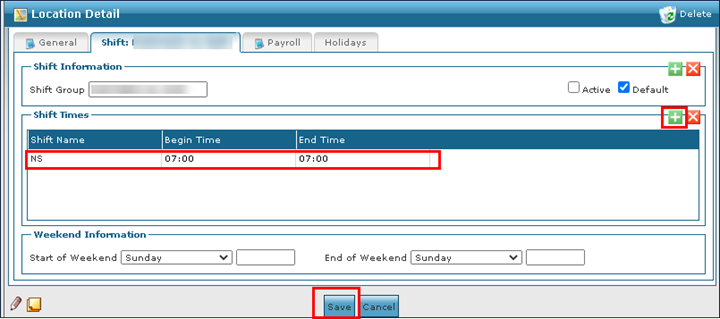
Go to the desired Shift tab on the Location Detail window under Main Menu > Admin > System Setup > Locations > Location > Shift Group.
-
Select Add New Shift.
-
Use the fields to enter the shift details.
-
Select Save.
To remove an invalid or out of date shift from a location:
-
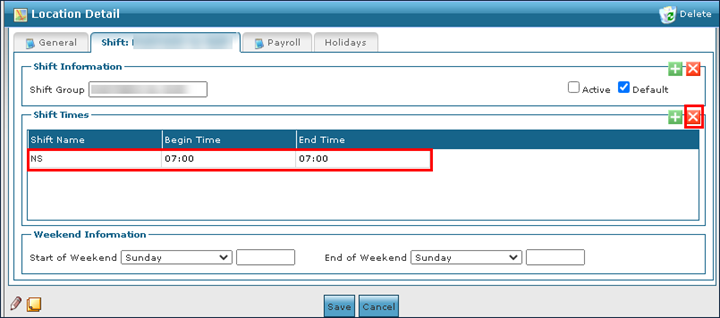
Go to the desired Shift tab on the Location Detail window under Main Menu > Admin > System Setup > Locations > Location > Shift Group.
-
Select the shift to be removed.
-
Select Delete Shift.
To add a new overtime rate to a location:
-
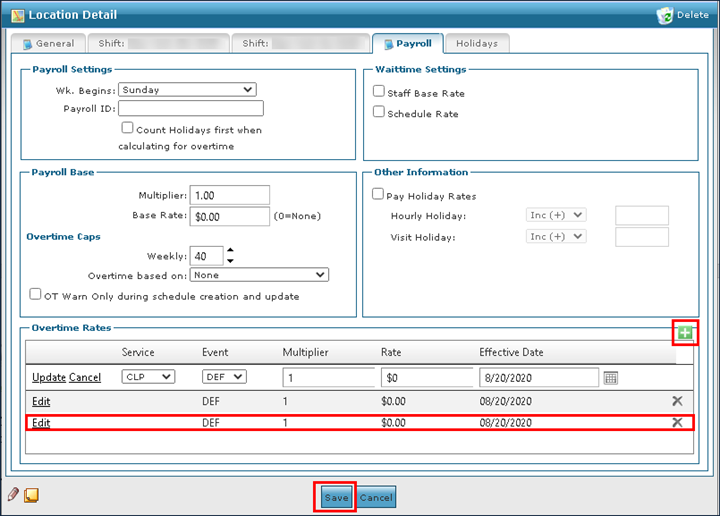
Go to the Payroll tab on the Location Detail window under Main Menu > Admin > System Setup > Locations > Location > Payroll.
-
Select Add New Overtime Rate.
-
Select Edit.
-
Use the fields to enter the new overtime rate information.
-
Select Save.
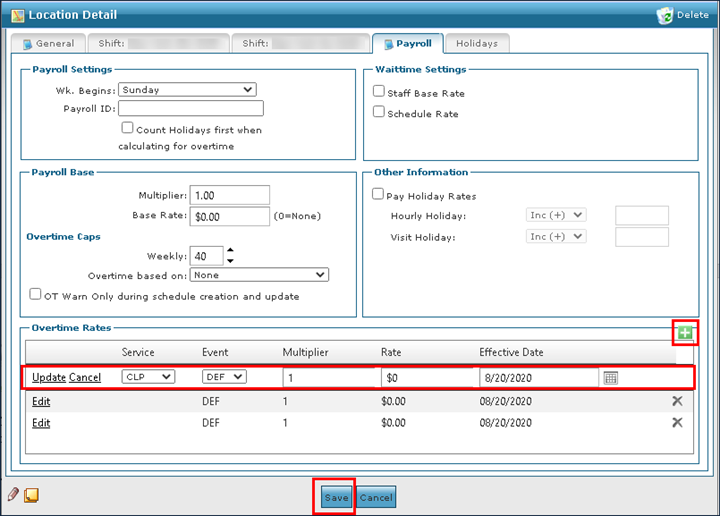
To make changes to an existing overtime rate for a location:
-
Go to the Payroll tab on the Location Detail window under Main Menu > Admin > System Setup > Locations > Location > Payroll.
-
Select Edit on the rate to be edited.
-
Use the fields to make the necessary edits.
-
Select Save.
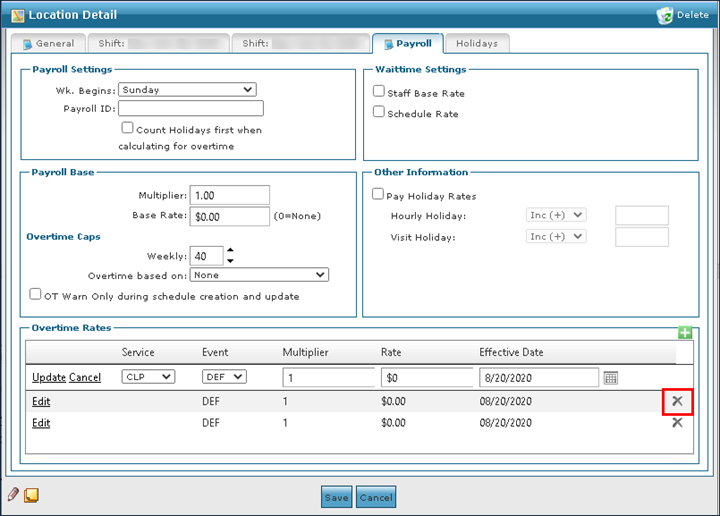
To remove an out of date or invalid overtime rate from a location:
Go to the Payroll tab on the Location Detail window under Main Menu > Admin > System Setup > Locations > Location > Payroll.
Select the rate to be deleted.
Select Delete Overtime Rate.
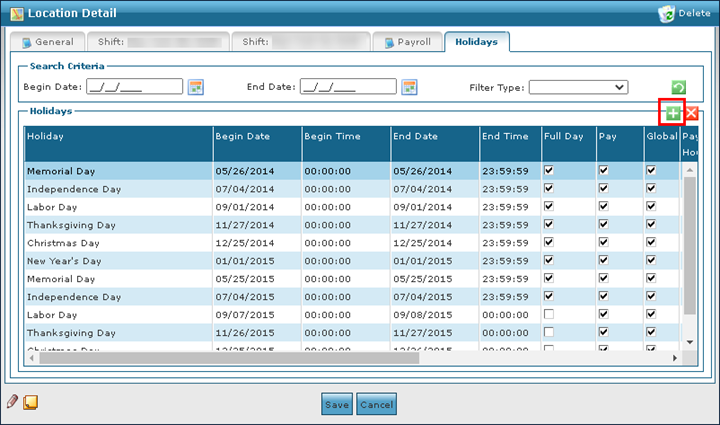
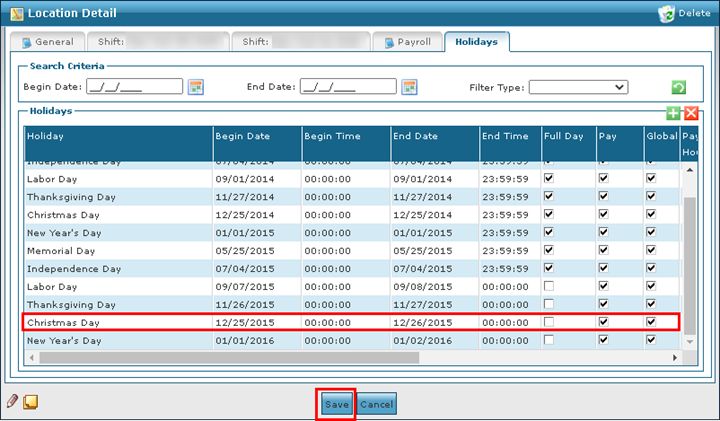
To add a new holiday or event to a location:
-
Go to the Holidays tab on the Locations Detail window under Main Menu > Admin > System Setup > Locations > Location > Holidays.
-
Select Add New Holiday.
-
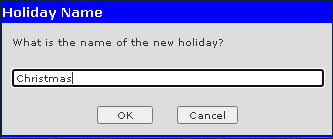
Enter the holiday name.
-
Select Ok.
-
Use the fields to enter the holiday information.
-
Select Save.
To remove an invalid or out of date holiday from a location:
-
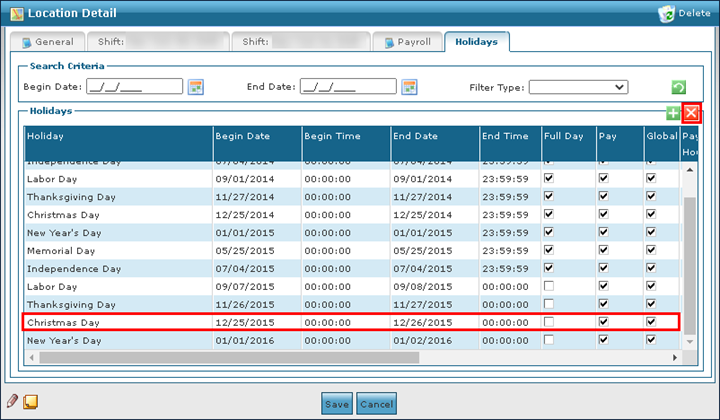
Go to the Holidays tab on the Location Detail window under Main Menu > Admin > System Setup > Location > Locations > Holidays.
-
Select the holiday to be removed.
-
Select Delete Holiday.