Manage System Setup for a Company

If using electronic billing with the Service Facility Loop on the EDI tab, the location must be unique for each, using the second address line to specify each location. If using SPOC, the location name must be the legal name of the agency to pull the doctor’s orders.
To add a new location:
-
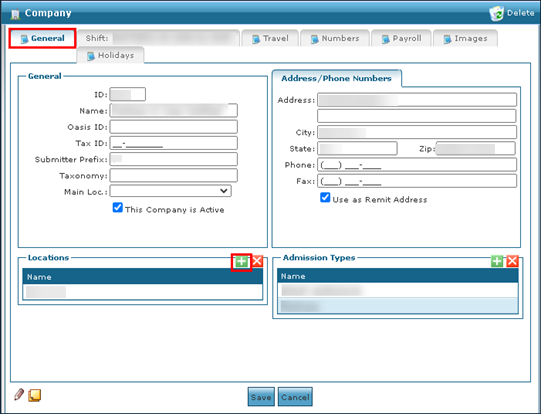
Go to the General tab on the Companies window under Main Menu > Admin > System Setup > Companies > General.
-
Select Add Locations.
-
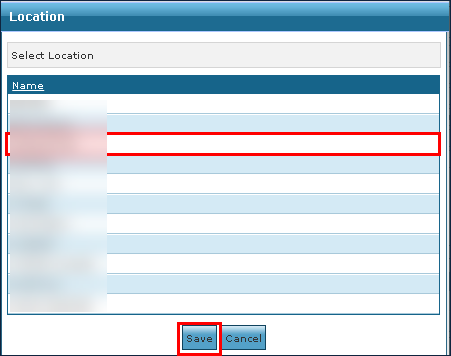
Select the location to be added.
-
Select Save.
To remove an invalid or no longer used location from a Company:
-
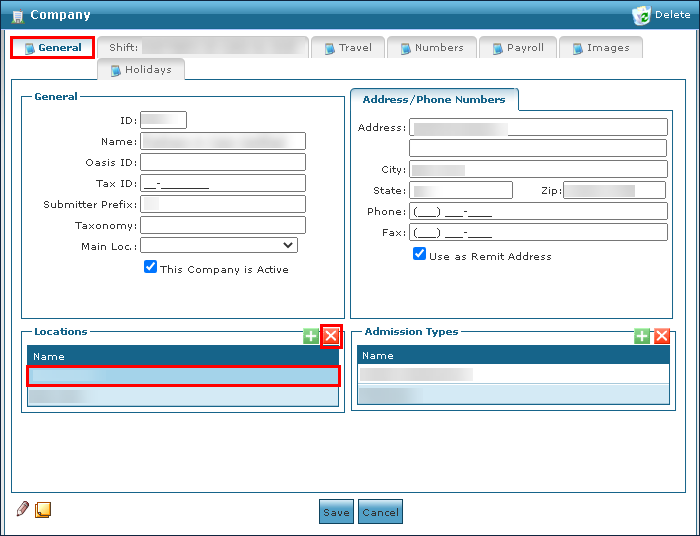
Go to the General tab on the Companies window under Main Menu > Admin > System Setup > Companies > General.
-
Select the location be deleted.
-
Select Delete Location.
To add a new admission type:
-
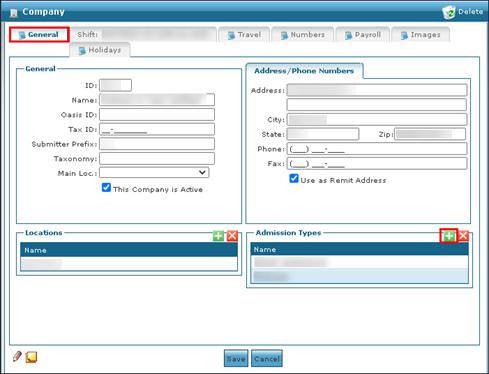
Go to the General tab on the Companies window under Main Menu > Admin > System Setup > Companies > General.
-
Click Add New Admission Type.
-
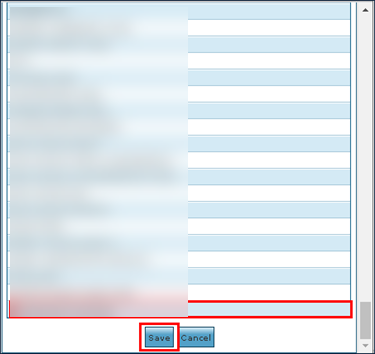
Select the new admission type.
-
Click the Save button.
To remove an admission type:
-
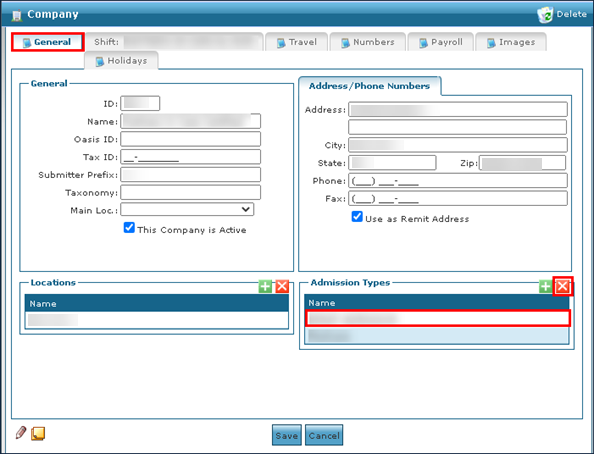
Go to the General tab on the Companies window under Main Menu > Admin > System Setup > Companies > General.
-
Select the admission type to be removed.
-
Select the Delete Admission Type icon.
-
Select the Save button.
To add a new Shift Group:
-
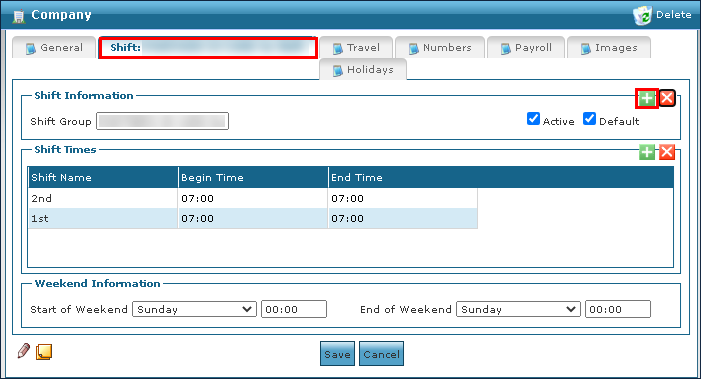
Go to the Shift tab on the Companies window under Main Menu > Admin > System Setup > Companies > Shift Group.
-
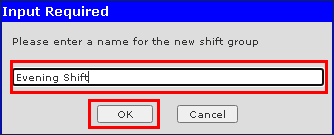
Select the Add New Shift Groupicon.
-
Enter the name of the new shift.
-
Select the Ok button.
To remove an out of date or invalid shift group from a Company:
-
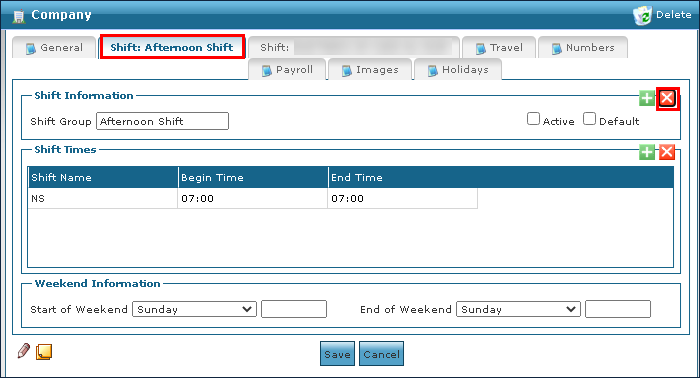
Go to the Shift tab of the shift group to be deleted on the Companies window under Main Menu > Admin > System Setup > Companies > Shift Group.
-
Select the Delete Shift Group icon.
-
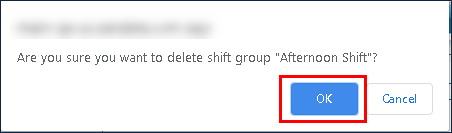
Select the Ok button.
To add a new Shift Time to a Company:
-
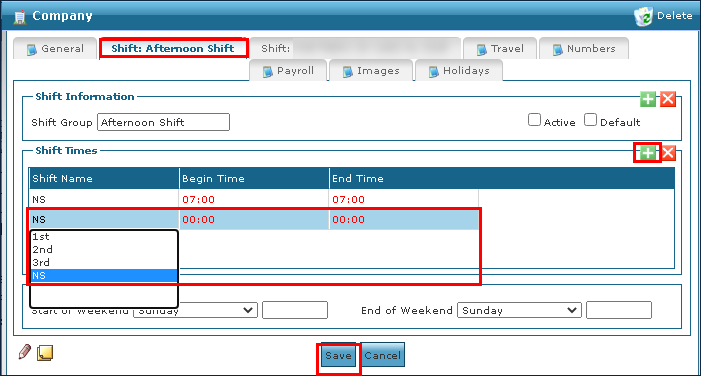
Navigate to the desired Shift tab on the Companies window under Main Menu > Admin > System Setup > Companies > Shift Group.
-
Click the Add New Shift icon.
-
Use the fields to enter the shift details.
-
Click the Save button.
To remove an invalid or out of date shift from a Company:
-
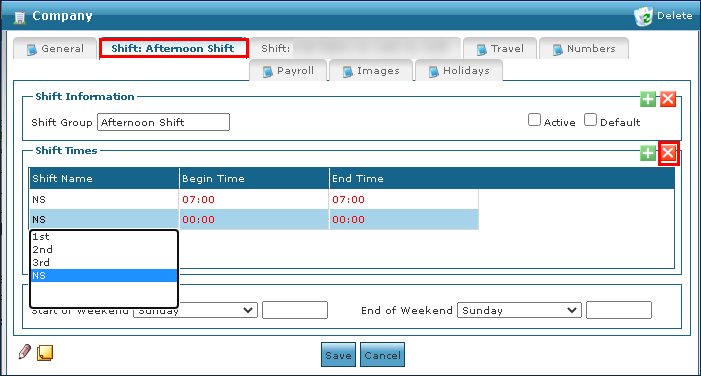
Go to the desired Shift tab on the Companies window under Main Menu > Admin > System Setup > Companies > Shift Group.
-
Select the shift to be removed.
-
Select the Delete Shift icon.
-
Click the Save button.
To add a new image to a Company:
-
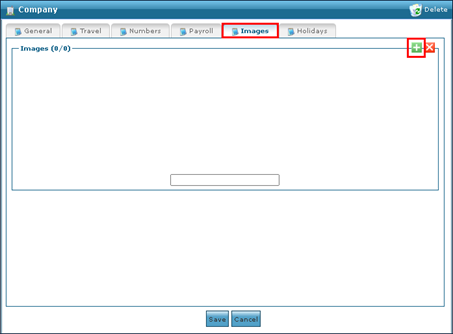
Go to the Images tab on the Companies window under Main Menu > Admin > System Setup > Companies > Images.
-
Select the Add New Image icon.
-
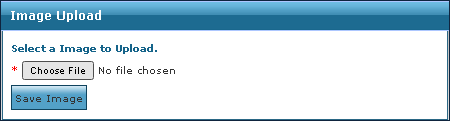
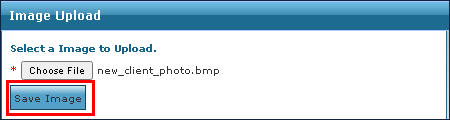
Select the Choose File button.
-
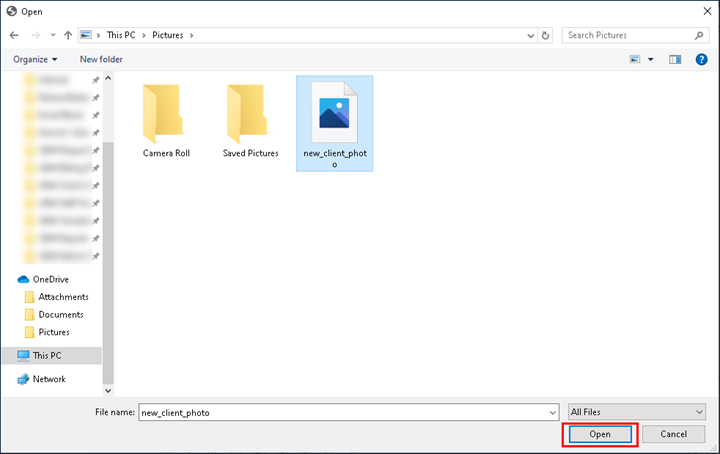
Locate the file to be added.
-
Select the Open button.
-
Select the Save Image button.
-
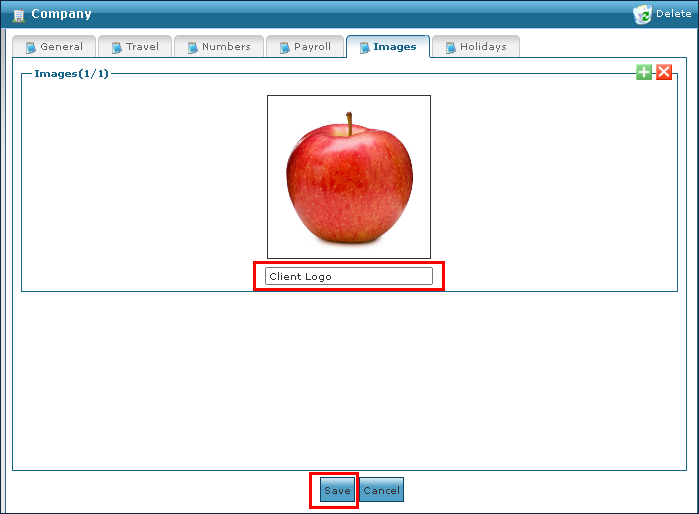
Use the field to name the image if needed.
-
Select the Save button.
To remove an invalid or out of date image from a Company:
-
Go to the Images tab on the Companies window under Main Menu > Admin > System Setup > Companies > Images.
-
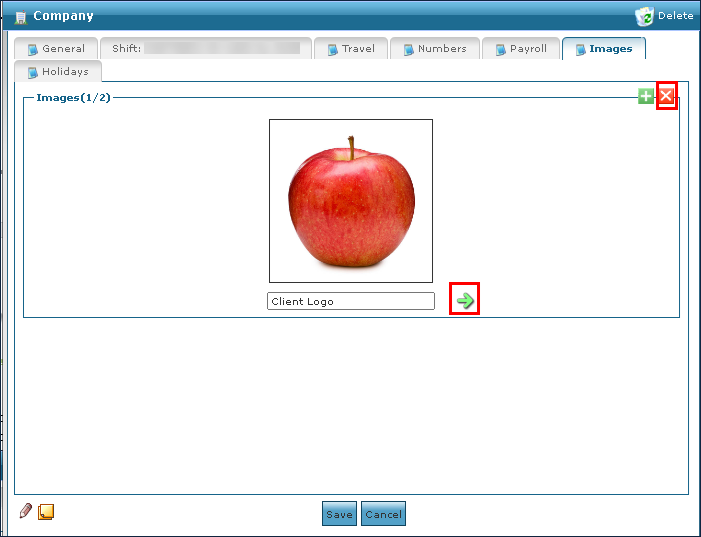
Select the arrow to choose the image to be removed.
-
Select Delete Image.
-
Select the Save button.
To add a new holiday or event to a Company:
-
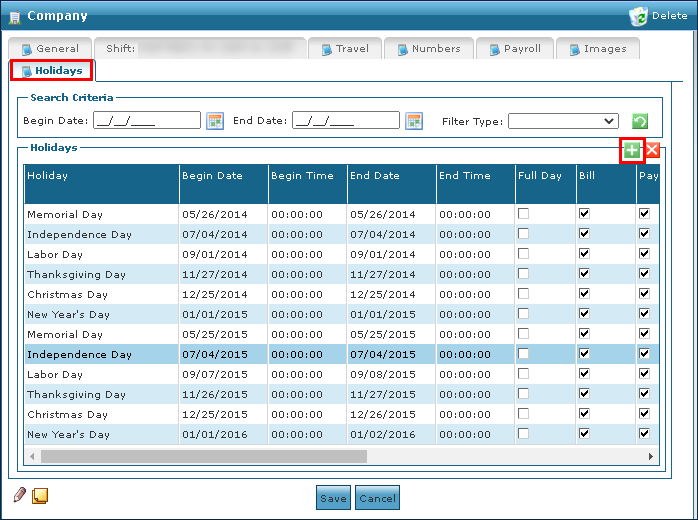
Go to the Holidays tab on the Companies window under Main Menu > Admin > System Setup > Companies > Holidays.
-
Select Add New Holiday.
-
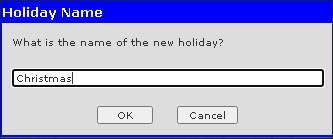
Enter the holiday name.
-
Select Ok.
-
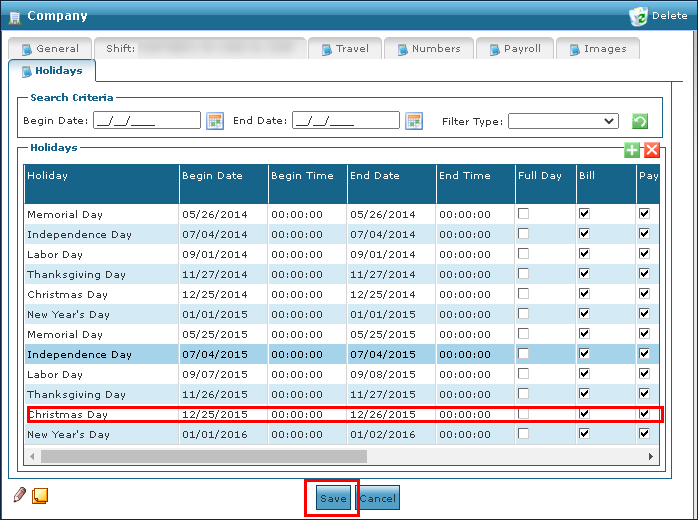
Use the fields to enter the holiday information.
-
Select the Save button.
To remove an out of date holiday or event from a Company:
-
Go to the Holidays tab on the Companies window under Main Menu > Admin > System Setup > Companies > Holiday.
-
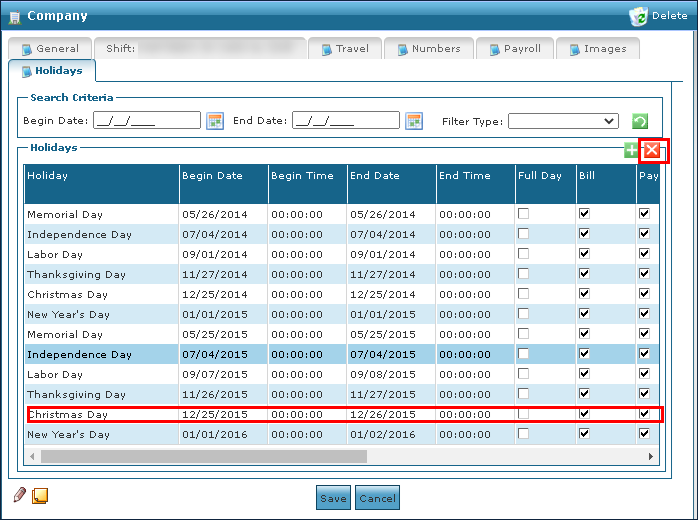
Select the holiday to be removed.
-
Select Delete Holiday.
-
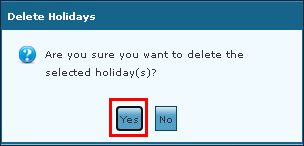
Select Yes.