Payroll Rates in Staff Member Profiles

To add a new payroll rate:
-
Go to Main Menu > Staff.
-
Locate and double click on the staff member using the search filters.
-
Click Payroll.

-
Click the green + button.

-
Click Save.

The new payrate is added.
To remove a payroll rate:
-
Go to Main Menu > Staff.
-
Locate and double click on the staff member using the search filters.
-
Click Payroll.
-
Click on the rate to be deleted.

-
Click the red X.

-
Click Yes.
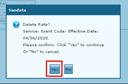
The selected rate is deleted.