Task Exception
A Task Exception displays when the required number of critical tasks are not included when a field staff makes a call out.
To resolve a Task Exception:
-
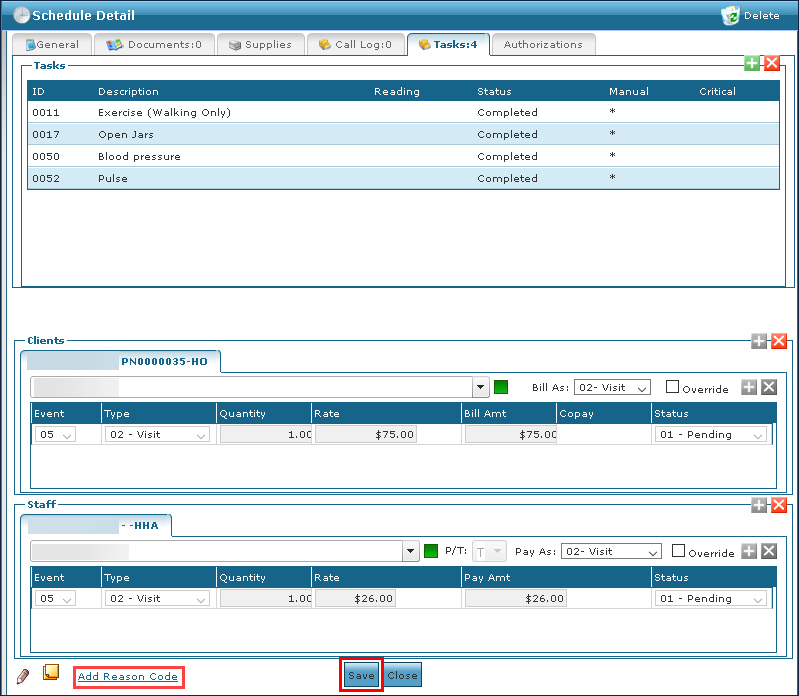
Double click on the visit to open the Schedule Detail.
-
Click the Tasks tab.

-
Click Add New Task.

-
Select the task from the Available Tasks section.
-
Click Add. Tasks manually added will have an * next to them to indicate that they were added after the visit.
-
Click Save once all tasks have been added.
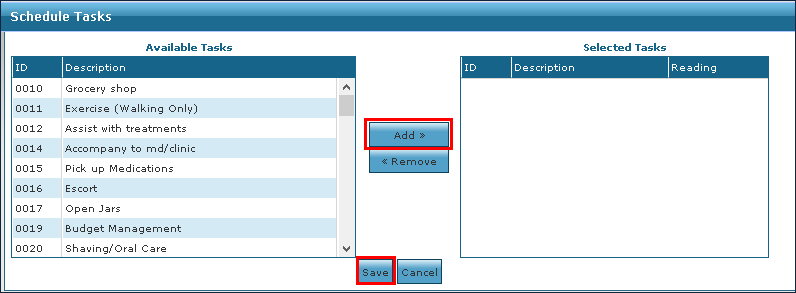
The tasks are added to the schedule.
- If confirming the visit, select a reason code. Click Save.