No Service Exception
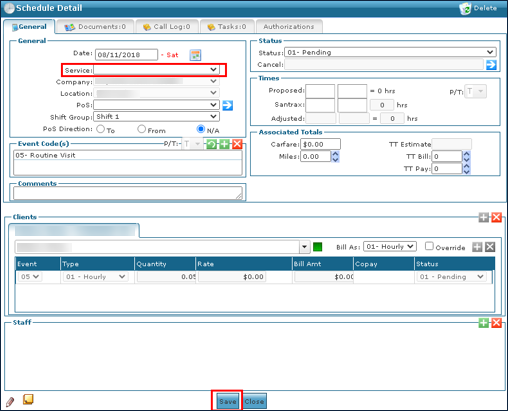
A No Service exception displays when a visit has been created without a service assigned to the visit. This exception usually appears along with the Unknown Client/Unscheduled Visit exception.
To resolve a No Service Exception:
-
Double click on the visit to open the Schedule Detail.
-
Select the Service delivered during the visit.
-
If you are confirming the visit, select a Reason Code. Click Save.