GPS Distance Exception
When an agency is set up with Sandata Mobile Connect, a GPS Distance exception displays when a call in or call out is placed outside of the configured distance (1 mile) from any of the client’s addresses in the system.
To resolve a GPS Distance Exception:
-
Go to Main Menu > Scheduling > Santrax Maintenance.
-
Search for and open the applicable visit.
-
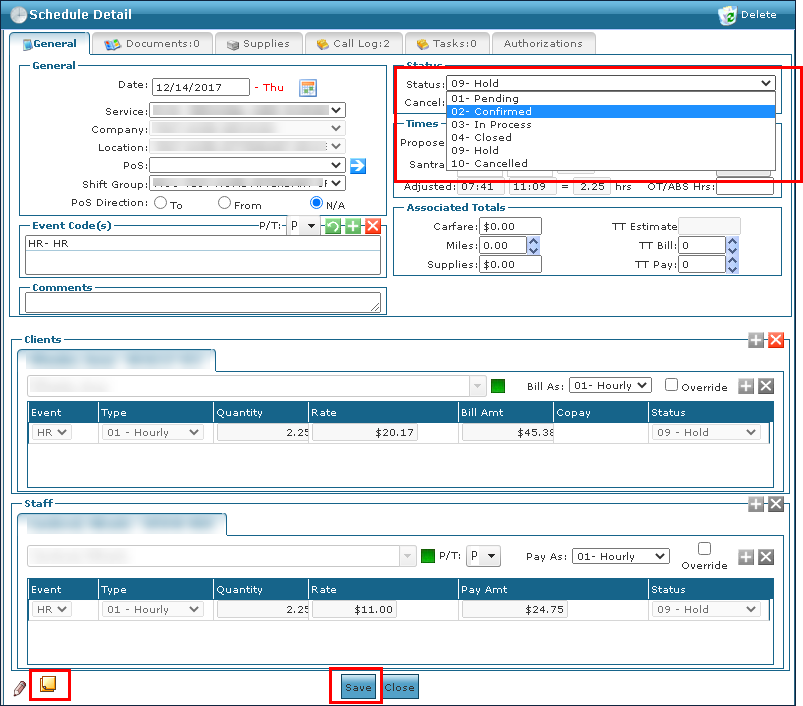
Add a note indicating that the visit took place at a confirmed one-time exception.
-
Change the status of the visit from 09-Hold to 02-Confirmed on the General tab.
-
Click Save.
-
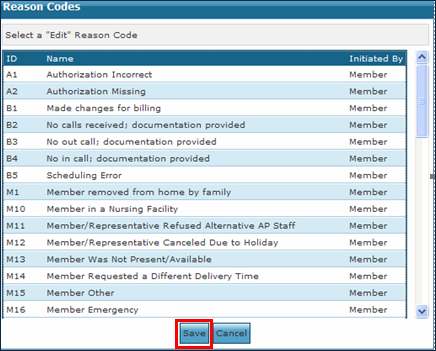
Select the appropriate reason code.
-
Click Save.