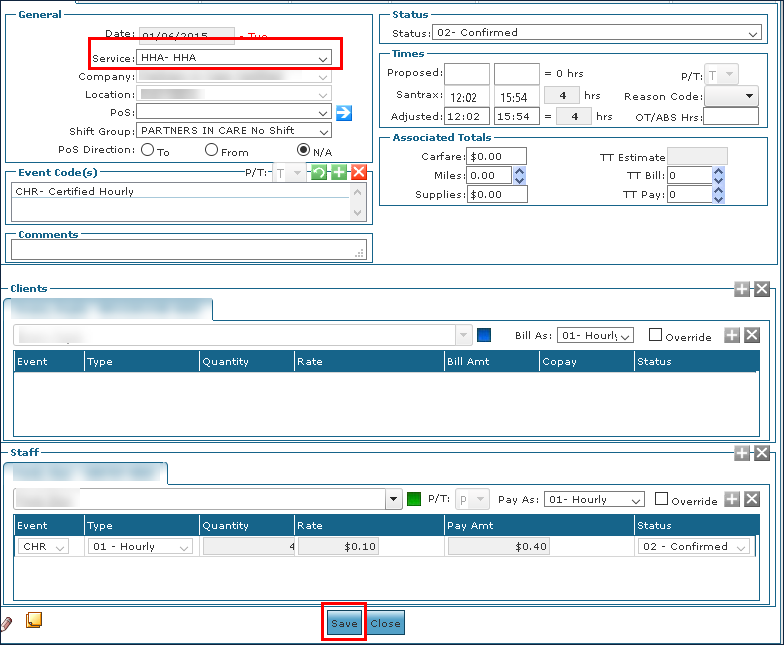
Different Service Entered on Call Exception
A Different service entered on call exception displays when the service reported on the call during the visit differs from the service listed on the schedule.
To resolve a Different Service Entered on Call Exception:
-
Confirm that the performed service was correct.
-
Double click on the visit to open the Schedule Detail.
-
Update the service as needed.
-
Click Save.
If you are confirming the visit, select a Reason Code.