Reassign a Manager or Coordinator
This functionality allows users with the correct security permissions to reassign managers and coordinators assigned to clients from the search screen.
The manager/coordinator who is being assigned to the client must already be in the system and assigned the position of manager/coordinator.
-
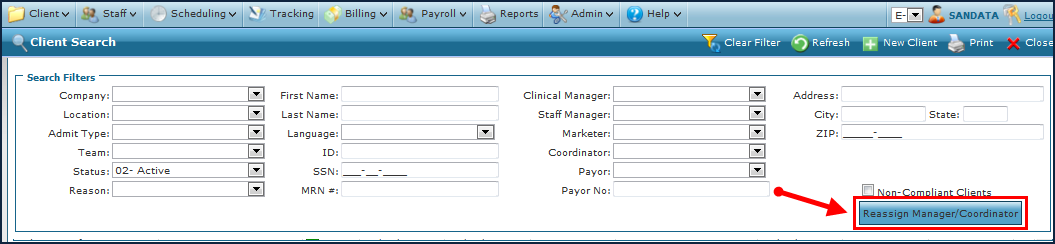
Click Reassign Manager/Coordinator.
-
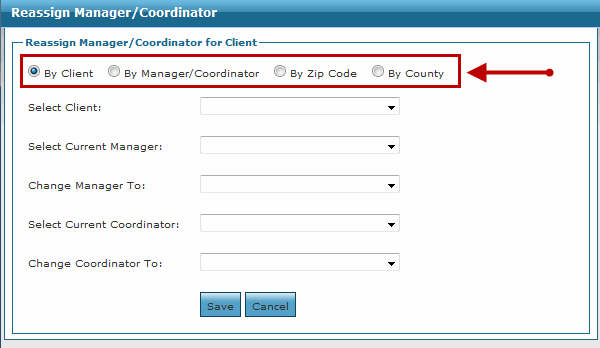
Chose the method of reassigning.
-
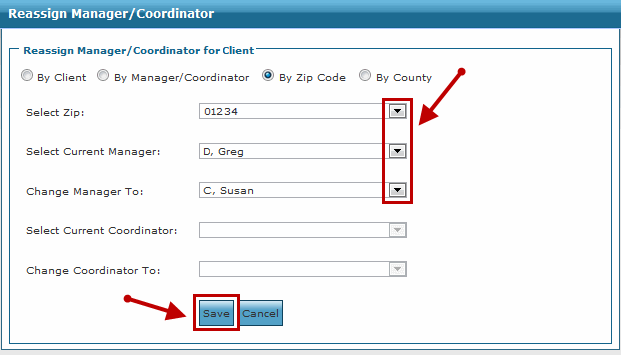
Select what will be Reassigned: Select the zip code from the Select Zip dropdown, the current manager from the Select Current Manager dropdown, and the new manager from the Change Manager To dropdown.
-
Click Save.