Void an Invoice
In some situations it may be easier to void an entire invoice rather than voiding individual payments or line items.
To void an invoice:
-
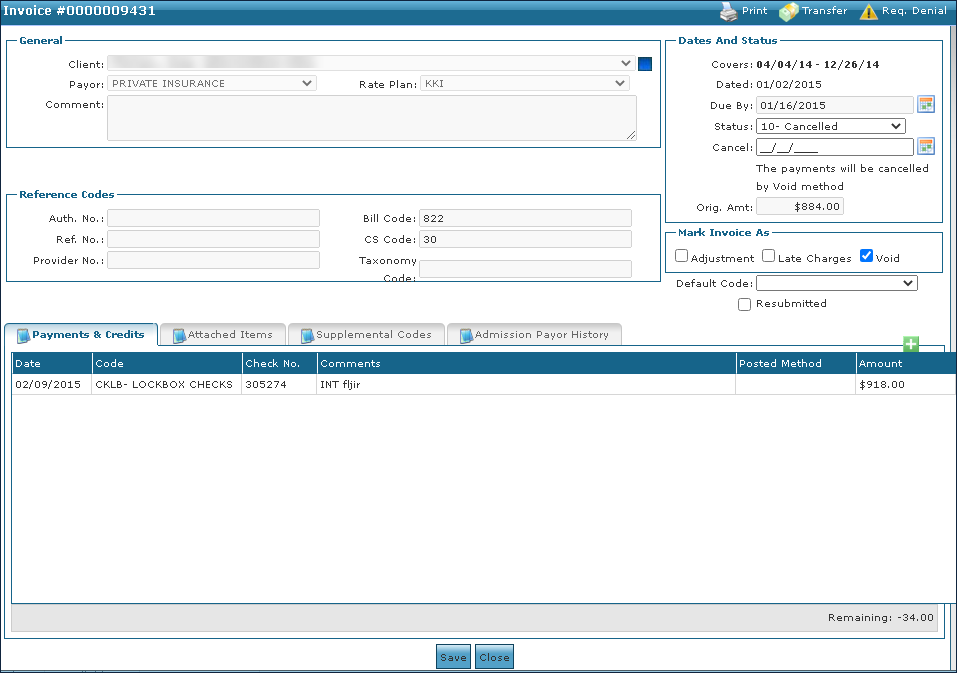
Go to Main Menu > Billing > Invoices and locate the invoice.
-
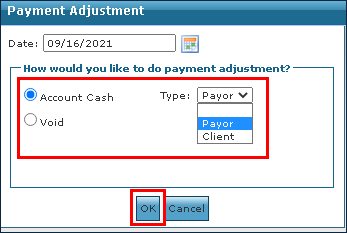
Change the Status to 10 - Cancelled. The Payment Adjustment box opens.
-
Select the payment adjustment type or click the Void radio button.
-
Select a Cancel date.
-
Select the Void checkbox.
-
Click Save.
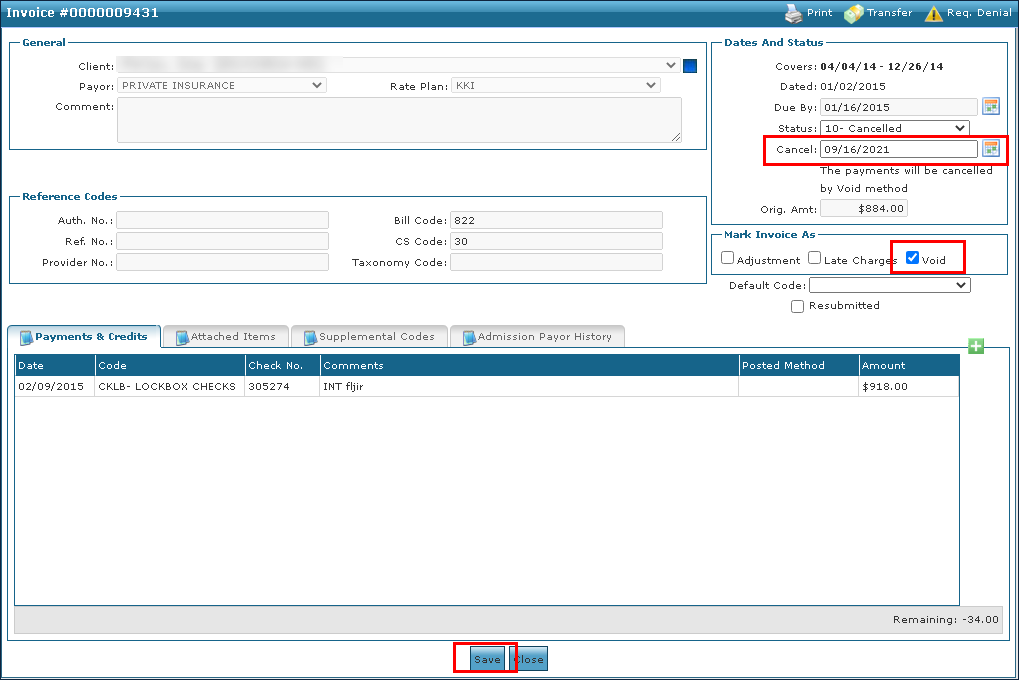
The Invoice is voided.