Set a Visit Status from Billing Review
On the Billing Review screen, Set Status can be used to change the status of events without having to open the Schedule Detail screen. This is helpful for tasks such as bulk editing or getting an item ready to bill after resolving an exception.
-
Select an event or several events in the Results List.
-
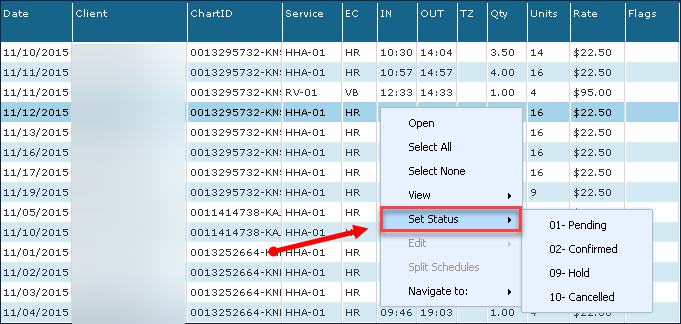
Right-click and choose Set Status.
-
Select a Status from the dropdown menu.
The new status will be applied to all selected visits.