Preview and Save the Cash General Ledger Export
There are two options for generating the Cash General Ledger Export — Summary Version and Detail Version.

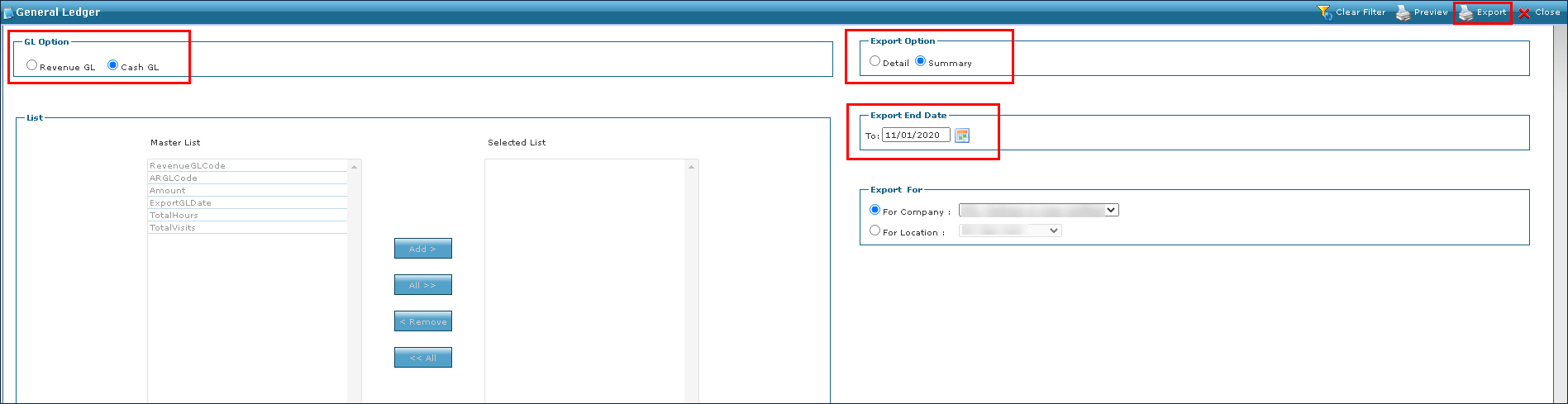
To export a summary version of the Cash General Ledger:
-
Go to Main Menu > Billing > GL Export.
-
Select Cash in the GL Option box.
-
Select Summary in the Export Option box.
-
Choose the final date of the export in the Export End Date box.
-
Choose the Company or Location from the dropdown in the Export For box.
-
Click Export.
-
Click Yes.
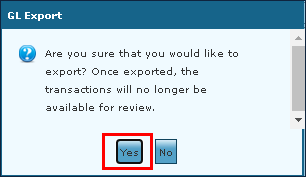
The export is created.

To preview and make a copy of a Cash General Ledger export:
-
Go to Main Menu > Billing > GL Export.
-
Select Cash GL in the GL Option box.
-
Select Detail in the Export Option box.
-
Use the Master List box to select the outputs. Click Add to select the outputs individually or click All to select each one.
-
Choose the final date of the export in the Export End Date box.
-
Choose the Company or Location from the dropdown in the Export For box.
-
Click Preview.
-
Select a download location for the sample report and click Save.